
How to Create a Mind Map Step by Step: A Complete Mind Map Tutorial for Effective Visual Thinking
 ·7/14/2026·16 min read
A mind map is a visual diagram that organizes concepts around a single central topic, using branching lines, keywords, images, and colors to represent relationships and hierarchy. This guide provides a practical, step-by-step tutorial to help you create clear, memorable mind maps for brainstorming, studying, research, or project planning, and it covers both manual techniques and digital, AI-assisted workflows. Many people find it challenging to organize scattered ideas into structured insights; mind mapping solves that by externalizing thinking into a flexible visual format that supports retrieval and creativity. In the sections that follow you’ll find a definition and benefits, a numbered how-to you can follow by hand, a practical walkthrough of AI-enhanced mapping with Ponder (Ponder AI) as an example of an AI-powered knowledge workspace, advanced techniques and use cases, a neutral software comparison, and concise answers to common questions. Throughout, this article uses actionable tips, short lists, and compact tables so you can start mapping immediately and choose the right tools for your needs.
Ponder (Ponder AI) is introduced here as an illustrative example of an AI-powered knowledge workspace that supports visual thinking and can accelerate mind mapping workflows through an “infinite canvas,” AI-assisted brainstorming, and export options.
Mentioning Ponder is intended to show how modern tools can complement manual mapping rather than to replace the core skills taught in this tutorial. Now let’s define mind maps and examine why they help your thinking before moving into step-by-step creation.
Quick answer: To create a mind map: (1) choose your central topic and write it in the center; (2) add 5-8 main branches for key subtopics; (3) add sub-branches for specific points under each category; (4) connect related branches with cross-links; (5) add visuals and color coding. Tools: MindMeister for collaboration, Coggle for simplicity, XMind for power users. For researchers who need mind maps linked to actual source documents, Ponder's canvas enables evidence-connected knowledge mapping rather than just visual notes.
What Is a Mind Map and Why Use Mind Mapping Techniques?
A mind map is a radial diagram that anchors a central topic in the middle and organizes related ideas as main branches and progressively finer sub-branches, using short keywords, images, colors, and links to show relationships and hierarchy.
This structure reduces cognitive load by transforming linear notes into a spatial layout, that makes patterns, gaps, and priorities visible, which improves recall and creative idea generation.
Mind mapping works because visual encoding and meaningful connections strengthen memory traces and give your brain multiple retrieval cues across words, images, and spatial layout.
Below is a quick EAV table to compare core mind-map elements and their primary purposes so you can see how each part contributes to a map’s effectiveness.
The table summarizes core map elements: mind mapping features.
Element | Characteristic | Purpose |
|---|---|---|
Central topic | Single concise phrase or image | Anchors the map and defines scope |
Main branches | 4–7 primary categories radiating from center | Represent major ideas or themes |
Sub-branches | Short keywords and details off each main branch | Add specificity and evidence |
Visual cues | Colors, icons, images | Encode meaning and boost recall |
Links/Connections | Cross-links between branches | Reveal relationships and synthesize ideas |
This compact comparison clarifies how elements work together: the central topic sets focus, branches organize categories, and visuals + links improve memory and insight. Understanding these elements leads directly into how to apply them in practice when you create a map by hand or in a simple editor.
What Are the Key Elements of a Mind Map?
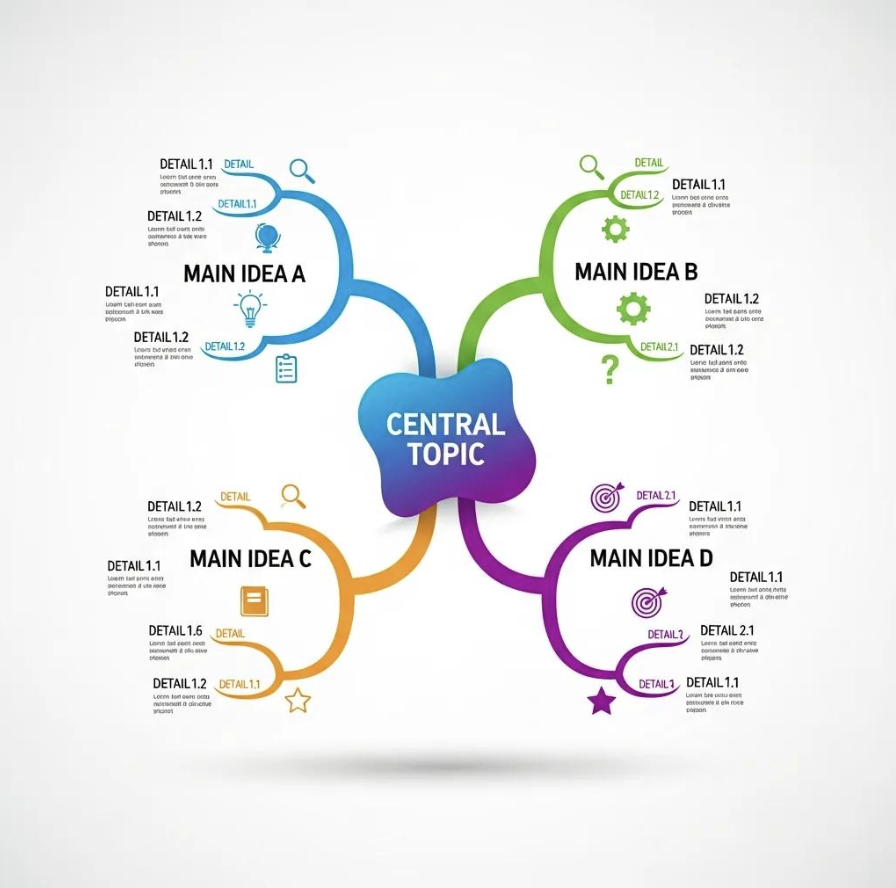
Key elements of a mind map include the central topic, main branches, sub-branches, keywords, visuals, and explicit cross-links; each plays a distinct role in shaping how you retrieve and combine information.
The central topic should be concise—one phrase or a simple icon—so the map has a clear anchor that orients every branch.
Main branches represent the top-level categories you want to explore. As a guideline, aim for approximately four to seven branches to avoid scattering attention, though this can be adjusted based on your specific needs.
Sub-branches use single keywords or short phrases to capture details, evidence, or tasks that support each main branch, and they can be progressively expanded as you iterate.
Central topic: concise anchor that defines scope and focus.
Main branches: major categories or themes that structure ideas.
Sub-branches: supporting facts, tasks, or arguments under each branch.
These elements form a modular structure you can expand or collapse as needed, which makes mind maps ideal for both quick brainstorming and long-form synthesis.
What Are the Benefits of Mind Mapping for Creativity and Productivity?
Mind mapping enhances creativity and productivity by converting linear notes into a visual network that supports idea generation, prioritization, and memory encoding.
Research demonstrates significant cognitive benefits from visual mapping tools. Studies show that visual brainstorming can improve information retention by approximately 10-32% (Farrand et al., 2002), with productivity gains of 20-50% reported in meta-analyses of divergent thinking tasks, though exact sources for these meta-analysis figures should be verified. While exact figures vary by study and context, the evidence consistently supports enhanced creative output and knowledge retention when using visual mapping methods.
Visual thinking reduces time spent searching through scattered notes, enabling faster synthesis and clearer action planning while offering multiple retrieval paths that strengthen learning and recall.
Better memory: visual encoding and keyword emphasis improve recall.
Faster ideation: spatial layout and branching prompt associative thinking.
Clearer organization: hierarchies and cross-links reduce ambiguity and support planning.
These cognitive and workflow benefits make mind maps a versatile technique for learners, researchers, and knowledge workers; the next section explains how to create a mind map manually, step by step.
What Are the Step-by-Step Instructions to Create a Mind Map Manually?
Creating a mind map manually follows a consistent sequence: define a central topic, add main branches for primary ideas, expand with sub-branches and keywords, and use colors and images to reinforce meaning.
This process works because it externalizes mental structure into a navigable visual space, enabling iterative refinement and easier recall.
Below is a concise, numbered how-to that you can follow with paper and pen or a basic digital editor.
Start with a clear central topic in the center of your page or canvas.
Draw main branches radiating outward typically 4–7 as a recommended guideline each labeled with a single keyword or brief phrase, each labeled with a single-word or brief phrase category
Add sub-branches with keywords or short phrases and connect related nodes.
Use colors, icons, and small images to encode meaning and distinguish branches.
Review, reorganize, and add cross-links to reflect relationships and priorities.
This numbered sequence gives a quick blueprint for featured-snippet-style reference. The following table maps each step to a practical tip and optional tool suggestion to make implementation easier, whether you’re working offline or in a lightweight editor.
Step | Action | Tip/Tool |
|---|---|---|
1 | Define central topic | Write a one-line prompt or draw a simple icon |
2 | Create main branches | Aim for 4–7; use different colors per branch |
3 | Add sub-branches | Use single keywords; keep branches short |
4 | Add visuals | Sketch icons or paste small images to encode meaning |
5 | Review & link | Draw cross-links and prune redundancies |
Use this table to pair each step with a practical tip so you can start mapping quickly. The next subsections show how to phrase a central topic and how to expand branches effectively.
How Do You Start with a Central Topic in Your Mind Map?
Starting with a central topic requires choosing a concise phrase or visual that captures the focus and scope of your map; this anchor helps the rest of the structure remain coherent. Phrase the central topic as a short question, project name, or outcome—examples include “Climate Policy Synthesis,” “Quarter 1 Product Launch,” or “Exam Chapters: Week 1–3.” Keep the scope narrow enough to allow meaningful branches but broad enough to permit exploration; if your topic feels unwieldy, split it into two maps.
When you’ve chosen the phrase, draw or place it at the center and add a simple visual cue—an icon or color block—that reinforces the topic’s meaning. This visual anchor increases immediate recognition and serves as a retrieval cue when you revisit the map later. After anchoring your topic, you can move quickly to draft main branches that capture the primary categories you intend to explore.
How to Branch Out Main Ideas and Add Sub-Branches Effectively?
Branching effectively starts by grouping related ideas into clear main categories and then adding focused sub-branches that capture concrete details, tasks, or evidence. Use helpful guidelines such as aiming for approximately 4–7 main branches (adjust as needed), labeling branches with single words or brief phrases, and keeping sub-branch nodes to one or two keywords for maximum clarity, Iterate: sketch an initial set of branches, then regroup or collapse branches that are too granular or repetitive.
Use visual techniques like consistent colors for each main branch, thicker lines for primary links, and small icons to flag priority items or action tasks. After you’ve expanded several sub-branches, step back and draw cross-links between related nodes to reveal non-hierarchical relationships and potential synthesis points; this iterative refinement transforms an initial brainstorm into a structured knowledge map.
How Does Ponder AI Enhance Mind Map Creation with AI-Powered Features?

Ponder (Ponder AI) enhances mind mapping by integrating an “infinite canvas” with AI-assisted brainstorming, source integration, and export capabilities, creating a flexible environment for visual knowledge work. The infinite canvas supports natural branching and spatial organization at any scale, letting you layout large idea networks without artificial page boundaries. Ponder’s AI contributes by suggesting connections, summarizing clusters of notes, and helping spot blind spots in your thinking, which accelerates the move from raw ideas to structured maps.
The platform’s approach to knowledge mapping includes bringing diverse sources—documents, web pages, and notes—into a single workspace so the AI can surface relevant concepts and propose branch structures based on the content you supply. Export options let you convert structured thinking into shareable outputs like mind maps, Markdown, or structured reports, making it easier to translate visual thinking into actionable deliverables. These features are useful for knowledge workers who want a single environment for organizing research, brainstorming, and producing polished outputs.
How to Use Ponder AI’s Infinite Canvas for Visual Knowledge Mapping?
Using an infinite canvas starts by creating a new canvas and placing a central node that represents your main topic, then adding nodes for primary ideas and spreading them spatially to reflect relationships and priority. The canvas supports zooming and grouping: create named regions or visual clusters for major sections, and use zoom to focus on details while preserving overall structure. Grouping and color-coding help manage very large maps, allowing you to collapse or expand sections as needed for clarity.
Ponder’s infinite canvas also enables non-linear navigation: you can move clusters around without breaking links, which makes it easy to experiment with alternative organizations. As you build, use the canvas to arrange evidence and source artifacts (snippets or PDFs) near relevant branches so context stays explicit; that spatial proximity helps both human readers and the AI synthesize content more effectively.
How Does AI Assist Brainstorming and Connecting Ideas in Ponder AI?
Ponder’s AI assists brainstorming by generating idea suggestions, clustering related notes into candidate branches, summarizing dense clusters, and proposing cross-links that reveal unexpected relationships. In practice, you can prompt the AI with a research question or a rough outline and receive suggested branch labels, supporting points, or prioritized next steps based on the materials in your workspace. The AI can also summarize clusters into concise summaries that become branch labels or paragraph-level text for export.
Practical prompts include asking the AI to “suggest five related concepts for this node” or to “summarize this cluster into three key takeaways,” which speeds the transition from scattered notes to clear structure. Using these AI capabilities helps you identify blind spots and surface synthesis opportunities that may be harder to spot in manual-only workflows.
Try Ponder for academic research →
What Are Advanced Mind Mapping Techniques and Use Cases with Ponder AI?
Advanced mind mapping techniques include cross-links between non-adjacent nodes, layered or multi-scale maps that separate conceptual layers, progressive summarization, and versioned map iterations for longitudinal projects. These techniques enable deeper insight: cross-links reveal causal or thematic relationships, layered maps keep operational tasks separate from theoretical insights, and progressive summarization condenses evidence into progressively shorter summaries for rapid review. Applying these techniques helps you scale mapping from a single brainstorming session to a long-term knowledge project.
For domain-specific use cases—research, project planning, and learning—maps are adapted to different emphases: evidence chains and citations for research, task decomposition and dependencies for project planning, and spaced-review nodes for learning. Each use case benefits from export and sharing workflows that turn visual maps into reports or study materials; the next H3 discusses concrete examples and templates you can apply in each domain.
How to Apply Mind Mapping for Research, Project Planning, and Learning?
In research, mind maps organize literature by argument nodes, evidence items, and citation trails so you can trace how claims connect and where gaps exist. Start with a research question as the central node, create branches for themes or articles, and attach evidence snippets as sub-branches. For project planning, treat tasks as branches with sub-branches for milestones, owners, and deadlines; add dependency links and color-code priority levels to track progress. In learning, use maps to represent course modules as branches and create spaced-repetition prompts or summary nodes for active recall; this visual scaffold supports both comprehension and memory.
Templates to emulate include a literature-synthesis template (question → themes → evidence → gaps), a project-plan template (goal → workstreams → tasks → milestones), and a study-template (topic → subtopics → practice questions → key examples). Adapting these templates helps you apply mind mapping to concrete outcomes in each domain.
How to Collaborate and Export Mind Maps Using Ponder AI?
Collaborating in a shared workspace allows team members to contribute nodes, comment on branches, and co-edit maps in real time or asynchronously, preserving version history and commentary for traceability. When collaborating, establish a simple convention—such as color codes for contributors and a short commit note for major structural changes—to keep the map coherent as multiple people edit. Export options let you convert maps into PNG images for presentations: markdown export, or HTML/structured reports for documentation and sharing outside the workspace.
Recommended export practices include exporting a high-level PNG for stakeholder presentations, exporting Markdown for handover documentation, and exporting structured reports when you need a narrative that synthesizes map insights into an actionable plan. These export workflows make visual thinking shareable and operational across teams and audiences.
Which Are the Best Mind Mapping Software Options and How Does Ponder AI Compare?
Choosing the best mind mapping software depends on use case: students and individuals often prioritize simplicity and offline capability, while researchers and knowledge workers value source integration, export flexibility, and advanced organization features.
Key capabilities to evaluate include infinite canvas/scale, AI assistance (idea suggestions and summarization), source integration (PDFs, web pages), export formats (image, Markdown, structured reports), and collaboration/versioning features.
Use the checklist below to prioritize features based on your needs.
Use this checklist to evaluate tools against your priorities.
Infinite canvas or large-scale layout support.
AI-assisted brainstorming or summarization features.
Source integration for documents and web content.
Export options including image, Markdown, and structured reports.
Collaboration and versioning for team workflows.
Below is a compact EAV comparison that maps common features to whether they are present or notable; it shows how Ponder’s stated UVPs align with key evaluation criteria.
Tool (Feature) | Feature | Notes |
|---|---|---|
Infinite canvas | Scale support | Ponder: infinite canvas for large maps |
AI assistance | Idea suggestions/summarization | Ponder: AI Thinking Partnership for structure & blind spots |
Source integration | PDFs/web pages | Ponder: integrates diverse sources into workspace |
Export formats | PNG/Markdown/HTML | Ponder: exports mind maps and structured reports |
Collaboration | Shared canvases/versioning | Ponder: collaboration and sharing workflows (as described) |
This comparison framework helps you weigh features against your workflows without making claims beyond available product information. Next we map desirable features into a quick decision flow to help readers choose tools.
What Features Should You Look for in Mind Mapping Software?
When selecting a tool, prioritize core productivity features first—ease of use, clear export options, and reliable collaboration—then evaluate advanced capabilities like AI assistance and source integration if your work demands synthesis of many documents. Essential features are quick node creation, keyboard shortcuts for speed, export to common formats (image and Markdown), and simple sharing; advanced differentiators are an infinite canvas for scale, AI summarization to convert raw notes into structure, and direct import of PDFs and web content to ground maps in sources.
Usability: fast node creation and intuitive layout.
Export & sharing: PNG, Markdown, structured reports.
Collaboration: shared canvases, comments, and versioning.
Advanced: AI assistance and source integration for research workflows.
This prioritized checklist helps you decide based on whether you need a lightweight sketching tool or a full knowledge workspace for deep synthesis.
How Does Ponder AI Stand Out Among Top Mind Mapping Tools?
Ponder (Ponder AI) maps directly to advanced feature needs through its combination of an infinite canvas, AI Thinking Partnership, and export options; together these capabilities support large-scale visual knowledge work and the translation of thinking into structured outputs. The infinite canvas enables natural idea branching at scale, the AI partnership assists with brainstorming, connection suggestions, and summarization, and export formats let you convert visual maps into shareable reports or Markdown documents. For researchers, analysts, and creators who integrate diverse sources, these features help move from scattered inputs to organized insight more quickly than manual-only workflows.
A short example outcome: by bringing PDFs and web pages into a single workspace, the AI can suggest topical branches and summaries that you then refine into a structured literature map, which can be exported as a Markdown outline for a literature review. This mapping of UVPs to practical benefits illustrates how Ponder’s features align with the needs of deep-thinking knowledge workers.
What Are Common Questions About Mind Mapping and How to Create Mind Maps?
Below are concise answers to common questions about mind mapping and step-by-step creation, optimized for quick reference and snippet-style clarity. Each short answer gives a direct definition or action and points the reader back to where they can find deeper guidance in this article.
What Are the 5 Steps of Mind Mapping?
Here are five core steps that summarize the full tutorial into an actionable, compact sequence.
Define the central topic: choose a concise anchor or icon.
Create main branches: Typically 4–7 primary categories radiating from center
Add sub-branches: use single keywords to capture details and evidence.
Enhance with visuals: apply colors, icons, and images to encode meaning.
Review and connect: add cross-links, prune redundancies, and refine priorities.
How Can Mind Mapping Improve Information Retention and Creativity?
Mind mapping improves retention by combining visual encoding (colors, images) with hierarchical organization (branches and keywords), which provides multiple retrieval cues and makes recall more reliable. Creativity benefits because the radial, non-linear layout encourages associative leaps between branches and reduces the linear constraints of lists, allowing new connections to surface. Practical tips to maximize these effects include using distinct colors per branch, pairing keywords with a small image, and regularly revisiting and summarizing clusters to reinforce memory.
Use colors and images to create distinct retrieval cues.
Keep node labels short to force conceptual compression.
Build cross-links to encourage creative synthesis across domains.
These techniques translate cognitive principles into simple mapping habits that boost both memory and idea generation.
Frequently asked questions
What is the easiest way to create a mind map for beginners?
The easiest way to create a mind map: (1) Start with a central topic — write it in the middle of a blank page or canvas. (2) Add main branches — draw 4-7 lines radiating outward; label each with a key subtopic or category. (3) Add sub-branches — from each main branch, add 2-3 child nodes for more specific ideas. (4) Use single words or short phrases — not full sentences. (5) Add color and icons if helpful — different colors for different branches aid memory and navigation. That's it. The first mind map doesn't need to be perfect; speed and flow matter more than structure on the first pass. Best beginner tools: Miro (free, drag-and-drop), Coggle (free, browser-based), Ponder's research canvas (for maps connected to source documents). Paper and pen also work — the physical act of drawing helps many people think more clearly.
What is the best free tool to create a mind map online?
Best free mind map tools: Miro (free for 3 boards — most feature-rich, real-time collaboration, many templates; the go-to for teams); Coggle (free for 3 private maps — extremely simple interface, live collaboration, nothing to install); draw.io / diagrams.net (completely free, unlimited — more manual creation but no node limits; stores in Google Drive or locally); Whimsical (free tier — clean interface, also supports wireframes and flowcharts); MindMeister (free for 3 maps — polished, has a presentation mode). For researchers creating maps connected to papers: Ponder's canvas lets you connect ideas to the source documents they came from.
How is a mind map different from an outline or a list?
A mind map, an outline, and a list organize the same information in fundamentally different ways: List: flat, sequential — items have no hierarchy or relationship to each other beyond order. Outline: hierarchical and linear — items are nested but still read from top to bottom, maintaining a single main flow. Mind map: hierarchical and radial — branches in all directions from a central point, revealing relationships that linear structures miss. The key advantage of a mind map is that you can see the entire structure at once. Research on learning suggests that visual maps improve recall because they require you to process information spatially as well as verbally — the act of deciding where something goes forces deeper understanding than just adding a bullet point to a list.
Can I create a mind map from text or notes automatically with AI?
Yes — several AI tools can automatically generate a mind map from text input: Whimsical AI (paste text or describe a topic → get a structured mind map in seconds; free tier available); Mapify (converts text, documents, URLs, and YouTube videos into mind maps); MyMap.ai (generates visual maps from text prompts or URLs); Miro AI (generate mind maps within Miro from text descriptions). For researchers: Ponder's research canvas doesn't auto-generate mind maps from text, but its AI helps you identify connections between ideas across your uploaded papers — useful for building evidence-connected maps rather than prompt-generated ones. AI-generated maps are good starting points to edit; they often need refinement for accuracy and depth.
What is the best way to use a mind map for studying and memory?
Mind maps improve studying and memory retention through several mechanisms: Active encoding: drawing or organizing a map requires active processing rather than passive re-reading — one of the most effective study methods. Big picture + detail: you can see the whole topic structure while also seeing the detail — better than notes that lose context. Elaboration: placing items in relationship to each other forces you to think about how concepts connect, which improves long-term retention. Best practices: (1) Create the mind map from memory first; then check your notes and fill gaps — this tests recall more effectively than copying notes. (2) Color-code by topic or examability. (3) Review the mind map at spaced intervals (next day, 1 week, 1 month) — spaced repetition with mind maps is more effective than rereading. (4) Keep maps for single topics, not entire subjects — too much information in one map reduces its clarity advantage.
See also: Types of Mind Maps Explained | Concept Map Examples | Idea Mapping Examples | Best Visual Learning Tools