
Top Research Techniques to Use with Ponder AI for Deep Research and Visual Knowledge Mapping
 ·7/28/2026·15 min read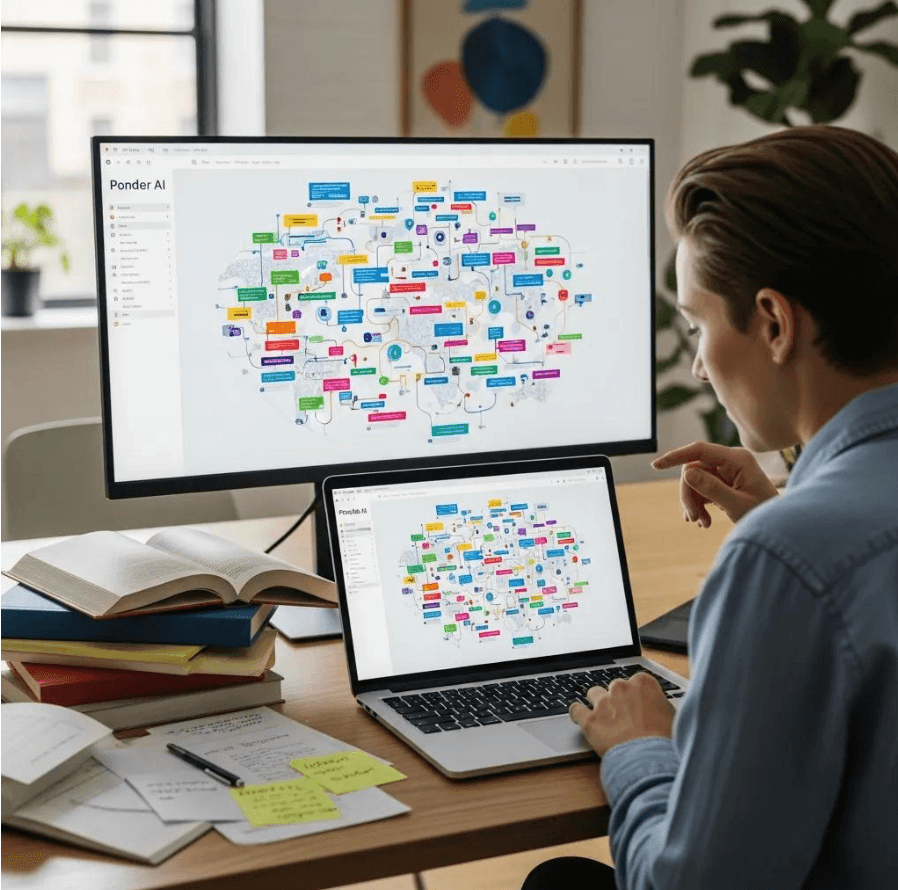
Research techniques that combine structured thinking, visual mapping, and AI-assisted synthesis produce deeper, more reusable insights than fragmented note-taking alone. This article teaches practical methods—visual knowledge mapping, AI-powered literature review, multi-document comparison, conversational AI exploration, chain-of-abstraction workflows, and data import/export best practices—so you can convert scattered evidence into coherent arguments and testable hypotheses. The goal is to show how these techniques work (definition and mechanism), why they matter (cognitive and analytic benefits), and how to apply them step-by-step in real research projects. Along the way, Ponder AI is introduced selectively as an example of an an integrated research workspace that combines an infinite canvas, interactive knowledge maps, an AI research agent, multi-document comparison, and literature-review automation to reduce context switching. Read on for targeted workflows, prompt examples, EAV-style comparison tables, and practical export/security guidance you can apply to academic, market, or creative research.
Quick answer: Core research techniques include systematic literature review (structured search + PRISMA protocol), grounded theory (inductive coding), content analysis (systematic pattern extraction), and meta-analysis (quantitative synthesis). The techniques themselves are well-established; the productivity challenge is in the tools. Elicit automates parts of systematic review. NVivo supports qualitative coding. Ponder augments any technique with a visual synthesis canvas that maps how your findings connect across sources.
How Does Visual Knowledge Mapping Enhance Research with Ponder AI?
Knowledge mapping organizes concepts spatially spatially so relationships, causality, and gaps become visible; this reduces cognitive load and supports non-linear thinking. Mapping works by turning discrete knowledge assets—nodes representing ideas, data, or sources—into a networked canvas where edges encode relationships, causation, or degrees of confidence, producing clearer hypotheses and discovery paths. Researchers benefit because maps make patterns and contradictions obvious, support iterative abstraction, and preserve provenance for later verification. The next paragraphs will show concrete mapping techniques and practical steps for building maps that scale with complexity and support synthesis across documents.
What Is Mind Mapping and How Does Ponder AI Support It?
Mind mapping is a radial, topic-centered technique that captures ideas and associations around a central research question to encourage divergent thinking and rapid idea capture. Practically, a researcher starts with a focused question at the center, adds primary nodes for subtopics or concepts, and then expands with secondary nodes for evidence, methods, or counterarguments; each node can include annotations or linked source documents. In a workspace like Ponder AI, an infinite whiteboard AI canvas interactive maps let you place nodes freely, connect imported PDFs or web pages to your maps, and visually cluster related claims to reveal emergent themes. Best practices include concise node labels, consistent tagging, and linking evidence to nodes to preserve provenance while keeping the map legible. These habits support later formalization and make it easier to convert a visual draft into a structured literature review or outline.
How Can Concept Mapping Unlock Deeper Insights in Research?
Concept mapping emphasizes explicit relationships between ideas—cause, dependency, contrast—so it’s ideal for hypothesis development and theory-building where the nature of links matters as much as the nodes. To use concept mapping, concept map maker identify key concepts that describe the relationship (e.g., “increases,” “mediates,” “contradicts”), and annotate edges with evidence or confidence level drawn from source documents. Attaching excerpts or summaries to link annotations ensures that claims remain verifiable and that a chain of evidence supports higher-level abstractions. When combined with an infinite canvas, concept maps scale naturally: you can organize related nodes into reusable knowledge assets or expand sections to inspect underlying documents, making concept mapping a bridge from raw evidence to conceptual synthesis.
Visual mapping helps with three central tasks researchers face:
Idea discovery: Reveal unexpected links between disparate documents.
Argument building: Assemble evidence visually to trace logical flow.
Gap identification: Spot missing links that require additional data or analysis.
These benefits naturally lead into automated methods for summarizing and comparing the documents that feed your maps.
How Can AI-Powered Literature Review Tools Streamline Your Research Process?

AI-powered literature review tools accelerate the mechanical steps of synthesizing many sources by summarizing content, surfacing key findings, and supporting cross-document comparison to reveal patterns and contradictions. The mechanism is straightforward: ingest multiple documents (PDFs, webpages, transcripts), run automated extraction and summarization to produce structured notes, and then use multi-document comparison to align themes and evidence. This reduces manual reading time, highlights contradictions and consensus in the literature, and creates structured outputs you can link back into visual maps. Below are practical steps to automate a literature review and an EAV table mapping common review tasks to Ponder AI capabilities and outcomes.
A practical three-step workflow for automating a review:
Collect candidate documents and import them to a single workspace.
Run automated summarization and tag extracted claims by theme or methodology.
Use multi-document comparison to align findings, identify gaps, and export structured summaries for map annotation.
This workflow primes a knowledge map with validated evidence nodes and prepares the dataset for deeper conceptual mapping.
Intro to the table: The following table compares common literature-review tasks to capabilities found in modern AI-enabled knowledge workspaces and the practical outputs you can reasonably expect in tools like Ponder AI.
Review Task | Ponder AI Capability | Output / Benefit |
|---|---|---|
Summarize individual papers | Automated summarization and tagging | Concise claim-level summaries that save reading time and enable quick triage |
Identify research gaps | Cross-document comparison and topic clustering | Highlighted contradictions and under-studied areas for next research steps |
Extract citations and evidence | AI-assisted extraction and linking of references to your notes or map nodes | Traceable evidence attached to your research workspace for reproducibility |
This EAV-style comparison shows how automating repetitive review tasks turns a mass of documents into structured, mappable knowledge assets you can interrogate visually.
How Does Ponder AI Automate Literature Reviews and Summarize Papers?
Automated literature review begins with ingesting your corpus and generating per-document summaries that extract hypotheses, methods, results, and limitations so you can triage relevance quickly. In practice, uploaded PDFs and web pages are parsed to produce short syntheses and tagged excerpts that you can attach directly to nodes in a knowledge map, enabling immediate connection between evidence and claims. This automation reduces reading time by highlighting high-yield sections and producing machine-generated abstracts for rapid scanning, while still requiring human validation to ensure nuance and context are preserved. To validate AI summaries, adopt a two-step verification: spot-check extracted claims against the original text and preserve document snippets alongside AI output to maintain provenance and prevent drift.
What Are the Benefits of Multi-Document Comparison for Research Analysis?
Multi-document comparison aligns findings across sources to reveal consensus, outliers, and methodological patterns that single-document reading might miss, thereby surfacing both robust conclusions and areas of dispute.
A three-step method works well:
Align documents by theme or variable
Extract comparable claims and metrics
Annotate differences and confidence levels for each aligned claim
Comparison outputs—such as aligned highlights, side-by-side summaries, and synthesized tables—help you assess the weight of evidence and prioritize follow-up research. Saving comparisons as knowledge map annotations preserves the analytic trail and makes it easier to reproduce or revisit synthesis choices later.
Comparison prompts and analytic questions to use during multi-doc analysis:
What findings recur across at least three independent sources?
Where do methodologies diverge and could that explain contradictory results?
Which unstated assumptions appear repeatedly and merit testing?
These questions feed directly into conversational exploration and structured abstraction.
What Role Does Conversational AI Play in Deep Research with Ponder AI?
Conversational AI functions as an iterative research assistant that helps you explore questions, test hypotheses, and uncover blind spots by engaging in multi-turn dialogue about your maps and documents. In essence, the agent works from your current maps and document summaries, then offers suggestions—connections, alternative explanations, or follow-up questions—that you can accept, modify, or reject. This dialogue-driven exploration accelerates ideation and surfaces lines of inquiry you may not have noticed, while the agent’s conversational context can inform the provenance of decisions made during research. The next sections give prompt examples, agent behaviors, and practices to convert agent suggestions into testable tasks and map branches.
How Does the Ponder Agent Assist in Research Exploration and Insight Generation?
A research agent assists by suggesting connections between nodes, proposing relevant literature to explore, and flagging potential blind spots where evidence is thin or contradictory; these suggestions are derived from the workspace’s knowledge assets and multi-document comparisons. Example prompts you might use include asking the agent to summarize a cluster of papers, to suggest hypotheses that reconcile conflicting results, or to highlight methodological limitations in a set of studies. Expect output in the form of suggested node connections, short synthesized arguments, and recommended next steps; always validate agent suggestions by checking cited excerpts and attached documents. Use agent responses to expand your knowledge map, creating new branches for hypotheses and linking recommended readings to those branches to maintain a clear audit trail.
How Can Asking “What-If” Questions Improve Your Research Outcomes?
“What-if” scenarios use counterfactual and exploratory prompts to expose assumptions, generate alternative explanations, and produce testable predictions that broaden your research perspective. For example, ask the agent: “What-if confound X were present across datasets—how would that change the interpretation of results?” or “What-if we apply method Y instead of Z—what biases might shift?” The agent’s scenario outputs can be captured as map branches with linked evidence and proposed test protocols, converting speculative exploration into actionable research tasks. Recording these scenarios preserves intellectual experiments and creates a playground for hypothesis refinement that feeds back into structured abstraction.
Sample what-if prompts to use:
“What-if the primary outcome were measured differently—how might conclusions shift?”
“What-if we combine datasets A and B—what compatibility checks are needed?”
“What-if an alternative theoretical framework applied—what predictions change?”
These prompts support iterative hypothesis testing and deeper interrogation.
How Can Structured Thinking Frameworks Organize Complex Research Effectively?
Structured thinking frameworks—methods that impose layered organization on complex problems—help researchers move from raw evidence to high-level insights by creating repeatable patterns of abstraction and evaluation. One effective framework is the Chain-of-Abstraction, which progresses from concrete evidence through interpretation and abstraction to insight, preserving links and rationale at each step. Applying these frameworks within a visual knowledge workspace lets you collapse or expand layers as needed, maintain reusable knowledge assets, and enforce consistent tagging and provenance practices. The next subsections explain Chain-of-Abstraction and how to turn recurring analytic steps into reusable knowledge assets.
What Is the Chain-of-Abstraction Method in Ponder AI?
The Chain-of-Abstraction method is a stepwise process: start with raw evidence, interpret results to form claims, abstract recurring patterns into generalized concepts, and finally derive actionable insights or hypotheses. Implementing this method involves creating sequential nodes on a map—evidence node → interpretation node → abstraction node → insight node—each linked and annotated with source material and confidence levels. This chain preserves traceability from high-level insight down to the originating data, which assists in defending claims and reusing reasoning across projects. Mapping these chains across cases reveals meta-patterns and supports cumulative knowledge building, making future syntheses faster and more robust.
How Do Knowledge Assets Help Manage Research Information Visually?
Knowledge assets are reusable map elements—definitions, methods, validated findings, or citation bundles—that you can copy and link across projects to reduce redundancy and accelerate future research. Good assets are clearly tagged, include provenance (source list and extraction date), and are designed to be composable into new maps or chains-of-abstraction. Creating and curating an asset library encourages consistent terminology and makes it easier to onboard collaborators into your analytic conventions. By reusing assets, teams preserve institutional memory and prevent reinvention of analysis steps, which improves research efficiency and reproducibility.
Best practices for knowledge assets:
Tag assets with clear categories and confidence levels.
Attach source excerpts and a short summary to maintain provenance.
Version assets when new evidence shifts confidence or interpretation.
These practices support long-term research organization and collective knowledge growth.
How Do You Import, Export, and Secure Data Using Ponder AI?
Managing files and ensuring secure handling are fundamentals of reproducible research: know what file types you can import, how to export structured outputs, and how data privacy is handled. Common import types include PDFs, videos, text files, and web pages; each can be parsed for excerpts, transcripts, or metadata that you attach to map nodes. Exports typically aim to share findings as readable artifacts—Markdown-style notes, map images (such as PNG mind maps), or structured summaries—while preserving citations and provenance. Regarding privacy, a secure research workspace preserves private documents and the provenance trail; Ponder AI describes a privacy-conscious approach in its policy and states that workspace data is handled to support your analysis rather than being shared indiscriminately. The table below summarizes typical file type handling and recommended export uses for researchers in tools like Ponder AI.
Intro to file-type table: Researchers need a quick reference for which file types to import and how to export them for downstream use.
File Type | Supported Action | Recommended Use / Export Format |
|---|---|---|
Import and extract summaries/highlights | Use for primary papers; export summaries as Markdown | |
Video | IImport transcripts and key segments | Use for interviews or lectures; export annotated transcripts or notes about important moments. |
Web page | Import page content and metadata | Use for gray literature; export curated excerpts or notes for citation |
What Types of Research Data Can You Import into Ponder AI?
Researchers commonly import PDFs, videos, plain text, and web pages as evidence sources; each behaves differently during ingestion and requires small preparatory steps for best results.
For PDFs, ensure OCR where needed and trim irrelevant appendices; for videos, provide clear timestamps or transcripts to speed up extraction; for web pages, save stable snapshots or include full bibliographic metadata to preserve context.
Before importing, use a short pre-import checklist:
Standardize file names.
Add basic metadata (author, year, source).
Separate raw data from processed files to prevent confusion.
These preparatory habits make later extraction and mapping far more efficient and reliable.
How Can You Export Research Findings for Sharing and Further Use?
Export workflows should package your knowledge map, linked summaries, and citation trail into formats that downstream users can consume and verify—Markdown for notes and narratives, map images or interactive maps for visual storytelling, and structured tables for appendices. When preparing an export, include a provenance appendix listing source documents and their extracted excerpts so recipients can reproduce claims and check interpretations. For collaborative workflows, export modular artifacts (e.g., per-chapter summaries, methods assets, data appendices) that stakeholders can reuse directly in manuscripts or presentations. These export practices improve reproducibility and make it easier to translate exploratory work into publishable outputs.
Export checklist for reproducible sharing:
Include structured summaries and abstracts per node.
Attach a citation appendix with direct excerpts.
Offer both visual (map image) and textual (Markdown) exports for flexibility.
This ensures recipients receive both narrative context and the raw evidence needed to verify claims.
How Does Ponder AI Cater to Different Research Audiences and Their Unique Needs?
Different audiences—academic researchers, PhD students, business analysts, and creators—have distinct workflows and priorities, and a flexible knowledge workspace should adapt to those needs by providing visual mapping, summarization, and reproducible export options. Academics often prioritize citation tracking, chapter organization, and rigorous provenance; analysts focus on rapid synthesis, trend detection, and presentation-ready outputs; creators favor ideation workflows, storyboard-like maps, and easy export to content production tools. By mapping features to audience needs—visual maps for ideation, automated summarization for triage, and export formats for dissemination—researchers can choose workflows that match their goals and deliverables. The table below summarizes audience needs and how an integrated workspace addresses them.
Intro to audience table: This table maps typical audience needs to practical capabilities in a collaborative knowledge workspace.
Audience | Typical Research Need | How Ponder AI Addresses It |
|---|---|---|
PhD students | Systematic literature review and chapter organization | Centralized maps, automated summaries, reusable knowledge assets |
Business analysts | Rapid market synthesis and trend visualization | Multi-document comparison, interactive maps, exportable summaries |
Creators | Idea structuring and narrative planning | Infinite canvas for storyboarding, attachable media, shareable maps |
How Does Ponder AI Support Academic Researchers and PhD Students?
Academic researchers and PhD students need workflows that support systematic literature review, thesis chapter structuring, and traceable argumentation; a workspace that links extracted evidence directly to map nodes simplifies these tasks. For example, students can create chapter-level maps that aggregate thematic assets and link to primary source excerpts, then use the Chain-of-Abstraction to move from evidence to a defendable thesis statement. Reusable knowledge assets—definitions, validated methods, curated citation bundles—speed later paper writing and reduce redundant work across projects. Maintaining a provenance-first approach ensures each claim in a dissertation remains auditable, which eases peer review and revision.
What Are the Benefits of Ponder AI for Business Analysts and Creators?
Business analysts and creators benefit from rapid synthesis, visual storytelling, and easy export of findings into presentations and content workflows; multi-document comparison spotlights market trends and competitive signals quickly. An analyst workflow might ingest market reports, tag key metrics, and create a comparison map that surfaces growth drivers and risks, then export a concise summary for stakeholders. Creators can use maps to storyboard content, attach multimedia, and iterate on narratives collaboratively. These features reduce context switching between disparate tools, letting analysts and creators spend more time on interpretation and less on file wrangling.
Use-case highlights:
Market analysis: Compare reports visually to identify converging trends.
Content planning: Use maps to sequence episodes, posts, or chapters.
Stakeholder briefings: Export concise summaries and visual maps for presentations.
These workflows illustrate how integrated mapping and AI-assisted synthesis convert raw inputs into actionable outputs for different audiences.
Key takeaway: Visual mapping, AI summarization, and structured export together form a reproducible research pipeline that supports diverse audiences without repeated context switching.
Practical next step: Start a small pilot project—import 5–10 core documents, build a central map, run automated summaries, and iterate with conversational prompts to validate the workflow.
Frequently asked questions
What are the most important research techniques for academics?
The most impactful research techniques for academics across disciplines: Systematic literature searching: using boolean operators, controlled vocabulary (MeSH terms, subject headings), and multiple databases to build a comprehensive and reproducible bibliography — not just Google Scholar keyword searches. Citation tracing: following citations forward (who cites this paper?) and backward (what does this paper cite?) to find related work not captured by keyword search. Tools: Semantic Scholar, Connected Papers. Active reading: reading with questions — "what is the argument?", "what is the evidence?", "what are the limitations?" rather than passive reading. Synthesis note-taking: organizing notes by theme rather than by paper — what do multiple papers say about X rather than summaries of each paper. Ponder supports this through cross-paper Q&A. Structured writing: reverse outlining and explicit argument mapping before drafting.
How do AI tools improve research techniques for academics?
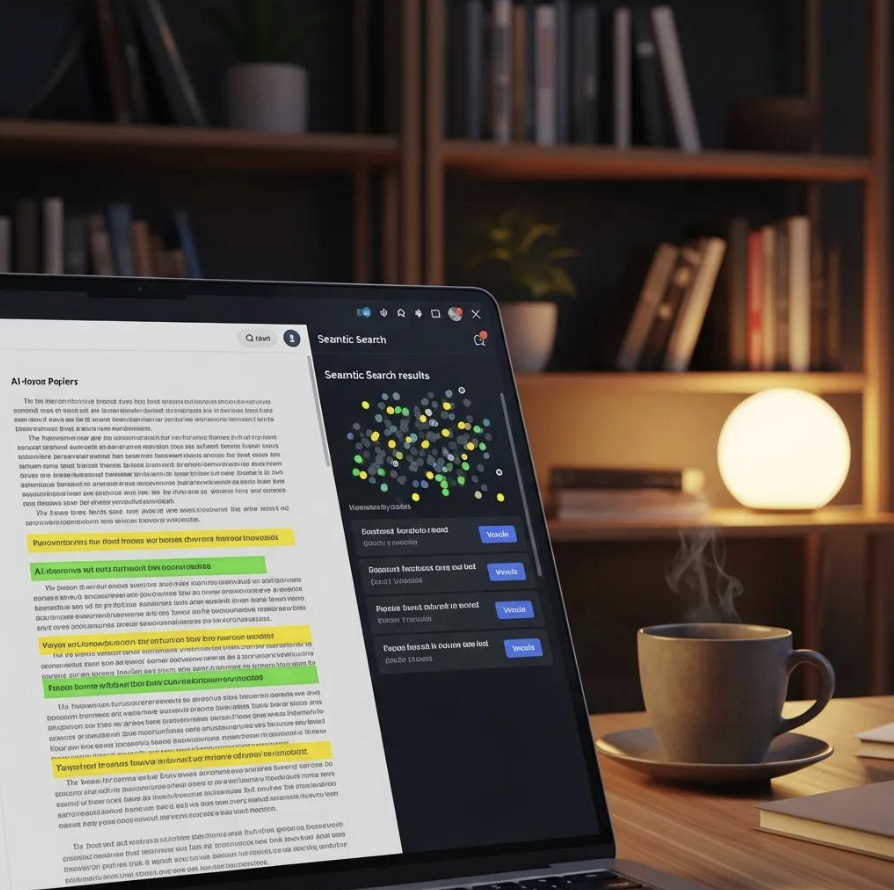
AI tools have changed what's practical in several research techniques: Literature search: semantic search (Semantic Scholar, Elicit) finds conceptually relevant papers without requiring exact keyword matches — reducing the black-box nature of traditional Boolean search. Active reading: AI document Q&A (Ponder, SciSpace) lets researchers ask specific questions rather than reading exhaustively — more efficient for triage and extraction. Synthesis: cross-paper Q&A (Ponder, Elicit) can answer "what do these 30 papers say about X?" in minutes rather than days. Citation checking: AI can flag papers that might be relevant based on citation networks (Research Rabbit). Writing assistance: AI tools (Writefull, Claude) can provide editing feedback that used to require a human reader. What hasn't changed: the intellectual work of evaluating evidence quality, forming original arguments, and making meaningful contributions to the field.
What are the best techniques for reading and understanding research papers quickly?
Evidence-based techniques for reading research papers efficiently: The 3-pass method: (1) First pass (5-10 min): read title, abstract, section headings, and conclusion — decide if the paper is worth reading in full. (2) Second pass (1 hour): read the paper but skip proofs and derivations — understand the argument and main findings. (3) Third pass (deep): reconstruct every assumption, step, and claim — for papers you'll build on directly. Read purpose-first: before reading, write down what you want to learn from this paper. This focuses your reading and makes it easier to stop when you've found it. Use AI for initial orientation: tools like Ponder or SciSpace let you ask "what is the main argument of this paper?" and "what are its limitations?" before reading — helps decide where to focus. Annotate actively: write in the margins (or digital equivalent) as you read — questions, disagreements, connections to other work. The writing forces active processing.
What is the best technique for organizing and synthesizing research across many papers?
Best techniques for synthesizing across a large body of literature: Thematic matrix: create a spreadsheet where each row is a paper and columns are key variables (methodology, findings, limitations, date, sample size). This makes cross-paper comparison systematic and visible. Concept mapping: build a visual map of how the key theories, findings, and variables in the literature relate to each other — gaps and patterns are clearer visually than textually. AI-assisted synthesis: Ponder and Elicit can answer questions across your entire paper collection simultaneously — "what do these papers say about X?" — compressing what would be days of reading into minutes. Iterative reading: read in rounds — first pass identifies key papers by topic; second round focuses on methodology; third round focuses on findings. Each round builds a different dimension of the thematic matrix. Color-coding: in your PDF annotations, use consistent color codes — e.g., green for supporting evidence, red for contradictions, blue for methods — makes synthesis faster.
How do I avoid common mistakes in academic research?
Most common academic research mistakes and how to avoid them: Not reading the methodology carefully: findings are only meaningful in the context of how the study was done; a brilliant result from a flawed methodology is still a flawed result. Confirmation bias in literature search: searching only for papers that support your hypothesis. Fix: explicitly search for papers that challenge your position. Over-citing without reading: citing papers based only on their abstracts or titles — the cited paper may contradict what you're claiming. Ignoring grey literature: relevant government reports, conference papers, and working papers that never appeared in journals. Losing the citation trail: making notes without recording the exact source — painful to re-trace when writing. Fix: use Zotero or citation manager from the start. Starting to write too early: drafting before your argument is clear — results in papers that are hard to fix structurally. Use Ponder's research canvas to map your argument before you draft.
See also: Streamline your literature review · AI tools for academic research writing · Research productivity tools