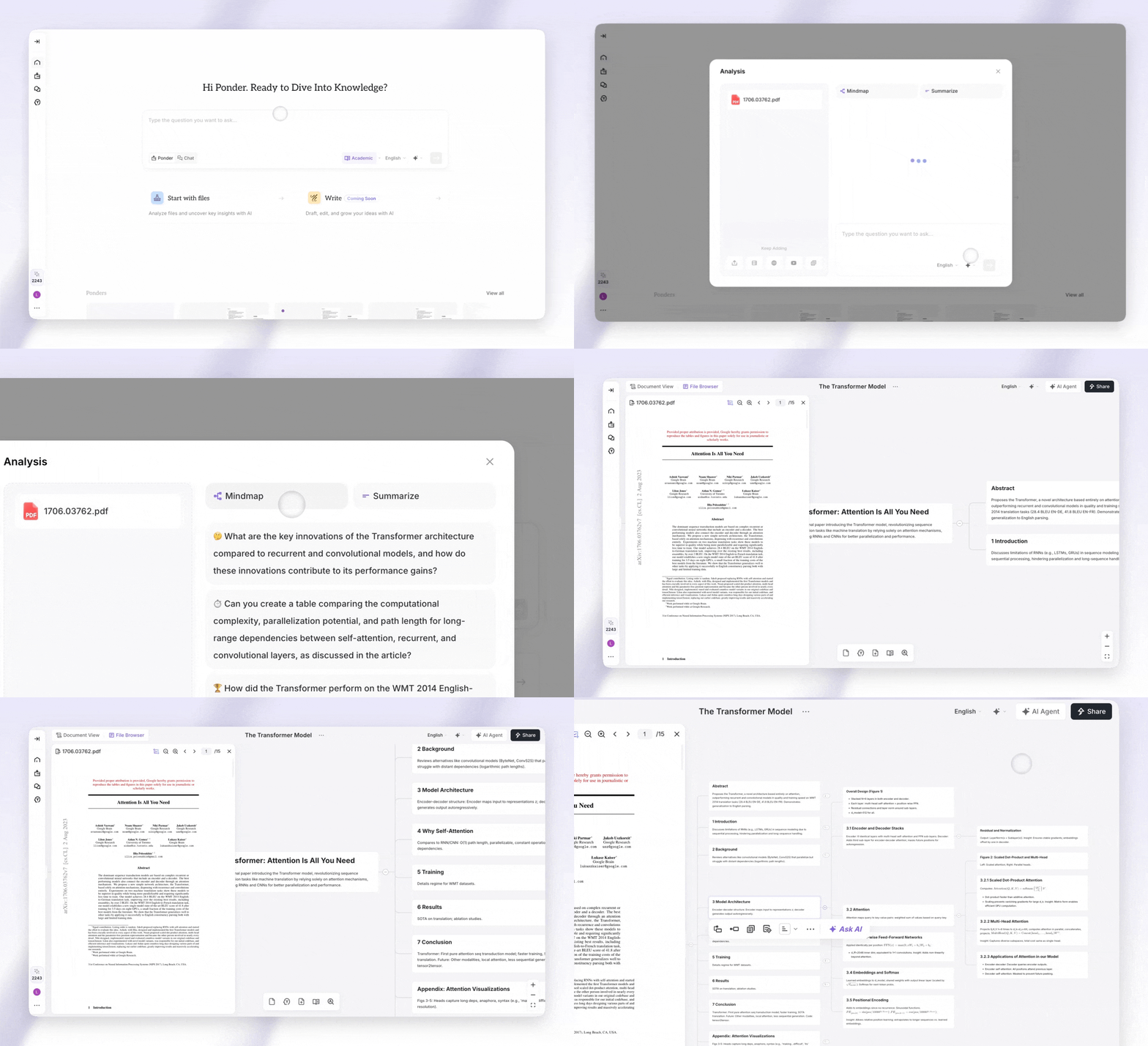
Découvrez une manière plus intelligente d'organiser vos pensées. Ponder transforme votre façon de réfléchir et de planifier en combinant la pensée visuelle avec une technologie intelligente. Cette plateforme rend la visualisation facile pour tous.
Les notes éparses et les diagrammes confus appartiennent désormais au passé. Les outils alimentés par l'IA vous aident à travailler plus intelligemment, transformant des idées désordonnées en structures claires. Ponder stimule votre productivité en comprenant votre façon de penser.
Étudiants, professionnels et penseurs créatifs trouveront que cette plateforme s'adapte à leurs besoins. Vous pouvez créer des cartes mentales qui connectent des idées entre différents projets. L'interface personnalisable rend la planification interactive simple et intuitive.
Qu'est-ce qui rend Ponder si spécial ? Ce n'est pas juste une autre toile numérique. Cet assistant piloté par l'IA vous aide activement à organiser l'information de manière significative.
Vous n'avez pas besoin de compétences techniques pour bénéficier de ses fonctionnalités intelligentes. Ponder combine simplicité et intelligence, rendant la planification complexe naturelle et directe.
Ce que l'IA de cartographie mentale peut faire pour votre processus de brainstorming
Avez-vous souhaité que vos séances de brainstorming puissent s'organiser d'elles-mêmes pendant que vous vous concentrez sur la créativité ? C'est exactement ce que la cartographie mentale alimentée par l'IA offre. Au lieu d'arranger des boîtes et de tracer des connexions, vous laissez l'intelligence artificielle gérer la structure.
La transformation se produit en temps réel. Au fur et à mesure que vous tapez ou parlez, la technologie IA mentale analyse les relations entre les concepts. Elle transforme un brainstorming désordonné en cartes mentales structurées qui révèlent instantanément des modèles et des insights.
Considérez cela comme avoir un assistant intelligent qui comprend votre processus de pensée. L'IA ne remplace pas votre créativité, elle l'amplifie en éliminant les frictions entre l'inspiration et l'organisation. Vous passerez moins de temps à formater et plus de temps à explorer les idées qui comptent.
Comment fonctionne la cartographie mentale alimentée par l'IA
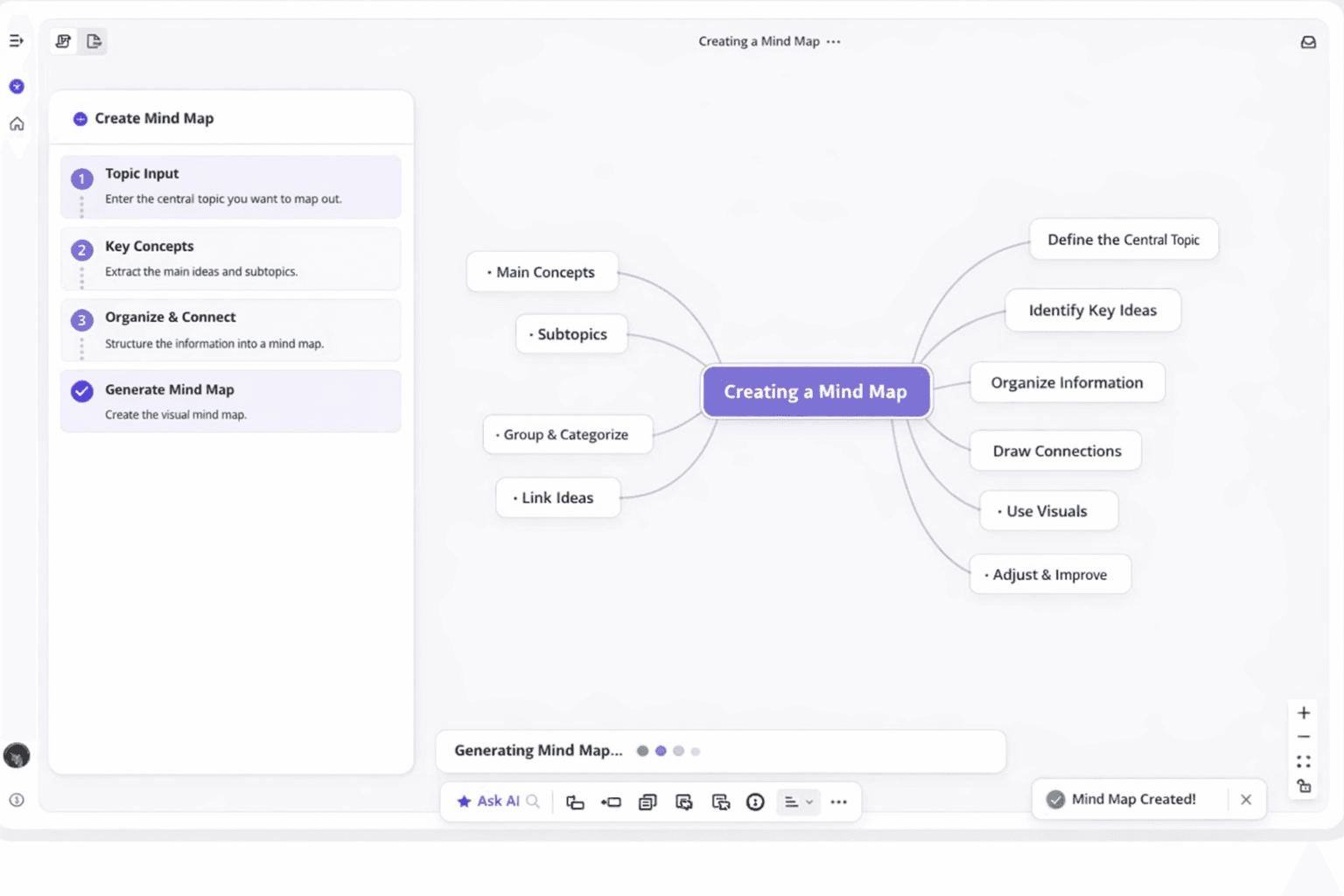
La technologie derrière la cartographie mentale IA peut sembler complexe, mais l'expérience est remarquablement naturelle. Vous entrez simplement un sujet ou une question. Le puissant moteur IA entre en action, analysant votre saisie et suggérant des branches pertinentes.
Voici ce qui se passe en coulisses. Le système utilise le traitement du langage naturel pour comprendre le contexte et la signification. Il identifie les concepts clés dans votre saisie et mappe automatiquement les relations entre eux.
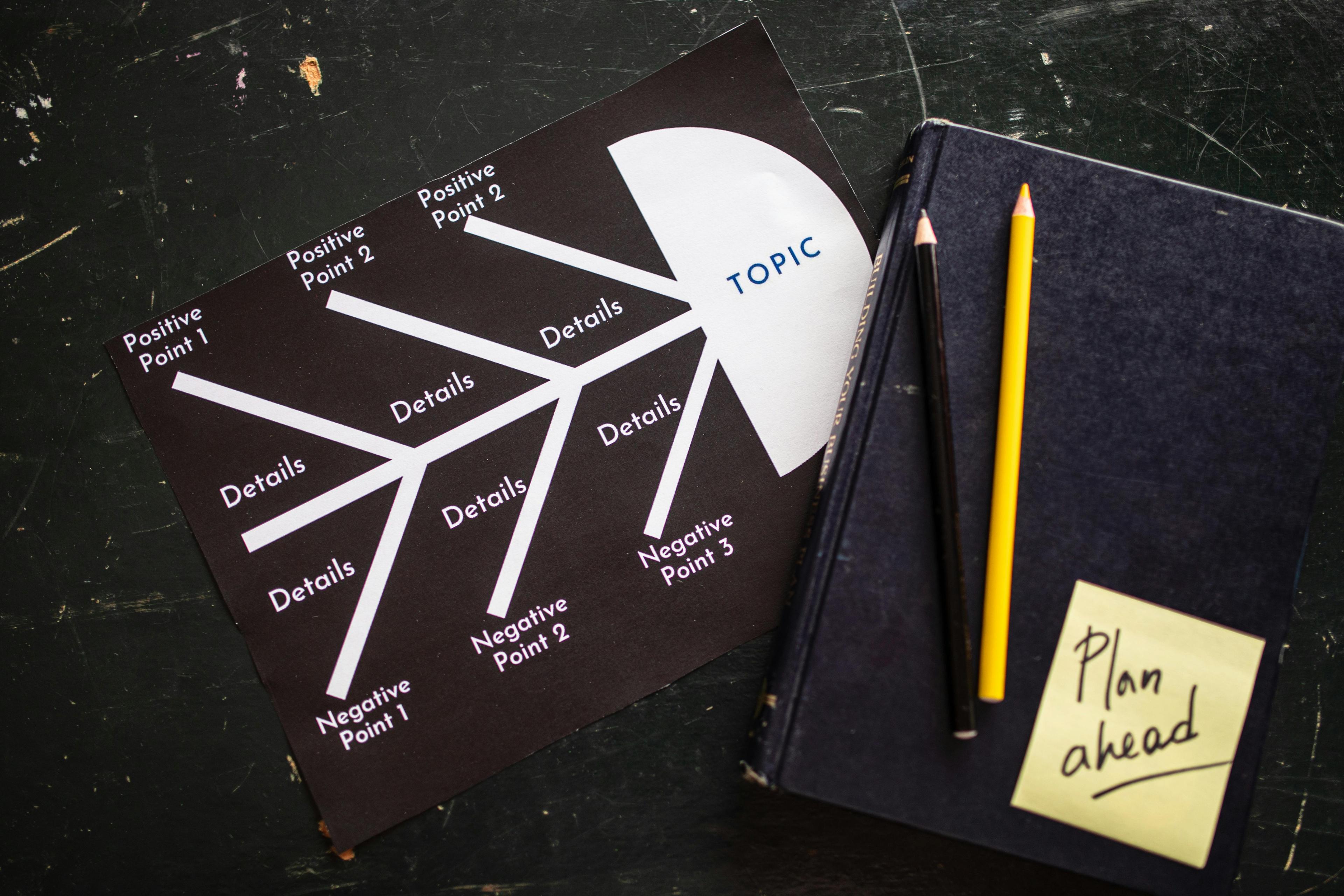
L'IA génère ensuite des cartes conceptuelles qui reflètent des hiérarchies logiques. Les idées principales deviennent des nœuds centraux, tandis que les détails secondaires se ramifient de manière visuellement cohérente. Vous n'êtes pas contraint par ces suggestions : vous pouvez modifier, développer ou réorganiser n'importe quoi en quelques clics.
Ce qui rend cette approche spéciale, c'est sa façon de gérer la complexité. Au fur et à mesure que votre carte mentale s'agrandit, l'IA continue d'organiser les informations pour qu'elles restent plus faciles à comprendre. Le codage couleur, l'espacement et les ajustements de mise en page se font automatiquement pour maintenir la clarté visuelle.
La courbe d'apprentissage est minimale car l'interface fonctionne comme vous pensez déjà. Vous n'avez pas besoin de maîtriser des commandes logicielles compliquées ou des principes de conception. Il suffit de réfléchir naturellement et de regarder vos idées se transformer en visualisations professionnelles.
Cette technologie s'adapte également à votre style de travail au fil du temps. Plus vous l'utilisez, mieux elle anticipe les connexions. C'est comme avoir un outil qui devient plus intelligent avec vous.
Pourquoi Ponder se distingue en tant que créateur de cartes mentales IA
Le marché offre plusieurs options, mais Ponder apporte quelque chose de différent. En tant que créateur de cartes mentales IA, il combine une technologie de pointe avec une réelle convivialité. La plateforme se concentre sur ce qui vous aide réellement à mieux penser.
Un avantage majeur est l'accessibilité. Ponder propose une cartographie mentale gratuite alimentée par l'IA qui ne sacrifie pas la qualité pour le prix. Vous avez accès à des fonctionnalités d'IA puissantes sans rencontrer de murs payants à chaque tournant.
L'interface mérite une mention spéciale. Alors que les concurrents remplissent les écrans de boutons et de menus, Ponder maintient une simplicité épurée. Vous pouvez commencer à créer des cartes mentales structurées en quelques secondes après avoir ouvert l'application.
La personnalisation visuelle atteint des niveaux impressionnants sans nécessiter d'expertise en design. Le créateur de cartes mentales IA sélectionne automatiquement des jeux de couleurs et des mises en page qui améliorent la lisibilité. Mais si vous souhaitez un contrôle manuel, ces options existent sans encombrer l'interface.
Le plus important peut-être, Ponder maintient ses performances même avec des projets complexes. Certains outils ralentissent à mesure que les cartes deviennent plus grandes, mais l'architecture de Ponder gère les cartes conceptuelles étendues en douceur. Votre flux de travail reste rapide quelle que soit l'échelle du projet.
Fonctionnalités IA puissantes qui créent des cartes mentales en quelques secondes
Imaginez transformer une idée simple en une carte visuelle complète et ramifiée sans passer tout l'après-midi à cliquer et glisser. Ponder rend cela possible en combinant l'automatisation intelligente avec un design convivial. Les fonctionnalités avancées de la plateforme vous aident à générer des cartes mentales en quelques secondes.
Ces outils transforment des concepts abstraits en structures visuelles claires plus rapidement que les méthodes traditionnelles. Ce qui les rend vraiment puissants n'est pas seulement leur rapidité. C'est leur capacité à comprendre le contexte et à s'adapter à votre style de pensée.
Vous obtenez un partenaire créatif qui anticipe vos besoins. Il aide à organiser l'information de manière pertinente pour votre projet spécifique.
Générateur de cartes mentales IA et Chat Copilote
Le cœur de l'innovation de Ponder réside dans son système de générateur intelligent qui travaille à vos côtés. Ce n'est pas un outil d'automatisation basique. C'est un générateur de cartes mentales sophistiqué qui comprend les nuances et le contexte de vos projets.
La fonction de chat copilote crée une expérience conversationnelle pendant que vous construisez vos diagrammes. Vous pouvez poser des questions, demander des modifications ou explorer de nouvelles directions par le biais d'un dialogue naturel. L'IA répond instantanément, ajustant votre structure visuelle au fur et à mesure que vous affinez vos pensées.
Générer de nouvelles branches avec l'assistance IA
Rester bloqué sur la façon d'élargir vos idées appartient au passé grâce à la génération de branches assistée par l'IA. Décrivez simplement ce à quoi vous pensez. Le générateur de cartes mentales IA créera rapidement des sous-sujets et des connexions pertinents qui prolongent logiquement votre travail.
Le système analyse votre contenu existant pour comprendre le contexte. L'IA suggère des options qui s'intègrent naturellement à vos thèmes établis. Cette conscience contextuelle signifie que vous n'obtiendrez pas de suggestions aléatoires qui semblent déconnectées de votre sujet principal.
L'IA vous aide à découvrir des angles que vous n'auriez peut-être pas envisagés. Elle comble les lacunes de votre pensée tout en respectant la direction que vous avez déjà établie.
Cocréation et collaboration en temps réel
Observez l'évolution de votre carte mentale en interagissant avec l'IA grâce à des mises à jour en temps réel. Le chat copilote répond immédiatement à vos demandes, créant un flux de travail fluide et naturel. Cette boucle de rétroaction instantanée maintient votre élan créatif sans interruption.
Lors des séances de brainstorming ou des réunions, cette capacité de cocréation brille le plus. Les idées circulent rapidement en groupe. Avoir un partenaire IA capable de capturer et d'organiser visuellement les pensées en temps réel transforme la façon dont les équipes travaillent ensemble.
Tout le monde voit la structure prendre forme immédiatement. Cela facilite l'enrichissement mutuel des contributions. L'interface conversationnelle supprime les barrières techniques.
Vous n'avez pas besoin d'apprendre des commandes complexes ou de mémoriser des raccourcis. Parlez simplement à l'IA comme vous le feriez à un collègue. Observez votre diagramme visuel prendre forme.
Options de format multiples pour chaque cas d'utilisation
Créer une carte mentale brillante n'est que le début. Partager votre travail dans le bon format pour différents publics et objectifs est tout aussi important. Ponder reconnaît qu'une taille unique ne convient pas à tous en matière de présentation d'informations organisées.
Les environnements professionnels exigent de la flexibilité. Votre carte finale pourrait devoir devenir une présentation client, un document de projet ou un guide de référence. Avoir plusieurs options d'exportation garantit que votre travail atteint son public cible de la manière la plus efficace possible.
Exporter vers PDF, PNG et PowerPoint
Les flux de travail professionnels exigent des capacités d'exportation polyvalentes, et Ponder offre exactement cela. Convertissez vos diagrammes finaux au format PDF pour une documentation qui conserve un formatage parfait sur tous les appareils. Cette option fonctionne parfaitement pour les rapports, les propositions et les besoins d'archivage.
Besoin d'intégrer votre carte dans des e-mails, des documents ou des pages web ? L'exportation PNG crée des images de haute qualité qui s'affichent clairement partout. Ce format rend le partage rapide et simple, sans aucun problème de compatibilité.
L'exportation PowerPoint transforme votre carte mentale en diapositives qui s'intègrent parfaitement à vos présentations existantes. Votre pensée visuelle fait partie des présentations professionnelles. Aucune recréation manuelle ou ajustement de formatage requis.
Formats Markdown et Diagramme
Les utilisateurs techniques et les rédacteurs apprécient les options d'exportation spécialisées qui s'adaptent à leurs flux de travail spécifiques. Le format markdown convertit votre structure visuelle en texte propre et structuré. Il fonctionne parfaitement pour les systèmes de documentation, les wikis et les plateformes de gestion de contenu.
Le format diagramme permet l'intégration avec d'autres systèmes. Chaque option d'exportation préserve l'intégrité de votre travail original, y compris le texte, les connexions et les relations hiérarchiques que vous avez établies par carte mentale.
Ces choix de format garantissent que vos idées restent accessibles et utiles, quel que soit l'endroit où elles doivent aller. La flexibilité aide à maintenir la productivité à travers différents outils et plateformes de votre stack technologique.
Boostez votre productivité avec les outils de pensée visuelle
Les cartes mentales visuelles transforment votre façon d'aborder les défis quotidiens. Votre cerveau traite les images plus rapidement que le texte. Cet outil de cartographie mentale alimenté par l'IA exploite cette capacité naturelle pour vous aider à travailler plus intelligemment.
Les cas d'utilisation couvrent tous les domaines. Les étudiants s'appuient sur les cartes mentales en ligne pour la prise de notes pendant les cours. Ils créent facilement des guides d'étude qui restent en mémoire.
Les chefs de projet organisent rapidement les idées de l'équipe lors des sessions de planification. Les rédacteurs élaborent des stratégies de contenu qui maintiennent les projets créatifs sur la bonne voie.
Ponder simplifie les informations complexes en morceaux digestibles. Vous pouvez organiser des données complexes sans vous sentir dépassé. La plateforme est parfaite pour les réunions où tout le monde doit rester aligné.
Vous pouvez partager vos cartes mentales instantanément avec vos collègues après les séances de brainstorming. Cet outil s'intègre parfaitement à votre flux de travail existant. Vous passez moins de temps à chercher des notes éparpillées.
Les cartes mentales visuellement attrayantes que vous créez deviennent des points de référence que vous utilisez réellement. Les équipes boostent leur productivité en voyant toutes les pièces du projet connectées en un seul endroit.
Booster la productivité ne consiste pas à entasser plus de tâches dans votre journée. Il s'agit d'organiser les informations complexes afin que vous puissiez vous concentrer sur ce qui compte. Avec les cartes mentales visuelles, vous avez enfin un système qui correspond à la façon dont votre esprit fonctionne naturellement.