
How to Make a Concept Map: Step-by-Step Guide with Tools and Techniques
 ·7/2/2026·8 min read
Creating a concept map is an effective way to visually organize information, making complex ideas easier to understand and remember. This guide will walk you through the process of making a concept map, highlighting its importance in knowledge organization and visual thinking. Concept maps serve as powerful tools for students, educators, and professionals alike, helping to clarify relationships between concepts and enhance learning outcomes. In this article, we will explore what concept maps are, how to create them, the best tools available, their applications in research and education, and advanced techniques for collaboration. By the end, you will have a comprehensive understanding of how to effectively create and utilize concept maps.
Quick answer: To make a concept map: (1) identify your central concept or question; (2) brainstorm 10-20 related concepts and arrange them hierarchically; (3) draw connecting arrows with labeled relationship words; (4) add cross-links between branches to show non-obvious connections. Coggle, MindMeister, and Canva are the simplest free tools for this. For concept maps that link to actual source materials and can be AI-queried across your entire document library, use Ponder's research canvas.
What Is a Concept Map and Why Use It?
A concept map is a visual representation of information that illustrates relationships between different concepts. It typically consists of nodes, which represent concepts, and links, which show the relationships between them. Concept maps are valuable because they facilitate visual thinking, allowing individuals to organize and structure their knowledge in a way that enhances understanding and retention.
How Does Concept Mapping Support Visual Thinking and Knowledge Organization?
Concept mapping supports visual thinking by providing a structured way to represent ideas graphically. This method encourages learners to see connections between concepts, which can lead to deeper understanding and better retention of information. For instance, students can use concept maps to summarize complex topics, making it easier to recall information during exams or discussions.
What Are the Differences Between Concept Maps and Mind Maps?
While both concept maps and mind maps are visual tools for organizing information, they differ in structure and purpose. Concept maps are more flexible and can represent complex relationships between multiple concepts, often arranged hierarchically, while mind maps are typically radial, focusing on a single central idea with branches for related topics. This structural difference makes concept maps more suitable for detailed analysis and comprehensive understanding.
Understanding these structural nuances is crucial, especially when considering how concept maps can be effectively assessed for cognitive skills.
How to Create a Concept Map: Step-by-Step Instructions
What Are the Essential Steps to Build an Effective Concept Map?
Identify the Main Concept: Start by determining the primary idea or topic you want to explore using AI text-to-concept map generation.
List Related Concepts: Write down all relevant concepts that relate to the main idea.
Organize Hierarchically: Arrange the concepts in a hierarchy, placing the most general ideas at the top and more specific ones below.
Draw Connections: Use lines or arrows to connect related concepts, labeling the relationships to clarify their connections.
Review and Revise: Evaluate the map for clarity and completeness, making adjustments as necessary.
How to Incorporate Semantic Relationships Between Concepts?
Incorporating semantic relationships enhances the clarity of your concept map. Use phrases or words that describe the nature of the relationship, such as "leads to," "is a part of," or "is related to," which Ponder automatically extracts as knowledge graphs" This practice not only clarifies connections but also helps in understanding the context of each concept within the broader framework.
Which Concept Mapping Tools and Software Should You Use?
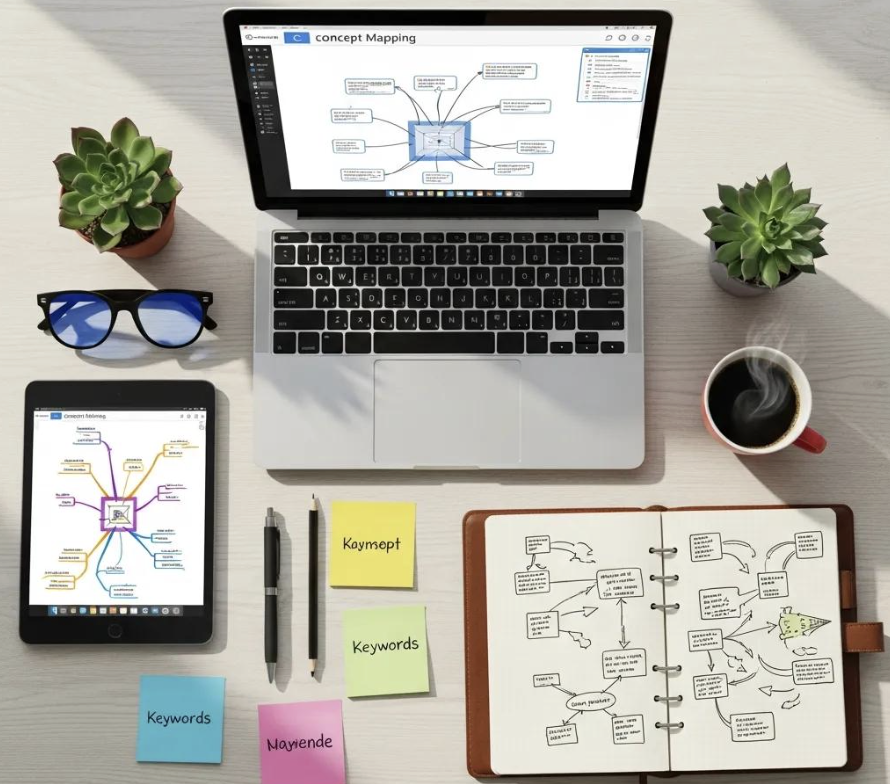
What Features to Look for in Concept Map Software?
User-Friendly Interface: The software should be intuitive and easy to navigate.
Collaboration Tools: Look for options like Ponder's AI whiteboard that allow multiple users to work on the same map simultaneously.
Integration Capabilities: Ensure the tool can integrate with other applications you use for seamless workflow.
Export Options: The ability to export your maps in various formats (PDF, image, etc.) is essential for sharing and presentation.
How Does Ponder Compare to Other Concept Mapping Platforms?
Ponder is an all-in-one knowledge workspace that enables users to create, organize, and collaborate on concept maps effectively. Its intuitive visual interface and collaborative features make it an excellent choice for both individual and team projects. Unlike many other platforms, Ponder integrates semantic relationships between concepts, enhancing clarity and understanding. This capability allows users to explore and evolve their thinking without switching between multiple tools.
For those considering Ponder, detailed information on various subscription tiers and features can be found on their website, ensuring you select the best plan for your needs.
How Is Concept Mapping Applied in Research and Education?
What Are the Benefits of Concept Mapping for Students and Knowledge Workers?
Enhanced Understanding: By visualizing relationships, learners can grasp complex topics more easily.
Improved Retention: The visual nature of concept maps aids memory retention, making it easier to recall information.
Critical Thinking Development: Creating concept maps encourages learners to analyze and synthesize information, fostering critical thinking skills.
How Do Recent Studies Support Concept Mapping Effectiveness?
Research has shown that concept mapping can improve learning outcomes. Studies indicate that students who use concept maps often perform better on assessments compared to those who rely solely on traditional note-taking methods. This effectiveness stems from the active engagement required in creating and revising concept maps, which reinforces learning.
A meta-analysis supports these findings, highlighting concept mapping's significant impact on student achievement in science education.
What Are Advanced Concept Mapping Techniques and Collaborative Features?

How to Use Semantic Triples to Enhance Concept Map Clarity?
Semantic triples consisting of a subject, predicate, and object can clarify relationships in concept maps. For example, in an ecosystem map, a triple might state: 'Trees (subject) provide (predicate) oxygen (object)." This structure clarifies the relationship and enriches the map's informational content.
How Can Teams Collaborate Effectively Using Concept Mapping Tools?
Establish Clear Roles: Assign specific roles to team members to streamline the mapping process.
Use Real-Time Collaboration Tools: Choose software that allows for simultaneous editing and feedback.
Regularly Review and Update: Schedule check-ins to discuss progress and make necessary adjustments to the map.
What Are Common Questions About Making Concept Maps?
How Do I Start a Concept Map from Scratch?
To start a concept map from scratch, begin by identifying your main topic. Use a blank sheet of paper or a digital tool to sketch out your ideas. Start with the main concept in the center and branch out with related ideas, ensuring to connect them with lines that indicate their relationships.
What Are the Best Practices for Organizing Concepts Visually?
Maintain a Clear Hierarchy: Ensure that the most important concepts are easily identifiable.
Use Color Coding: Different colors can help distinguish between various categories or themes.
Limit Text: Use concise phrases or keywords instead of long sentences to keep the map clear and readable.
Tool | Key Features | Collaboration | Integration |
|---|---|---|---|
Ponder | Intuitive interface, semantic relationships | Yes | Yes |
MindMeister | Real-time collaboration, templates | Yes | Limited |
Lucidchart | Diagramming tools, export options | Yes | Yes |
Coggle | Simple interface, version history | Yes | Limited See also: What does a concept map look like | Types of mind maps Frequently asked questionsWhat is the difference between a concept map and a mind map?Concept maps and mind maps are both visual knowledge tools but differ structurally. Mind maps: radiate outward from a central idea in a hierarchical, tree-like structure. They organize topics by hierarchy (main → sub-topics) but don't show relationships between branches. Concept maps: created by Novak at Cornell, they use labeled linking phrases between nodes (e.g., "causes," "includes," "requires") to show relationships explicitly. Concept maps aren't necessarily radial — they can cross-link between any nodes. Concept maps are more rigorous for showing HOW concepts relate; mind maps are faster to create and better for brainstorming and note organization. For academic research synthesis, concept maps better represent evidence relationships; for initial brainstorming, mind maps are more spontaneous. What is the best free tool to make a concept map?The best free concept mapping tools: Miro (free for 3 boards — flexible enough for concept maps with labeled arrows, large canvas, collaborative); Diagrams.net (draw.io) (completely free, no account needed — dedicated connector types with labeled edges, exports to PNG/SVG/PDF, no collaboration limit); Lucidchart (free tier with 60 objects per diagram — has concept map templates); Canva (free — mind map templates that can be adapted for concept mapping, easy to use); Coggle (free for 3 maps — supports cross-links unlike pure mind map tools). For research-specific knowledge mapping where concepts come from academic papers, Ponder's canvas lets you organize and visually connect ideas across uploaded documents. How many levels should a concept map have?There's no fixed rule, but research-backed guidelines suggest 3-4 levels is optimal for learning and communication purposes. Too few levels (1-2): insufficient detail to show meaningful relationships. Optimal range (3-4 levels): captures main concept → important sub-concepts → specific evidence/examples without overwhelming visual complexity. Too many levels (5+): becomes hard to navigate and loses visual clarity — consider breaking into multiple linked maps. For academic research: the main concept at top, 4-8 major themes as second level, specific findings/papers at third level, and evidence details at fourth. Large literature reviews may need hierarchical maps rather than one comprehensive map. What makes a good concept map for studying or research?Key characteristics of effective concept maps: (1) Labeled links — every connector should have a verb or phrase explaining the relationship, not just arrows; "X causes Y" is more informative than X → Y; (2) Cross-links — connections between concepts in different branches show synthesized understanding, not just recall; (3) Parsimony — include only essential concepts; complex maps with 50+ nodes obscure more than they reveal; (4) Clear hierarchical structure — readers should be able to follow your logic from the most general to the most specific; (5) Grounded concepts — for research purposes, link abstract concepts to specific evidence, papers, or cases. Well-made concept maps are often more useful than long written notes for exam review and thesis planning because they force you to articulate relationships, not just lists of facts. Can AI tools help me build a concept map automatically?AI concept mapping tools are improving but still require human input to produce useful results. Current capabilities: AI-assisted brainstorming — ChatGPT or Claude can suggest concepts and relationships for a topic, which you then arrange manually; Auto-layout — tools like Lucidchart and Miro have AI that arranges nodes aesthetically; NLP-extracted concept maps — some tools can extract concepts and relationships from text automatically. Real limitation: AI doesn't know which relationships are most meaningful for your specific argument or research question — it generates plausible connections, not necessarily the right ones. The most effective workflow is: use AI to generate a first draft of concepts → critically edit to reflect your actual argument → build the map manually using a dedicated tool. See also: Best Coggle Alternatives | Best Mind Mapping Alternatives | Mind Mapping for Academic Research | Best AI Research Tools for Students | Best FigJam Alternatives |