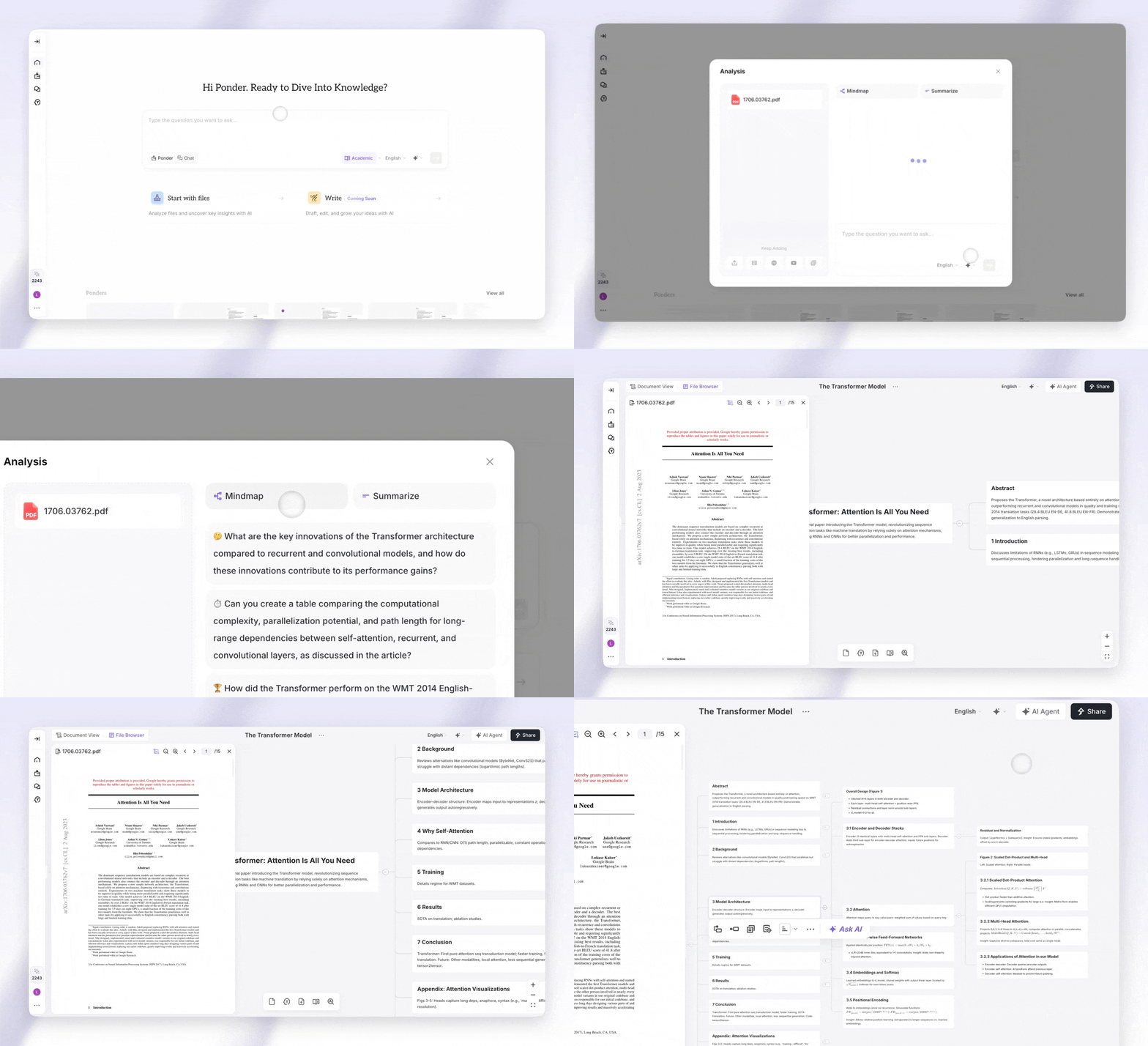
Feeling overwhelmed trying to organize your thoughts and ideas is completely normal—information overload hits students, professionals, and creatives alike. An **AI-powered mind mapping tool** like **Text To Mindmap AI** changes that by instantly turning your written content into clear, visual mind maps. You simply paste your text, and Text To Mindmap AI automatically structures it into connected diagrams that are easier to understand and remember—no design skills needed. This kind of intelligent mapping helps modern knowledge workers boost productivity, learn faster, and bring clarity to even the most complex topics.
How Text To Mindmap AI Works
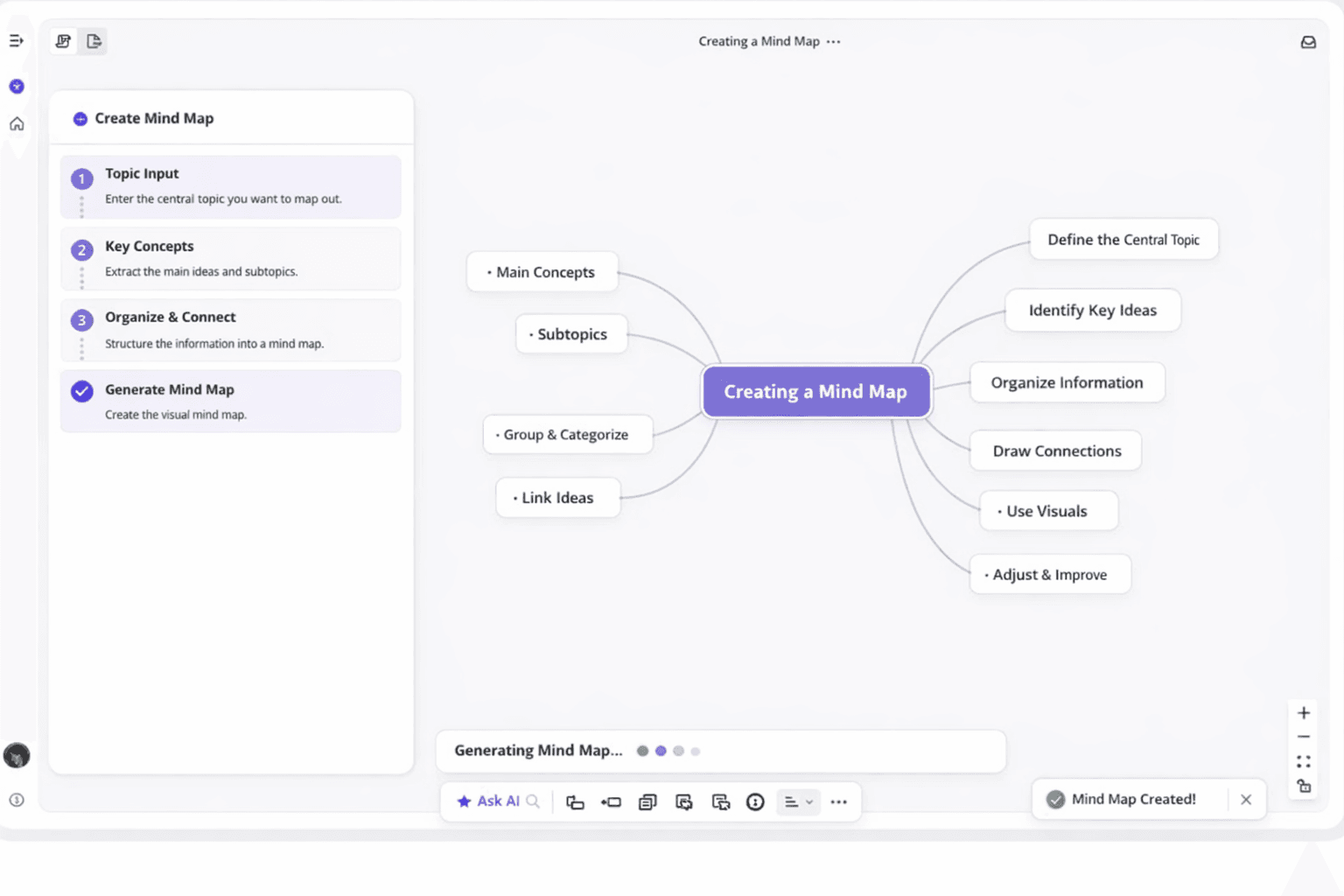
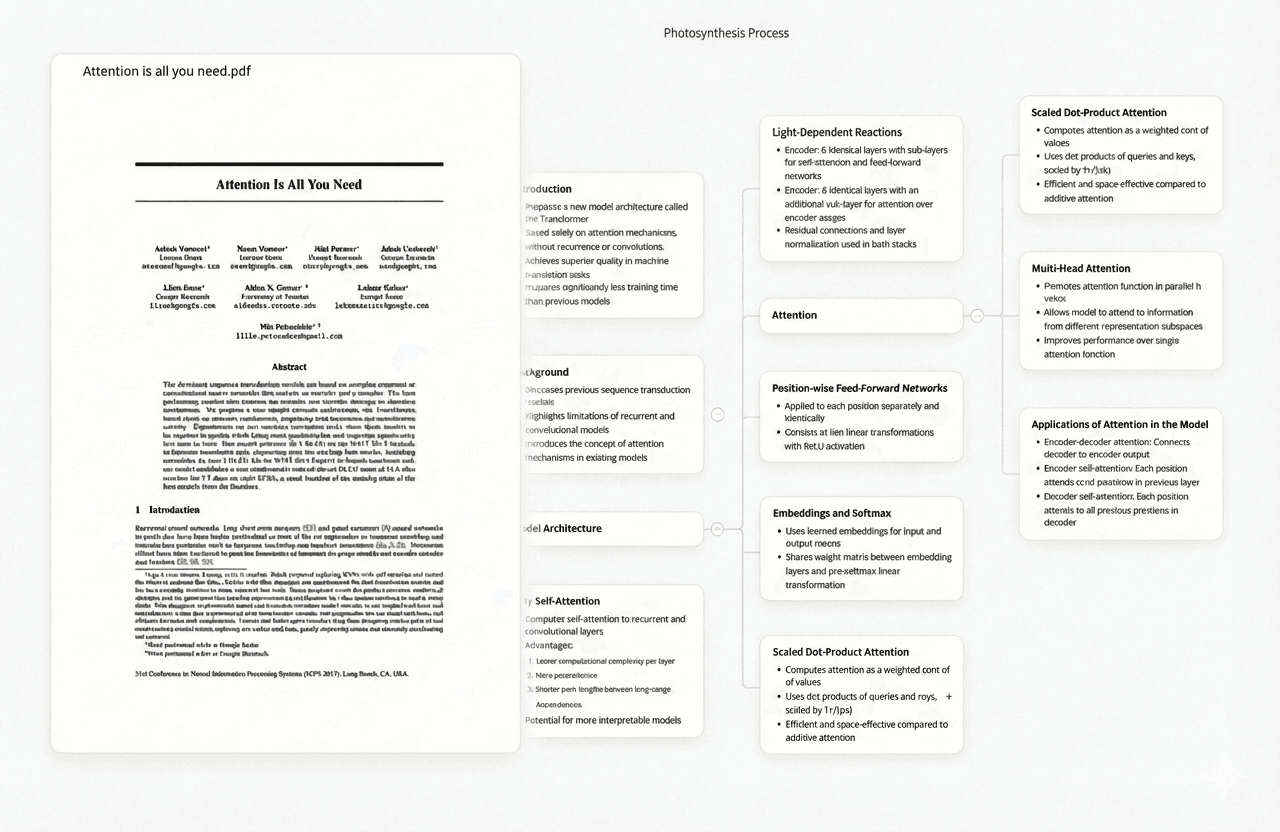
Text To Mindmap AI uses advanced algorithms and natural language processing to instantly turn your text into clear, structured visual mind maps. Instead of manually drawing nodes and connections, you simply paste your content and Text To Mindmap AI automatically detects main topics, subtopics, and supporting details, then organizes them into a polished diagram in seconds. Text To Mindmap AI analyzes data, headings, paragraph structure, and semantic relationships to build accurate hierarchies that reflect how your information truly fits together. It supports multiple input formats—plain text, PDFs, and Markdown—so you can feed in notes, reports, articles, or documentation with ease. Whether you’re a student, professional, or researcher, Text To Mindmap AI helps you convert dense material into visual maps that are easier to understand, remember, and refine.
| Input Format |
Processing Speed |
Best Use Case |
Structure Preservation |
| Plain Text |
1-3 seconds |
Quick notes and brainstorming sessions |
AI-detected structure |
| PDF Documents |
3-8 seconds |
Reports and published articles |
Layout-based hierarchy |
| Markdown Files |
1-2 seconds |
Technical documentation and structured notes |
Explicit markup hierarchy |
| URLs |
5-15 seconds |
Web articles and blog posts |
Content-extracted structure |
| Research Papers |
8-20 seconds |
Academic literature and studies |
Section-based organization |
Key Benefits of AI Mind Map Generators from Text
AI mind map generators like Text To Mindmap AI transform how you handle complex information and ideas by turning dense text into clear visual structures. Text To Mindmap AI acts as a cognitive partner, automatically breaking overwhelming material into manageable pieces so you can understand and use information faster.
Simplify Complex Ideas and Boost Your Productivity
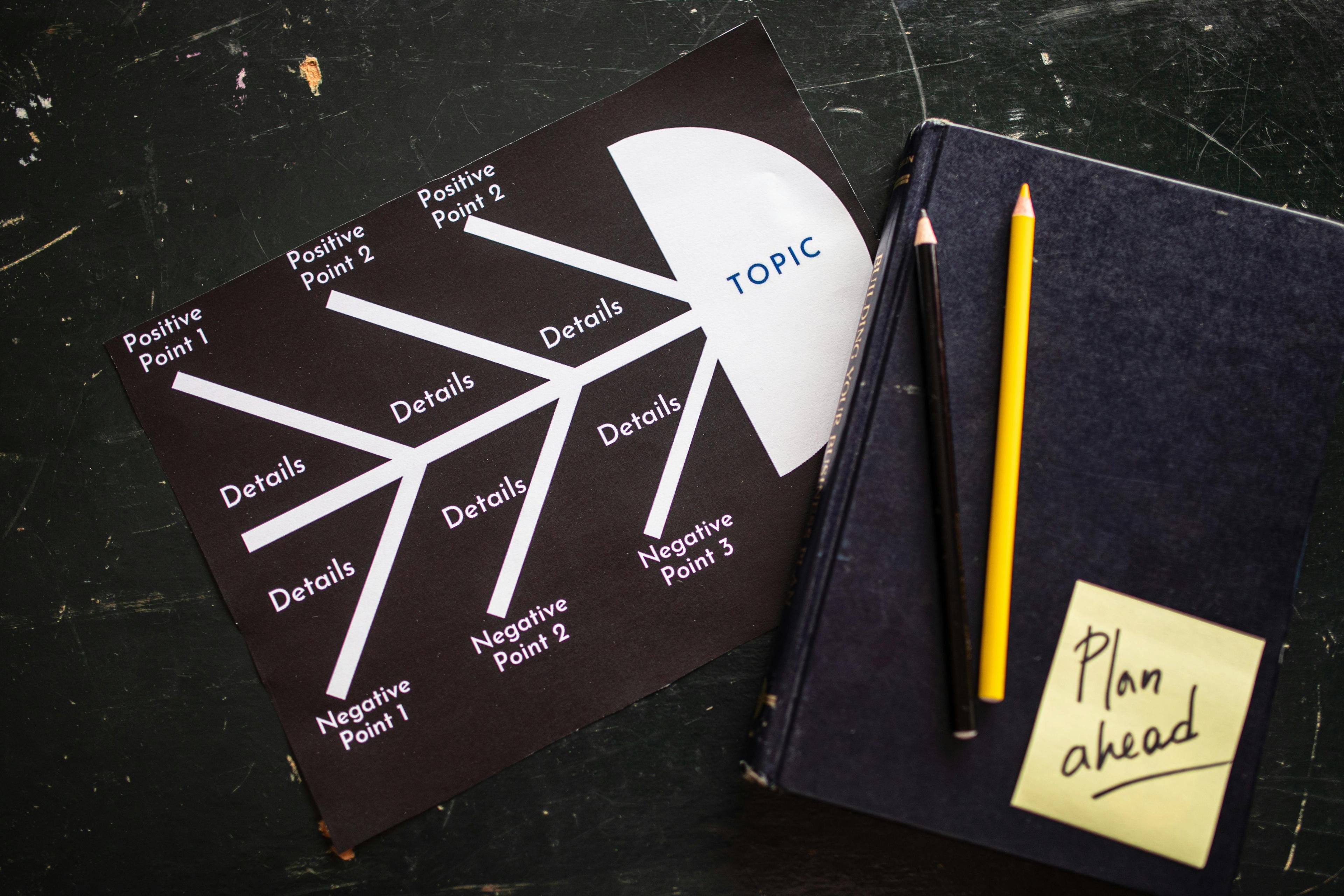
By converting linear text into hierarchical diagrams, Text To Mindmap AI makes complex content easier to grasp, improving both comprehension and retention. Technical documentation, research papers, and business strategies become accessible mind maps that clearly show key concepts and their relationships. Other tools like PDF to Mindmap, Audio to mindmap and Idea to mindmap do the same thing, in different ways.
Perfect for Brainstorming and Organizing Your Thoughts
Text To Mindmap AI is also perfect for brainstorming and organizing your thoughts. You can freely dump ideas into the tool, and Text To Mindmap AI will instantly group and structure them, revealing patterns and unexpected connections. This helps you move from chaos to clarity in seconds and often leads to more creative, innovative solutions.
| Productivity Challenge |
Traditional Approach |
AI Mind Map Solution |
Time Saved |
| Understanding technical reports |
Read multiple times, take linear notes |
Convert to visual hierarchy instantly |
60-70% |
| Organizing brainstorm session notes |
Manual categorization and grouping |
Automatic structure with AI analysis |
75-80% |
| Project planning and breakdown |
Create outlines and task lists manually |
Generate hierarchical project maps |
65-75% |
| Study material preparation |
Highlight and rewrite notes by hand |
Transform textbooks into visual guides |
70-80% |
Create Visually Appealing Mind Maps With One Click
These AI tools deliver stunning visual results that make your mind maps enjoyable to use. The aesthetic quality matters because beautiful visualizations engage your brain more effectively. You get professional-looking results without needing design skills.
The one click simplicity means you focus on content rather than design decisions. The artificial intelligence handles all visual aspects automatically. This automation removes creative blocks and lets you concentrate on developing ideas.
AI-Driven Layout and Beautiful Mind Map Design
Text To Mindmap AI uses an AI-driven layout engine to automatically design clean, beautiful mind maps from your content. As soon as you paste your text, Text To Mindmap AI analyzes the structure, calculates spacing between nodes, and chooses harmonious color schemes so everything is easy to read and visually balanced.
The smart design logic in Text To Mindmap AI applies professional design principles—symmetry, hierarchy, and plenty of white space—so your maps look polished without any manual tweaking. Whether you’re sharing ideas with colleagues or classmates, mind maps created with Text To Mindmap AI look credible and engaging.
Text To Mindmap AI also adapts the style to your content: simple topics get a clean, minimalist layout, while more complex subjects get stronger visual differentiation between branches to avoid confusion and keep the big picture clear.
Practical Uses for AI-Powered Text to Mind Map Tools
Text to mind map generators deliver practical solutions that improve how we organize and share information. These powerful AI tools adapt to different needs and workflows. They prove valuable for anyone who wants to visualize ideas quickly and clearly.
Let's explore the real-world scenarios where an ai mind map generator can transform your daily tasks.
Educational Applications and Study Enhancement
Students and educators continue to discover new ways to use mind maps for deeper learning. The ability to create mind maps from text opens doors to more effective study methods. These tools turn passive reading into active learning experiences that stick with you.
Convert Lecture Notes for Better Understanding
Taking lecture notes during class often results in long, linear documents that are hard to review. Converting lecture notes into visual structures makes relationships between concepts immediately clear. A mind map tool helps you see how main topics connect to subtopics.
You can paste your notes directly into a text to mind map generator. Watch as the powerful ai organizes information into hierarchical branches. This process transforms dense paragraphs into scannable visual formats.
Students report better understanding when they can see the big picture alongside specific details. The visual nature of these maps makes gaps in understanding easier to identify. You'll spot missing connections or unclear concepts right away.
Break Down Study Materials and Improve Retention
Free AI text to mind map tools like Text To Mindmap AI help students break down complex textbooks and research articles into manageable visual chunks. By converting text into mind maps, Text To Mindmap AI turns passive reading into active learning—you analyze, categorize, and connect ideas, which strengthens understanding and long-term retention. You can quickly create multiple mind maps for different chapters or topics with Text To Mindmap AI, and the visual format makes it easy to scan, recognize key points, and speed up your study sessions.
Professional and Business Applications
Business professionals face constant demands to organize information, communicate clearly, and make decisions quickly. An ai mind map maker serves as a versatile tool that addresses all these needs. These applications create value across diverse workplace scenarios.
Quickly Organize Project Plans and Key Ideas
Project managers juggle numerous tasks, deadlines, and team responsibilities simultaneously. The ability to quickly organize project plans visually saves hours of work. Creating mind maps from project briefs or planning documents provides instant clarity about priorities.
A text to mind map online tool lets you input raw brainstorming notes or strategic documents. You receive organized visual roadmaps within seconds. Team members understand their roles better when they see how their work fits together.
The flexibility of these tools means you can adjust and refine plans as projects evolve. Add new branches for emerging tasks or reorganize priorities with simple drag-and-drop actions. This dynamic approach keeps everyone aligned as circumstances change.
Transform Meeting Notes Into Interactive Mind Maps
Text To Mindmap AI makes it easy to turn boring, static meeting notes into interactive mind maps your team will actually use. Instead of letting notes sit forgotten in a document, you can paste them into Text To Mindmap AI and instantly get a clear visual map of decisions, action items, and discussion points. You can use Text To Mindmap AI during the meeting to capture ideas live, or after the meeting to convert raw notes into a structured overview everyone can understand at a glance. With Text To Mindmap AI, it’s simple to share outcomes with teammates who couldn’t attend so they immediately see what was discussed, what was decided, and what’s next. Because Text To Mindmap AI supports interactive maps that can be updated, commented on, and used to track completed tasks, Text To Mindmap AI effectively turns meeting notes into a dynamic, lightweight project management hub for your whole team.
Export Your Mind Maps in Multiple Formats
Creating beautiful mind maps is only valuable if you can share them effectively. Modern ai mind map generators understand this need and provide flexible export options. The right export format ensures your mind maps work everywhere you need them.
Export Options Including PNG, SVG, and CSV
Having multiple format choices gives you control over how your visual content appears. PNG files work perfectly for presentations and reports where you need high-quality images. The format preserves colors, fonts, and layout exactly as you designed them.
SVG exports offer scalability that PNG files can't match. These vector graphics maintain crisp, clear quality at any size. Designers and marketers appreciate how SVG files integrate seamlessly into their creative workflows.
CSV exports serve a completely different but equally important purpose. This format converts your mind map's hierarchical structure into spreadsheet data. It bridges the gap between visual thinking and data-driven decision making.
| Export Format |
Best Use Cases |
Key Advantages |
Compatibility |
| PNG |
Presentations, reports, social media sharing |
Universal compatibility, consistent appearance across devices |
PowerPoint, Word, email, all web browsers |
| SVG |
Print materials, websites, scalable graphics |
Infinite scaling without quality loss, small file sizes |
Modern browsers, Adobe software, design tools |
| CSV |
Data analysis, project management, database imports |
Easy manipulation in spreadsheets, data portability |
Excel, Google Sheets, project management platforms |
| PDF |
Document sharing, printing, archiving |
Preserves formatting, professional appearance, secure |
Universal—works on all devices and operating systems |
The ability to export your mind maps in various formats means flexibility for your workflow. You can create mind maps with ai technology, then distribute your work in whatever format suits your audience. This flexibility makes powerful ai mind map tools practical for real-world business and educational environments.
Many free mind map generators include basic export options. Premium versions offer additional formats and customization settings. Having multiple export choices ensures your mind maps integrate smoothly into your existing digital ecosystem.
Transform Your Ideas Into Visual Mind Maps Today
Text To Mindmap AI puts the power to turn scattered thoughts into clear visual maps right at your fingertips. You don’t need design skills—just paste your notes, upload documents, or add text, and Text To Mindmap AI instantly organizes everything into a structured mind map. Students can use Text To Mindmap AI to convert study materials into memorable visual guides, while professionals rely on Text To Mindmap AI to map projects and strategies in minutes instead of hours. Creative teams can feed in brainstorming notes and let Text To Mindmap AI turn them into actionable roadmaps. Instead of letting ideas stay buried in messy documents, start using Text To Mindmap AI today and transform the way you work with information.
Can I convert lecture notes and study materials into mind maps for better understanding?
Absolutely! This powerful AI mind map generator is perfect for educational applications. You can convert lecture notes, research papers, and study materials into visual mind maps. Simply paste your notes or upload files.
The AI text to mind map tool breaks down complex information into clear, hierarchical structures. This approach helps students and educators improve comprehension and retention. The visual format makes it easier to see connections and remember key information.
What file formats can I use with an AI mind map maker?
Most AI-powered text to mind map tools support a wide variety of input formats. You can convert text from plain text files, PDF documents, and markdown files. You can also paste content directly from URLs or web pages.
The tool automatically processes these different formats and generates structured mind maps. This flexibility makes the text to mindmap tool incredibly versatile for different workflows.
How can AI mind mapping tools boost your productivity?
AI mind mapping tools are designed to simplify your workflow and boost productivity. First, they save enormous amounts of time by generating mind maps instantly. What might take hours manually happens in seconds.
Second, they help you quickly organize scattered thoughts into coherent structures. Third, they make complex information easier to understand through visual representation. This reduces the mental effort required to process dense material.
You can generate new branches, refine existing nodes, and ask AI to expand specific topics. This means you can iterate and improve your mind maps effortlessly.
Can I export my mind maps in different formats for sharing and presentations?
Yes! Most AI mind map generators offer multiple export options. You can export your mind maps in various formats including PNG for presentations and documents. SVG format maintains quality at any size.
CSV format works for data analysis or spreadsheet integration. Some tools also support exporting to PDF and markdown formats. This flexibility allows you to share your interactive mind maps with colleagues easily.