
What Is Mind Mapping Used For: Exploring Benefits, Techniques, and AI-Enhanced Applications
 ·7/28/2026·9 min read
Mind mapping is a powerful visual thinking tool that helps individuals organize their thoughts, ideas, and information in a structured manner. By creating a visual representation of concepts, mind mapping enhances creativity, improves memory retention, and facilitates better understanding of complex topics. This article will explore the various applications of mind mapping, its benefits, and how AI-enhanced tools are transforming the way we create and utilize mind maps. Many people struggle with organizing their thoughts and managing information effectively, leading to confusion and decreased productivity. Mind mapping offers a solution by providing a clear framework for idea generation and organization. We will delve into the core uses and benefits of mind mapping, techniques for effective information organization, practical examples across different fields, software features that optimize collaboration, and strategies for using mind maps in project planning and problem-solving.
Quick answer: Mind mapping is used for brainstorming, note-taking, project planning, studying, and visual thinking. It works best when you need to externalize and reorganize ideas quickly. For students, it simplifies complex topics before essays. For researchers, it's most powerful when the nodes contain real evidence from sources — not just concept labels. Ponder's canvas extends this into knowledge mapping: each node can be a document, paper, or web clip, and AI can help surface connections across them.
What Are the Core Uses and Benefits of Mind Mapping?
Mind mapping serves multiple purposes across various fields, making it a versatile tool for enhancing productivity and creativity. At its core, mind mapping helps individuals visualize relationships between ideas, facilitating better understanding and retention of information. This technique is particularly beneficial in brainstorming sessions, where it encourages free thinking and the generation of new ideas. Additionally, mind mapping can improve note-taking and knowledge management by organizing information in a way that is easy to recall and reference.
How Does Mind Mapping Improve Brainstorming and Ideation?

Mind mapping enhances brainstorming by allowing individuals to visually capture and connect ideas in a non-linear format. This approach encourages free thinking, as participants can branch out from a central theme without the constraints of traditional linear note-taking. By representing ideas as nodes and branches, mind mapping fosters creativity and helps teams explore diverse perspectives. For example, during a brainstorming session, a team can start with a central question and branch out into various solutions, making it easier to identify innovative approaches.
In What Ways Does Mind Mapping Enhance Note-Taking and Knowledge Management?
Mind mapping significantly improves note-taking by organizing information visually, which aids in retention and comprehension. Instead of writing linear notes, individuals can create a mind map that captures key concepts and their relationships. This method supports knowledge management by allowing users to categorize and connect information, making it easier to retrieve and apply later. For instance, students can use mind maps to summarize lecture content, linking main ideas with supporting details, which enhances their study habits and academic performance.
How Do Mind Mapping Techniques Support Effective Information Organization?
Various mind mapping techniques can be employed to support effective information organization, each with its unique applications and benefits. These techniques help individuals and teams structure their thoughts and ideas in a way that promotes clarity and understanding.
What Are Common Mind Mapping Techniques and Their Applications?
Common mind mapping techniques include radial maps, tree diagrams, and flowcharts. Radial maps start with a central idea and branch outwards, making them ideal for brainstorming and idea generation. Tree diagrams, on the other hand, are useful for hierarchical information, such as outlining project tasks or categorizing data. Flowcharts are effective for illustrating processes and workflows, helping teams visualize steps and decision points. Each technique can be tailored to specific needs, enhancing the overall effectiveness of information organization.
How Does AI Integration Elevate Traditional Mind Mapping Methods?
AI integration enhances traditional mind mapping methods by providing intelligent features that streamline the mind mapping process. AI-powered tools can analyze user input, suggest relevant connections, and even generate mind maps automatically based on keywords. This capability not only saves time but also encourages users to explore ideas they may not have considered. For example, AI-enhanced mind mapping software can recommend related concepts or resources, enriching the user's understanding and expanding their creative potential.
Further research supports the notion that AI-enhanced digital mind mapping significantly contributes to creative thinking and skill development.
What Are Practical Mind Map Examples Across Different Fields?
Mind mapping is utilized across various fields, demonstrating its versatility and effectiveness in different contexts. From education to business, mind maps serve as valuable tools for organizing information and facilitating collaboration.
How Do Researchers and Analysts Use Mind Maps for Data Synthesis?
Researchers and analysts often use mind maps to synthesize complex data and visualize relationships between variables. By creating a mind map, they can identify patterns, draw connections, and develop insights that inform their findings. For instance, a researcher studying consumer behavior might create a mind map to connect demographic data with purchasing trends, allowing for a clearer understanding of market dynamics.
How Can Students Leverage Mind Maps for Learning and Study?
Students can leverage mind maps to enhance their learning and study techniques. By creating mind maps for different subjects, they can visually organize information, making it easier to review and retain key concepts. This method is particularly effective for exam preparation, as it allows students to see the big picture while also focusing on specific details. Additionally, mind maps can facilitate group study sessions, enabling students to collaborate and share insights effectively.
Indeed, the effectiveness of mind mapping as an instructional tool for improving student cognitive learning outcomes has been widely recognized.
Which Mind Mapping Software Features Optimize Workflow and Collaboration?
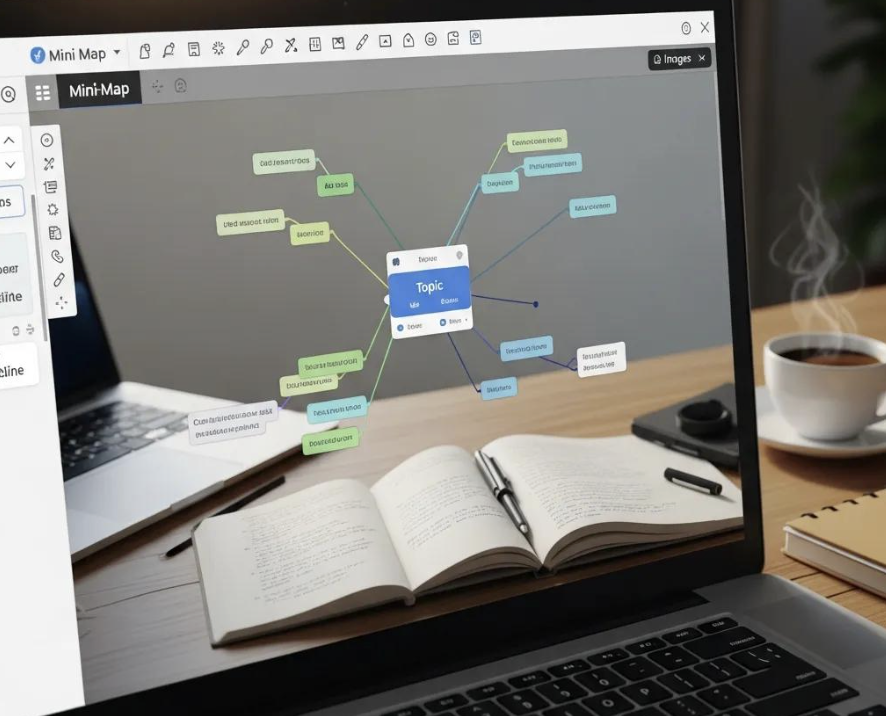
The right mind mapping software can significantly enhance workflow and collaboration among teams. Key features to look for include real-time collaboration, cloud storage, and integration with other productivity tools. These features enable teams to work together seamlessly, regardless of their physical location.
What Unique AI-Powered Features Does Ponder Offer for Mind Mapping?
Ponder stands out as an AI-powered knowledge workspace designed for deep thinking and collaboration. It offers unique features such as AI-driven insights that help users connect ideas and streamline their workflows. With Ponder, users can create mind maps that evolve naturally, allowing for a more organic exploration of concepts. The platform's user-friendly interface makes it easy for individuals and teams to collaborate effectively, enhancing productivity and creativity.
How Does Collaborative Mind Mapping Enhance Team Productivity?
Collaborative mind mapping enhances team productivity by fostering communication and shared understanding among team members. When teams create mind maps together, they can visualize their collective ideas and ensure everyone is on the same page. This process not only improves clarity but also encourages diverse perspectives, leading to more innovative solutions. For example, use collaborative mind mapping tools during project planning session, a team can collaboratively build a mind map that outlines tasks, deadlines, and responsibilities, ensuring a cohesive approach to project execution.
Try Ponder for academic research →
How To Use Mind Maps Effectively for Project Planning and Problem-Solving?
Using mind maps effectively for project planning and problem-solving involves a structured approach that maximizes their potential. By following specific steps, individuals and teams can leverage mind maps to enhance their planning processes.
What Steps Facilitate Strategic Project Planning with Mind Maps?
To facilitate strategic project planning with mind maps, start by defining the project's goals and objectives. Next, create a central node representing the project and branch out into key tasks, deadlines, and resources. This visual representation allows teams to track progress and identify potential roadblocks. Regularly updating the mind map throughout the project lifecycle ensures that all team members remain aligned and informed.
How Can Mind Mapping Aid in Decision-Making and Creative Problem-Solving?
Mind mapping aids in decision-making and creative problem-solving by providing a visual framework for evaluating options and outcomes. By mapping out different scenarios and their potential consequences, individuals can make informed decisions based on a comprehensive understanding of the situation. This approach encourages critical thinking and helps teams explore innovative solutions to complex problems.
Different mind mapping software options offer unique features that cater to various needs and preferences. Below is a comparison of some popular mind mapping tools:
Software | Key Features | Collaboration | AI Integration |
|---|---|---|---|
Ponder | AI-driven insights, user-friendly interface | Yes | Yes |
MindMeister | Real-time collaboration, cloud storage | Yes | Limited (via integrations) |
XMind | Gantt chart integration, presentation mode | Yes | No |
Coggle | Simple interface, unlimited image uploads | Yes | No |
Mind mapping is a versatile tool that can significantly enhance productivity, creativity, and information organization across various fields. By leveraging effective techniques and utilizing AI-powered mind mapping software like Ponder, individuals and teams can unlock their full potential in brainstorming, note-taking, project planning, and problem-solving. As the landscape of knowledge management continues to evolve, mind mapping remains a valuable strategy for navigating complex information and fostering collaboration.
See also: Types of mind maps | Idea mapping examples | Best mind mapping tools
Frequently asked questions
What is mind mapping most useful for?
Mind mapping is most useful for: (1) Brainstorming — generating and organizing ideas without linear constraints; (2) Note-taking from reading or lectures — capturing connections between concepts as you learn; (3) Essay and paper planning — structuring arguments and identifying logical gaps before writing; (4) Memorization and study — creating visual summaries of topics for review; (5) Project planning — decomposing a complex project into tasks and visualizing dependencies; (6) Problem solving — mapping causes, effects, and solutions to complex problems. It's least useful for: sequential/procedural tasks (flowcharts are better), data-heavy analysis, or content that's inherently linear (timelines, step-by-step instructions).
Is mind mapping good for studying and memory?
Research shows mind mapping improves learning under specific conditions. Effective for: learning topics with genuine conceptual structure (not just facts to memorize), when you CREATE the map yourself (not copy one), and when reviewing through rebuilding rather than passive re-reading. The mechanism: building a mind map forces you to identify relationships between concepts — this active processing ("elaborative encoding") improves retention over passive reading. Less effective for: memorizing lists of unrelated facts (spaced repetition tools like Anki are better), sequential processes, or time-pressured study (maps take longer to build than notes). The "learning styles" concept that underlies "I'm a visual learner" is considered a myth in current cognitive science — visual tools help everyone for certain content types, not just declared visual learners.
How is mind mapping used in business and professional settings?
In professional settings, mind mapping is widely used for: Meeting facilitation — live whiteboard mind maps (Miro, FigJam) for brainstorming sessions and strategy workshops. Project planning — decomposing work breakdown structures visually before transferring to project management tools. Customer journey mapping — mapping touchpoints and decision trees in product design. Strategic planning — SWOT analysis, stakeholder mapping, and competitive landscape mapping. Knowledge management — onboarding documentation and team knowledge bases as navigable visual maps. Business users typically use collaborative online tools (Miro, Mural) rather than individual desktop apps because of real-time co-editing requirements.
What is the difference between mind mapping and concept mapping?
Though often confused: Mind maps radiate hierarchically from a central idea — all connections go through the center in a tree structure. Relationships between branches aren't labeled. Better for: personal brainstorming, overview building, memorization. Created quickly. Concept maps (developed by Joseph Novak at Cornell) use labeled connecting phrases between any nodes (not just parent-child): "X causes Y" vs. "X → Y". Any node can connect to any other. More rigorous, shows the nature of relationships. Better for: formal knowledge representation, analyzing complex systems, academic research synthesis. Created more slowly and deliberately. In academic and scientific use, concept maps are preferred when the relationship between ideas is the point — mind maps are preferred when speed and overview are prioritized.
What software is the most popular for mind mapping?
Most popular mind mapping software in 2026: Miro (most widely used for collaborative/corporate mind mapping — 50M+ users, though it's primarily a whiteboard tool); XMind (most popular dedicated desktop mind mapping software, widely used in education and business); MindMeister (most popular web-based dedicated mind mapper, Google Drive integration); Coggle (popular free web tool, particularly in academic contexts); Microsoft Visio and Lucidchart (diagram tools commonly used for mind maps in enterprise). For mobile: SimpleMind is widely used on iOS/Android. The "most popular" varies by context: Miro in tech/design teams, MindMeister in education, XMind for individual power users.
See also: Idea Mapping Examples | Mind Mapping for Academic Research | Best MindMeister Alternatives | How to Make a Concept Map | Best Mind Mapping Alternatives