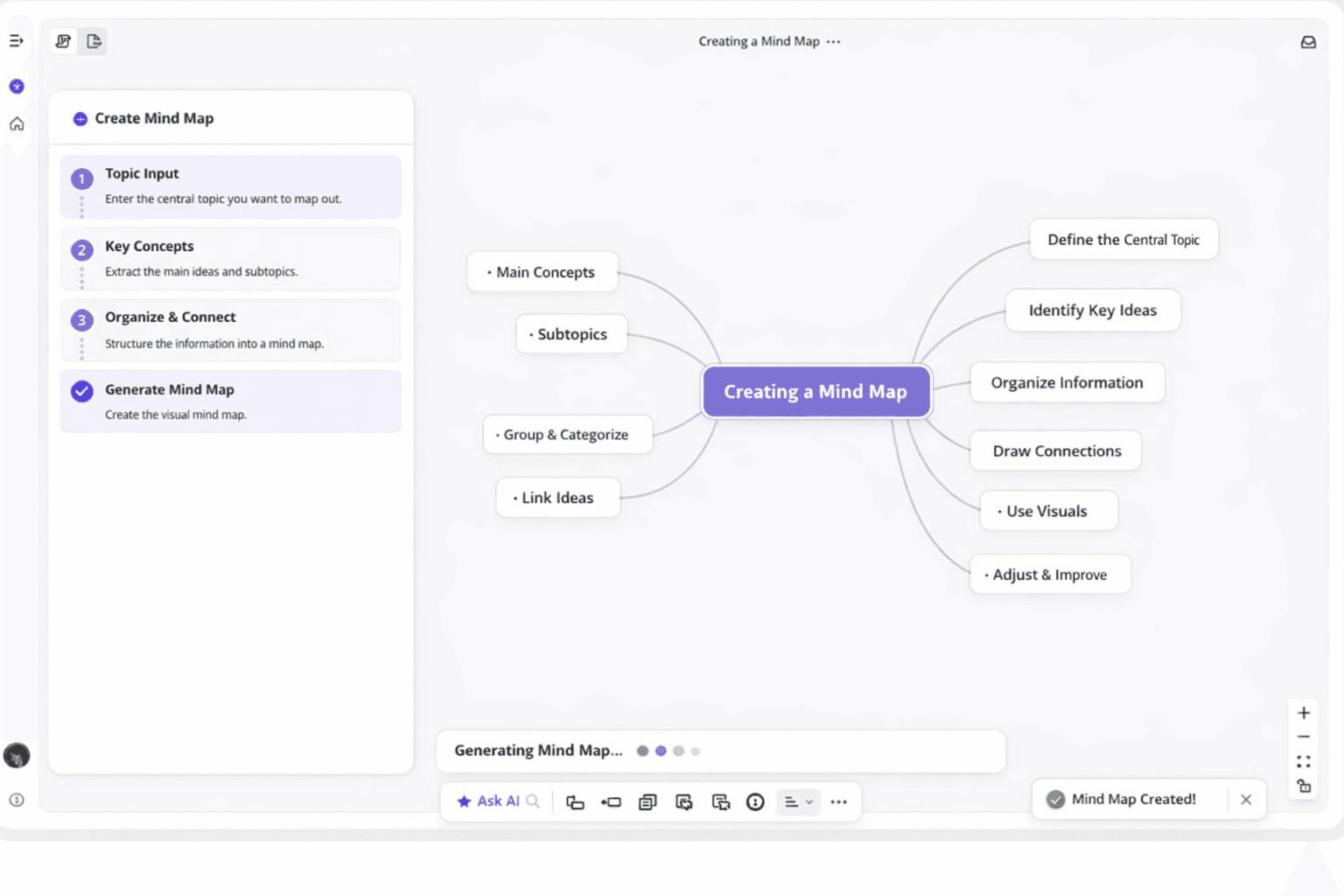
Ever feel like your best ideas vanish the moment you try to capture them? Brainstorm mapping helps stop that. By turning scattered thoughts into simple visual maps, brainstorm mapping lets you see patterns, group related ideas, and think more clearly. It works like a mind map AI that grows with your creativity—whether you’re planning a project, preparing for exams, or mapping out a new business. Instead of keeping ideas abstract and messy, brainstorm mapping helps you move from “I have a thought” to “I know what to do next,” making idea generation more practical, focused, and productive.
What Is Brainstorm Mapping and Why Does It Matter?
Traditional brainstorming often leaves valuable connections undiscovered. You might fill pages with bullet points or numbered lists. These formats don't show how ideas relate to each other.
Brainstorm mapping combines creative freedom with visual organization, turning your idea to mindmap. This approach lets ideas flow organically while maintaining structure. The result shows how concepts connect, making patterns easier to spot.
This method addresses real challenges teams face every day. Lost ideas and scattered notes become problems of the past. Brainstorm mapping transforms chaotic sessions into productive workflow.
Understanding Mind Maps as Visual Diagrams
A mind map is a visual diagram showing information in a radial format. Unlike traditional notes, a mind map grows outward from a central idea. This structure mirrors how your brain processes and stores information.
The anatomy of a mind map is simple yet powerful. Your main idea sits in the center, often inside a circle. Primary branches extend from this central concept, each representing a major theme.
Smaller branches grow from these primary limbs. They capture supporting details, examples, and related concepts. This creates a tree-like structure of connected ideas.
Colors, images, and symbols enhance these diagrams. Each branch might have a different color to distinguish categories. Icons or drawings add visual memory triggers.
| Element |
Purpose |
Best Practice |
| Central Node |
Represents the core topic or problem |
Keep it concise—one to three words maximum |
| Primary Branches |
Show major categories or themes |
Use bold lines and distinct colors for each |
| Secondary Branches |
Add supporting details and examples |
Keep lines thinner; use consistent color families |
| Keywords |
Capture essential concepts quickly |
Use single words or short phrases, not sentences |
| Visual Elements |
Enhance memory and engagement |
Add icons, symbols, or small sketches strategically |
This visual diagram format makes complex ideas easier to understand. You can immediately see both details and overall structure. Traditional notes require reading from beginning to end.
How Visual Thinking Organizes Thoughts
Visual thinking taps into your brain's natural preference for images. Research shows we process visual information faster than written words. This explains why structured mind maps feel more intuitive.
Organizing thoughts visually reduces cognitive load. Your working memory doesn't have to hold as much information. You can focus on generating different ideas rather than remembering previous ones.
The spatial arrangement of mind maps reveals hidden connections. When two branches sit near each other, you notice relationships. These unexpected connections often spark innovative solutions.
Visual thinking makes the brainstorming process more inclusive. Team members with different learning styles can all engage effectively. Some people think in pictures naturally, while others appreciate spatial relationships.
The Power of Visualizing Ideas
Picture a typical brainstorming session. The room fills with energy as team members call out suggestions. Someone frantically scribbles on a whiteboard or slaps sticky notes on the wall.
But then comes the hard part. How do you make sense of dozens of sticky notes? Which ideas connect, and what's the priority?
Visualizing ideas through mind mapping solves these frustrations. You maintain spontaneous, creative energy while adding structure. Every concept finds its place in relation to others.
This approach shines during quick brainstorming sessions. Instead of spending time organizing notes, you focus on generating concepts. The visual format keeps everyone on the same page.
From Sticky Notes to Structured Mind Maps
Sticky notes revolutionized brainstorming with their colorful, flexible design. These squares made it easy to capture individual thoughts quickly. You could move them around and group them by theme.
The challenge with sticky notes lies in what happens next. Physical notes get lost, fall off walls, or become disorganized. Photographing sticky note sessions preserves the moment but limits editing.
Structured mind maps retain everything you love about sticky notes. You still capture ideas rapidly without judgment. But each concept automatically finds its logical position.
Digital mind maps take this evolution further. You can easily reorganize branches and add new connections. Colors and formatting remain consistent, making patterns easier to spot.
The transition doesn't mean abandoning spontaneity. It means enhancing your creative workflow with better tools. You keep the flexibility while gaining organization and accessibility.
You can start with physical sticky notes and transfer later. Or begin directly with mind mapping software. Either way, you capture the full richness of brainstorming sessions.
How to Use Brainstorm Mapping to Generate New Ideas
Ready to transform your brainstorming sessions from chaotic to creative? Here's your step-by-step guide to effective brainstorm mapping. The process is simpler than you might think.
This powerful tool adapts to your unique thinking style. You can use it for project plans, business challenges, or creative concepts. These techniques will help you unlock fresh perspectives and meaningful connections.
Start with Your Central Topic
Every successful mind map begins with a strong central topic. This anchor point keeps your brainstorming focused and productive. Place your central topic in the middle of your page or digital canvas.
Choosing the right central topic makes all the difference. For a product launch, your central topic might be "New Mobile App Features." For a marketing campaign, it could be "Summer Promotion Strategy."
Find the balance between specificity and breadth. A topic that's too narrow limits your exploration. A topic that's too broad leaves you wandering without direction.
Think of your central topic as a compass. It should point you toward productive thinking while allowing room for discovery.
Write your central topic in a circle or box at the center. Use a larger font or bold text to make it stand out. This visual prominence reminds you what you're working toward as you branch out.
Branch Out with Supporting Ideas
Once you've established your central topic, generate ideas that radiate outward. Ask yourself: "What are the main categories or themes related to this topic?" These become your primary branches.
Draw lines extending from your central topic. Label each one with a supporting idea. For example, if your central topic is "Company Retreat Planning," your primary branches might include Budget and Location.
You could also add Activities, Team Building, and Logistics. These major branches create the framework for deeper exploration.
The beauty of using a mind map is that each primary branch can spawn secondary branches. Let your thoughts flow naturally from one idea to the next. Under "Activities," you might add branches for Indoor Options and Outdoor Adventures.
Don't judge or filter your ideas during this phase. The goal is to capture everything that comes to mind. Some ideas will prove valuable, while others might not make the final cut.
This brainstorming tool encourages the kind of free association that leads to unexpected discoveries. One branch might trigger a thought that belongs on a completely different branch. Add it where it makes sense, and keep moving forward.
Connect Related Thoughts and Concepts
The most exciting breakthroughs happen when you start connecting ideas across different branches. Look for relationships between concepts that initially seemed separate. These connections reveal patterns and possibilities you might have missed.
Use arrows, dotted lines, or different colors to show relationships between branches. Perhaps your "Budget" branch connects to your "Location" branch because certain venues offer better value. Maybe "Team Building" links to "Creative Workshops" because some activities serve both purposes.
These cross-connections transform your mind map from a simple list into a dynamic web. They help you see the bigger picture and identify opportunities for innovation. You're thinking like a true creative problem-solver.
Different Brainstorming Techniques for Better Results
Want to supercharge your mind mapping sessions? Combine them with proven different brainstorming techniques that enhance both creativity and productivity. These methods work beautifully within a mind map framework.
Rapid ideation pushes you to generate ideas quickly without overthinking. Set a timer for 10 minutes and add as many branches as possible. Speed prevents your inner critic from filtering ideas too soon.
Reverse brainstorming flips the problem on its head. Instead of asking "How do we solve this?" ask "How could we make this worse?" For a customer service improvement project, you might brainstorm ways to frustrate customers.
Brainstorm mapping gives you flexible ways to generate fresh ideas. You can use techniques like **SCAMPER** (Substitute, Combine, Adapt, Modify, Put to another use, Eliminate, Reverse) to push your thinking further: simply apply each prompt to your main topic and add the new ideas as branches in your brainstorm mapping. For example, with “Team Meeting Format,” you might ask what to substitute, what to combine, or what formats to adapt from other fields—each answer becomes a new branch. Brainstorm mapping works for both solo and team sessions, whether you prefer digital tools with colors and images or simple pen-and-paper sketches. There’s no single right way to do it; as you keep practicing brainstorm mapping, you’ll find your own style and discover which methods help you generate your best ideas.
How do I start a brainstorming session using mind mapping?
Begin your brainstorm mapping by placing a clear central idea in the middle (your problem, project, or topic). Let ideas flow freely as branches without judging them, then connect related branches to reveal patterns and new directions. You can also combine brainstorm mapping with techniques like rapid ideation or reverse brainstorming, or use a free brainstorming template to speed things up.
What are the benefits of using mind maps for team collaboration?
Brainstorm mapping gives teams a shared visual space where everyone can see how their ideas connect, instead of dealing with messy notes or scattered documents. It supports real-time collaboration, keeps ideas from getting lost, and makes it easier to present concepts to stakeholders. The visual structure of brainstorm mapping helps teams align on both the big picture and next steps.
Can AI really help with brainstorming and mind mapping?
AI can supercharge brainstorm mapping by suggesting branches and related ideas from a central topic, helping you avoid creative blocks. It can turn simple text into a structured brainstorm map and highlight patterns or connections you might miss. Used as a partner to your own judgment and creativity, AI makes brainstorm mapping faster, richer, and more productive.