



In the realm of digital collaboration, mind mapping software has emerged as a vital tool for enhancing creativity and organization. As teams increasingly seek effective ways to brainstorm and visualize ideas, alternatives to popular platforms like GitMind are gaining traction. This article explores the leading mind mapping tools available in 2026, focusing on their unique features, benefits, and how they cater to various user needs. Readers will discover how these tools can facilitate collaborative brainstorming, support knowledge management, and enhance visual thinking. Additionally, we will highlight Ponder, an all-in-one knowledge workspace that stands out as a competitive alternative to GitMind. By the end of this article, you will have a comprehensive understanding of the best options available and how to maximize collaboration using these innovative tools.
Quick answer: No single mind-mapping tool fits every workflow. XMind and MindMeister are the strongest feature-rich alternatives. Coggle offers the simplest real-time collaboration. Miro scales to large team workshops. For researchers and students who need to go beyond mind maps — connecting actual documents, papers, and sources into a living knowledge structure they can query with AI — Ponder's canvas does what traditional mind-mapping tools can't.
GitMind Alternatives: Comparison Table
| Tool | Best For | Free Plan | Real-time Collab | AI Features | Offline Mode | Starting Price |
|---|---|---|---|---|---|---|
| MindMeister | Team mind mapping | ✅ 3 maps | ✅ | ⚠️ Basic | ❌ | $5.99/mo |
| XMind | Desktop power users | ✅ Limited | ⚠️ | ✅ XMind AI | ✅ | $9.99/mo |
| Coggle | Simple collaborative maps | ✅ 3 maps | ✅ | ❌ | ❌ | $5/mo |
| Miro | Large team workshops | ✅ 3 boards | ✅ Best | ✅ | ❌ | $10/mo |
| Ponder | Research synthesis + knowledge mapping | ✅ 50 credits/day | ⚠️ | ✅ AI canvas | ❌ | $14/mo |
What Are the Leading Mind Mapping Tools as Alternatives to GitMind?
When considering alternatives to GitMind, several mind mapping tools stand out for their unique features and user-friendly interfaces. These tools not only facilitate brainstorming but also enhance collaboration among team members. Here are some of the top alternatives:
MindMeister: Known for its intuitive interface, MindMeister allows users to create and share mind maps in real-time. It offers features like task management and integration with other productivity tools, making it ideal for project planning.
XMind: This tool provides a variety of templates and styles, catering to different brainstorming needs. XMind's focus on visual clarity helps users organize their thoughts effectively, making it suitable for both personal and professional use.
Coggle: Coggle emphasizes simplicity and ease of use, allowing users to create beautiful mind maps quickly. Its collaborative features enable multiple users to work on a map simultaneously, enhancing teamwork.
How Do MindMeister, XMind, and Coggle Compare as GitMind Alternatives?
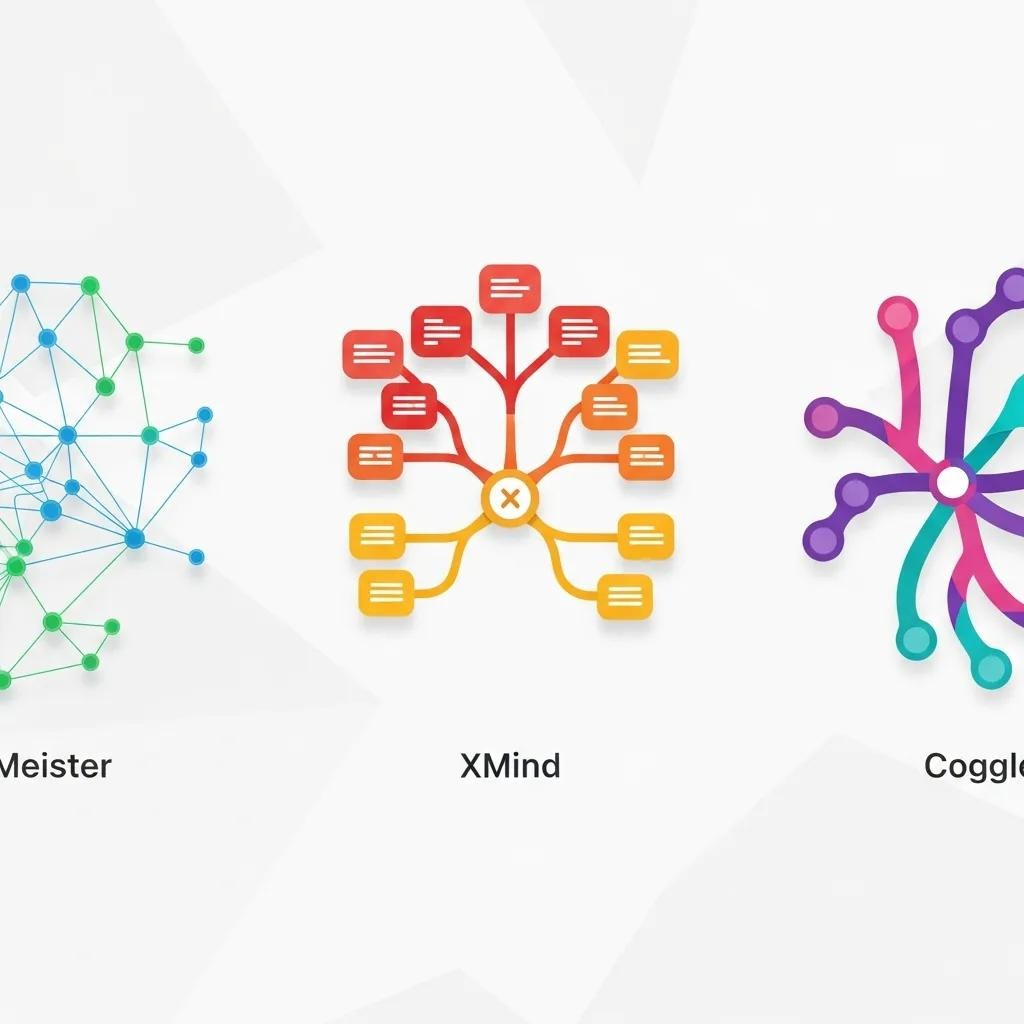
When comparing MindMeister, XMind, and Coggle as alternatives to GitMind, several factors come into play, including features, pricing, and user experience.
MindMeister :offers a free plan with limited features, while premium plans start at approximately $4.99 per month (billed annually), providing advanced export options and additional storage.
XMind has a subscription model starting at $59.99 per year (approximately $5 per month), which includes a comprehensive set of features for mind mapping and brainstorming. The one-time purchase option was discontinued in recent versions.
Coggle provides a free version with basic features, and its paid plans begin at $5 per month, allowing for unlimited image uploads and additional collaboration tools.
These comparisons highlight the strengths and weaknesses of each tool, helping users choose
Why Choose Ponder as a Competitive Alternative to GitMind?
Ponder distinguishes itself as a robust alternative to GitMind by offering an all-in-one knowledge workspace designed for collaborative brainstorming. Its unique features cater to the needs of teams looking to enhance their creative processes and streamline their workflows.
What Unique Features Does Ponder Offer for Collaborative Mind Mapping?

Ponder provides several unique features that enhance collaborative mind mapping:
AI-Powered Knowledge Extraction: Ponder utilizes artificial intelligence to extract and organize information, making it easier for users to connect ideas and insights.
Real-Time Collaboration: Teams can work together seamlessly, with changes reflected instantly, ensuring everyone is on the same page.
Knowledge Preservation: Ponder's platform allows users to save and revisit their brainstorming sessions, preserving valuable insights for future reference.
These features make Ponder an excellent choice for teams seeking to improve their collaborative efforts.
How Does Ponder Enhance Visual Thinking and Semantic Mapping?
Ponder enhances visual thinking through its intuitive interface and advanced semantic mapping capabilities. Users can create visually appealing mind maps that not only represent ideas but also illustrate relationships between concepts. The platform's infinite canvas feature allows for expansive brainstorming sessions without the constraints of traditional layouts. Additionally, Ponder's universal knowledge ingestion automatically contextualizes and connects imported materials from papers and web sources to videos and notes within your research framework, making complex information instantly navigable through advanced knowledge organization and source referencing.
Try Ponder for academic research →
How Do GitMind Alternatives Support Researchers, Students, and Knowledge Workers?
GitMind alternatives play a crucial role in supporting various user groups, including researchers, students, and knowledge workers. These tools facilitate collaborative literature reviews, knowledge mapping, and project management, making them invaluable in academic and professional settings.
What Use Cases Highlight the Benefits of Collaborative Brainstorming Tools?
Collaborative brainstorming tools are particularly beneficial in several scenarios: mind mapping ai
Academic Research: Researchers can use mind mapping software to organize literature reviews and synthesize findings, enhancing their understanding of complex topics.
Project Management: Teams can brainstorm project ideas, assign tasks, and track progress in a visual format, improving overall efficiency.
Creative Workshops: Facilitators can guide participants through brainstorming sessions, capturing ideas in real-time and fostering a collaborative environment.
These use cases demonstrate the versatility and effectiveness of mind mapping tools in various contexts.
The importance of computer-supported collaborative learning, particularly with mind maps, has been highlighted in academic research for enhancing educational processes.
How Do These Tools Facilitate Knowledge Management and Visual Thinking?
Mind mapping tools facilitate knowledge management by allowing users to create interactive knowledge maps that visually represent information. This approach enhances understanding and retention, making it easier to navigate complex topics. Additionally, collaborative annotation features enable team members to add comments and insights directly to the mind map, fostering a shared understanding of the subject matter.
Indeed, the strategic application of mind mapping is recognized as a powerful method for organizing thoughts and implementing comprehensive knowledge management systems.
What Are the Pricing Options and Plans for Popular GitMind Alternatives?
Understanding the pricing options for popular GitMind alternatives is essential for making an informed decision. Each tool offers different plans to cater to various user needs and budgets.
How Do Free Mind Mapping Apps Compare to Premium Solutions?
Free mind mapping apps often provide basic functionalities, making them suitable for casual users or those just starting with mind mapping. However, premium solutions typically offer advanced features such as enhanced collaboration tools, additional storage, and export options. Users should consider their specific needs when choosing between free and premium options.
What Are the Pricing Tiers and Value Propositions of Ponder?
Ponder offers four pricing tiers designed for research-focused users from individual researchers to professional teams:
Free Plan : $0/month: 20 AI credits per day, 5 uploads daily (150MB each), unlimited Ponders, and mindmap exports (PNG, HTML) ideal for individuals exploring AI-assisted mind mapping.
Casual Plan: $8/month (billed yearly): 20 AI credits per day + 800 monthly credits, unlimited uploads/downloads, and full export options.
Plus Plan (Most Popular) : $24/month (billed yearly): Unlimited basic AI usage, 20 daily credits + 2,500 Pro AI credits per month, unlimited uploads/downloads.
Pro Plan : $48/month (billed yearly): Unlimited basic AI usage, 20 daily credits + 6,000 Pro AI credits per month, unlimited uploads/downloads.
These pricing tiers provide flexibility for users, ensuring they can find a plan that suits their requirements.
How Can You Maximize Collaboration Using Online Brainstorming Tools?
Maximizing collaboration using online brainstorming tools involves leveraging their features effectively to enhance teamwork and creativity. mind mapping ai
What Features Enable Real-Time Teamwork in Mind Mapping Software?
Key features that enable real-time teamwork in mind mapping software include:
Live Editing: Users can make changes simultaneously, ensuring that all team members see updates in real-time.
Commenting and Feedback: Team members can leave comments and suggestions directly on the mind map, facilitating constructive discussions.
Integration with Other Tools: Many mind mapping tools integrate with project management and communication platforms, streamlining workflows.
These features significantly enhance the collaborative experience, making brainstorming sessions more productive.
How Does Ponder Support Seamless Collaborative Workflows?
Ponder supports seamless collaborative workflows through its integrated workspace, which allows teams to share canvases and manage projects in one place. Ponder's collaborative workspace allows teams to share canvases and manage projects centrally. The platform's organization features ensure that all materials and annotations remain connected to their sources, creating transparency and fostering an environment where ideas can evolve naturally.
What Are Common Questions About GitMind Alternatives and Their Features?
As users explore GitMind alternatives, several common questions arise regarding their features and capabilities.
What Makes Ponder a Good Alternative to GitMind?
Ponder stands out as a good alternative to GitMind due to its comprehensive feature set, including AI-driven mind mapping, real-time collaboration, and a focus on knowledge preservation. These elements combine to create a powerful tool for teams looking to enhance their brainstorming and project management efforts.
How Does Ponder Support Collaboration and Ease of Use?
Ponder's user-friendly interface and robust collaborative features make it easy for teams to work together effectively. The platform's intuitive design ensures that users can quickly navigate its functionalities, while its real-time collaboration tools facilitate seamless teamwork. This combination of ease of use and powerful features positions Ponder as a leading choice for collaborative mind mapping.
Frequently asked questions
What is GitMind and why look for an alternative?
GitMind is a free, web-based mind mapping and brainstorming tool with AI features. It allows you to create mind maps, flowcharts, and organizational charts in a browser without downloading software. The AI mode generates maps from text prompts. Researchers and students look for alternatives when: GitMind's free tier generates watermarks on exports, the collaboration features require paid plans, they need stronger AI integration with documents/PDFs, or they need specific integrations (Google Drive, Notion, etc.) that GitMind doesn't support. The tool is popular in China and Southeast Asia but less widely used in Western academic contexts where Coggle, XMind, or Miro are more common.
Is GitMind free?
GitMind has a free tier and paid plans. Free tier: create and edit mind maps in the browser, basic AI mind map generation, limited cloud storage, GitMind watermarks on exported images. Paid plans remove watermarks, increase storage, enable more advanced AI features, and add priority support. For users who only need GitMind for personal use and don't mind the watermark, the free tier is functional. For professional or academic use where clean exports matter, the watermark is a barrier — alternatives like Coggle (free, no watermark), draw.io (free, no watermark), or XMind (free desktop app, no watermark) are preferable.
What is the best free alternative to GitMind?
Best free GitMind alternatives: Coggle (free for 3 maps — collaborative, clean exports without watermarks, real-time multiplayer); draw.io / diagrams.net (completely free, no account required, no watermarks, mind maps + full diagramming); XMind (free desktop app — more powerful than GitMind for complex maps, no watermarks on exports); FreeMind (free, open-source desktop tool, offline-capable, unlimited maps without watermarks); Miro free tier (3 boards — more canvas than mind map but flexible, no watermarks on exports within the plan). For AI-generated maps without GitMind's free tier limitations: Whimsical AI or Mapify (both have free tiers with more capable AI).
How does GitMind compare to XMind?
GitMind and XMind address similar needs but differ in depth and platform. GitMind: entirely web-based, simple to start, AI mode generates maps from prompts, free but watermarked exports. Better for: quick collaborative maps anyone can access via browser, AI-generated starting maps. XMind: desktop-first (Windows, Mac, iOS, Android), much more powerful for complex maps (multiple map themes, Gantt view, presentation mode, outline view), free desktop version without watermarks. Better for: serious individual use, complex hierarchical maps, offline capability, polished exports for professional use. Most power users prefer XMind for serious mind mapping work; GitMind is preferred when instant browser access and AI generation are priorities.
Can I use GitMind for collaborative mind mapping?
GitMind supports real-time collaboration on mind maps — multiple users can edit simultaneously via shared links. This is available on both free and paid plans, though the free tier limits simultaneous collaborators and collaboration features. For team mind mapping with more robust features: Miro (free 3 boards — more powerful collaboration tools, video conferencing integration, commenting, voting); Coggle (free 3 maps — real-time collaboration with comment threads); MindMeister (free 3 maps — strong real-time collaboration, Google Drive integration). GitMind's collaboration is functional for basic simultaneous editing but less feature-rich than Miro or Coggle for facilitating structured group work.
See also: Best Brainstorming Tools | Mind Map Software | Online Mind Mapping | Brainstorming Tools for Teams | Brainstorming Tools for Students | Concept Map Examples