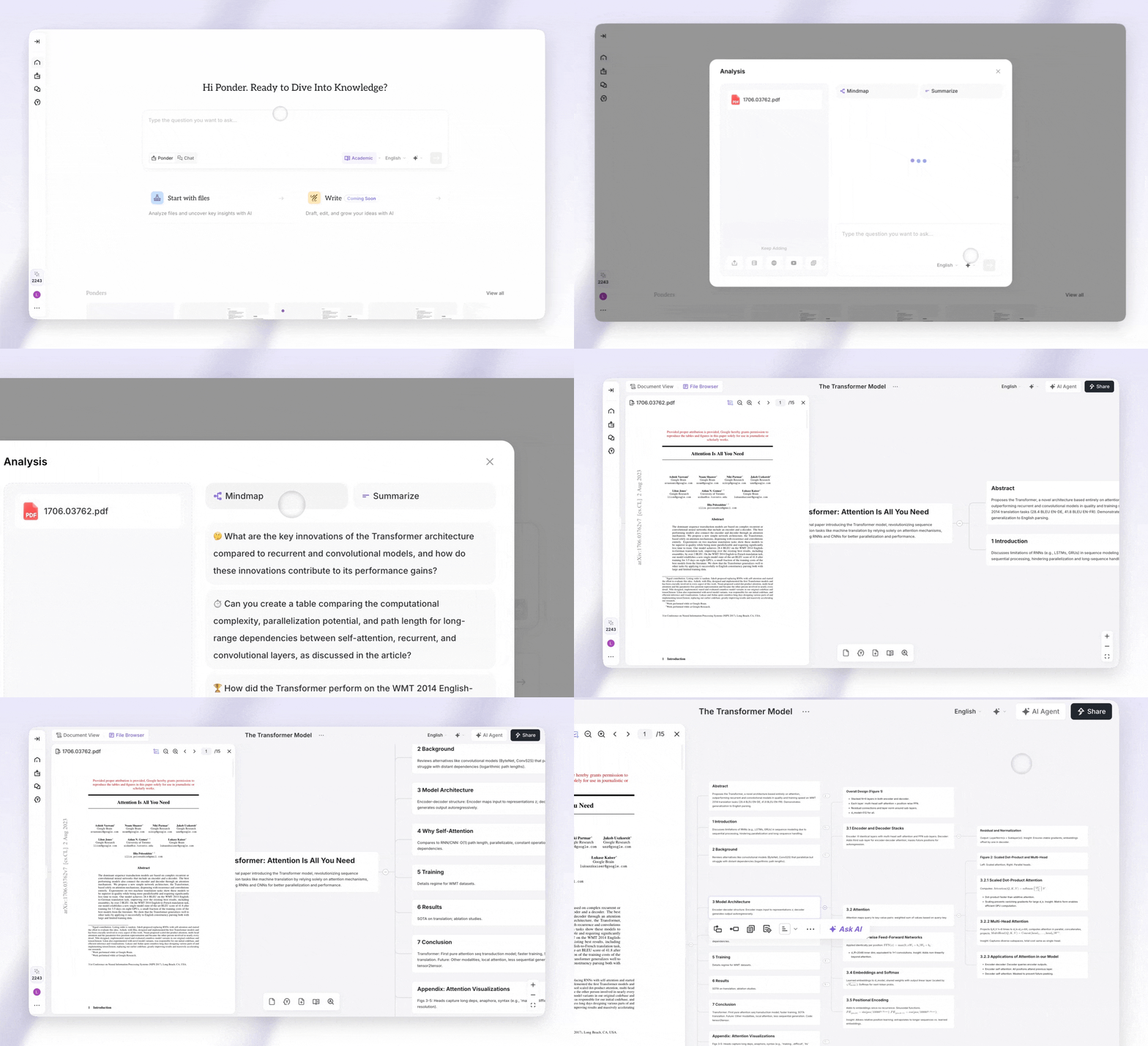
Felt overwhelmed by dense, text-heavy PDF documents? You're not alone. These files often contain valuable information that's hard to process and remember.
The good news is that you can transform these challenging files into visual mind maps. This visualization approach turns complex content into something your brain can understand. Mind mapping AI makes information crystal clear.
Modern solutions use an AI tool to instantly convert your files into structured mind maps. These online converter platforms do the heavy lifting for you. They analyze text with AI and organize it automatically.
The best part? You get editable results that you can customize to fit your needs. This approach will upgrade your workflow. You'll save hours while improving your understanding and retention.
Understanding PDF to Mind Map Transformation
Converting a PDF into a mind map changes how you interact with information. Traditional PDFs force you to scroll through pages of linear text. Your eyes move rigidly from top to bottom, not matching how your brain processes ideas.
A mind map tool changes this entire experience. Instead of sequential pages, you get a visual landscape where concepts branch out. This shift makes complex documents dramatically easier to understand and remember.
What Visual Mind Mapping Does for Your Documents
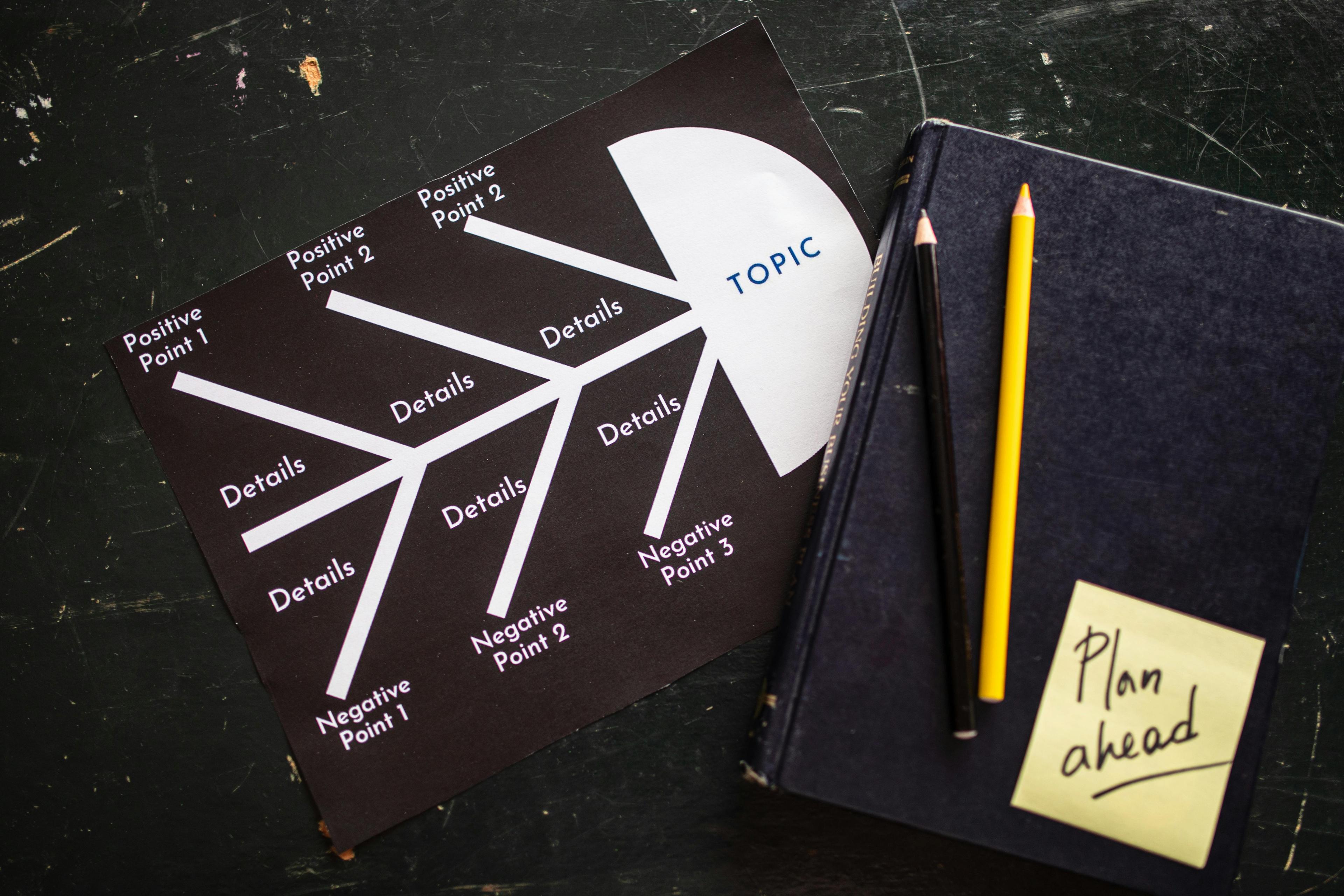
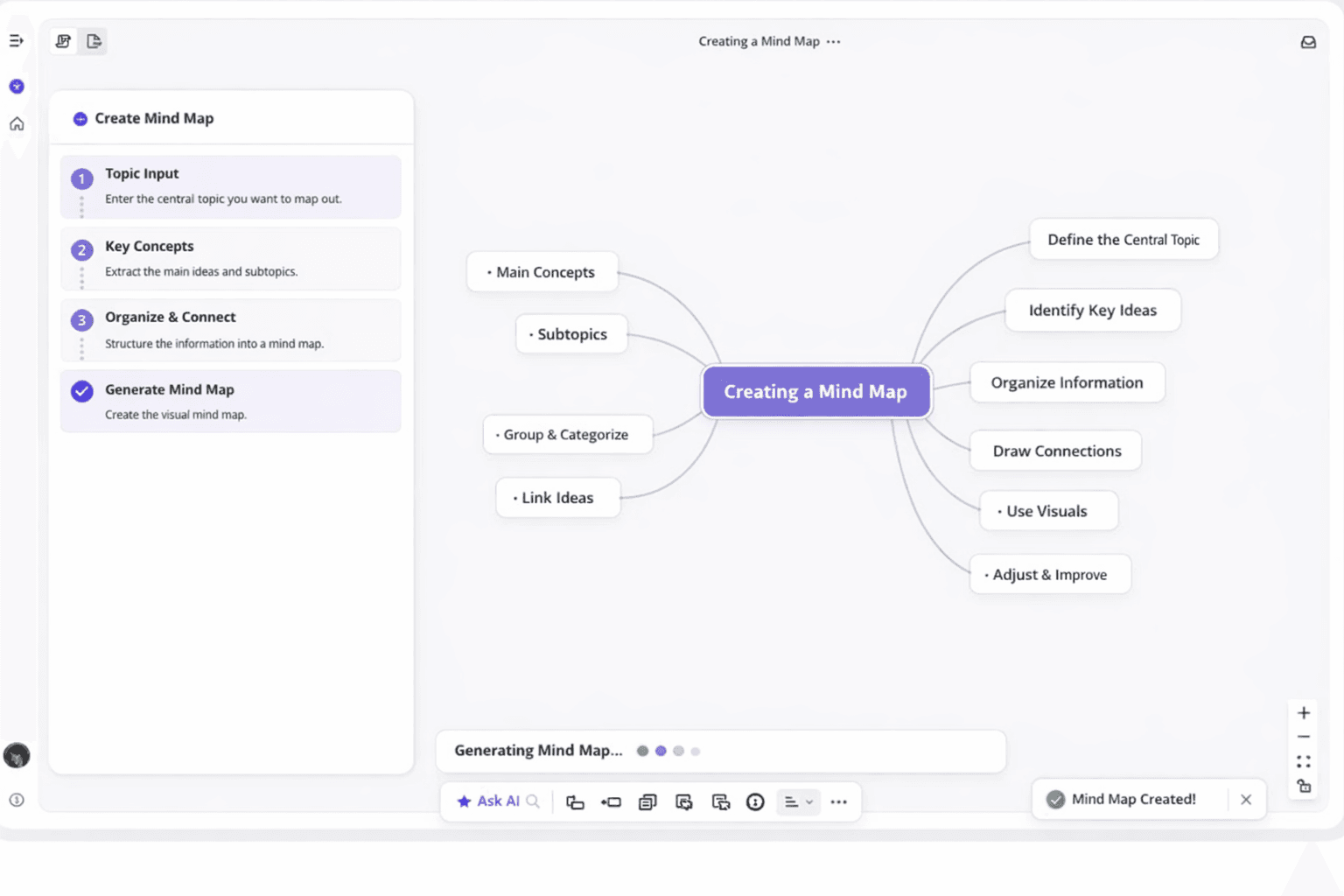
Converting a PDF into a mind map transforms your content powerfully. The information gets reorganized into a hierarchical, branching structure that mirrors natural thought patterns. Main topics sit at the center, with subtopics radiating outward like tree branches.
This structured visual approach reveals relationships between ideas hidden in traditional text. You can suddenly see how different concepts connect and which details support arguments. The spatial arrangement makes everything easier to visualize and comprehend at a glance.
Consider reading a 50-page research paper versus viewing a one-page mind map. The PDF forces you to hold everything in working memory as you read. The mind map lets you see the entire knowledge structure simultaneously.
This reduces cognitive load and improves retention by up to 32%, according to research, perfect as an AI research tool. A quality map tool identifies the document's inherent structure—headings become main branches. This transformation turns passive reading into active visualization, engaging both verbal and visual processing centers.
The Role of AI in Document Visualization
Modern ai mind map technology does more than copy text into circles and lines. Advanced artificial intelligence reads and comprehends your PDF content, understanding context and meaning. This is where llms (large language models) become game-changers for document processing.
Uploading a PDF to an AI-powered mind map tool triggers sophisticated analysis. It identifies main themes and distinguishes between primary arguments and supporting evidence. The ai doesn't just see words—it understands the semantic meaning behind them.
This intelligent processing delivers ai-driven insights you wouldn't get from manual mapping. The technology automatically prioritizes information based on relevance and importance. It groups related concepts together, even from different document parts.
It can even suggest connections you might have missed on your own. You don't need technical expertise to benefit from this sophisticated ai technology. The complexity happens behind the scenes while you upload your document.
You receive a beautifully organized visualization within seconds. The mind map tool handles computational heavy lifting, from natural language processing to hierarchical structuring.
| Traditional PDF Reading | AI Mind Map Conversion | Key Advantage |
|---|
| Linear, page-by-page navigation | Spatial, relationship-based layout | See entire knowledge structure instantly |
| Manual highlighting and note-taking | Automatic identification of key concepts | Save hours of manual analysis work |
| Hidden relationships between ideas | Visual connections clearly displayed | Understand complex relationships faster |
| Sequential information processing | Simultaneous multi-concept visualization | Reduce cognitive load by 40-50% |
| Static, unchangeable document format | Interactive, editable mind map structure | Customize and expand as you learn |
Understanding how AI transforms PDF documents helps you appreciate these visualization tools. The technology doesn't just make things prettier—it fundamentally changes how accessible information becomes. Whether you're studying academic papers or analyzing business reports, this transformation makes everything intuitive and significantly more efficient. Now free your hands and meet your AI research assistant.
Why PDF to Mind Map Tools Boost Your Productivity
The right visualization tool can turn hours of reading into minutes of understanding. It gives you back precious time in your workday. These tools don't just change how documents look—they change how quickly you extract value from them.
Think about the last time you needed information from a lengthy PDF before an important deadline. You probably spent more time searching and re-reading than actually using what you found. Mind mapping tools eliminate that frustration by doing the heavy lifting for you.
Break Down Complex Information Effortlessly
A dense PDF filled with technical jargon or detailed analysis can feel like climbing a mountain. These conversion tools act like a skilled guide who shows you the clearest path. They break down complex material into manageable pieces that your brain can actually process.
Visualize Key Concepts and Data Points
Your brain naturally thinks in pictures and connections, not walls of text. Visualize key ideas from a document, and you work with your cognitive strengths. Mind maps show you the hierarchy of information at a glance.
The most important key concepts sit at the center or top level of your map. Supporting details branch out from there. This visual structure immediately shows you which key points drive the document's main arguments.
You'll notice key data points that you might have missed reading linearly. Numbers, percentages, and critical findings jump out in a mind map. They're not buried in the middle of dense paragraphs.
This visual approach works especially well for comparison tasks. Having each document mapped out lets you spot patterns and differences instantly.
Save Time with Instant Conversion
Perhaps the biggest productivity boost comes from sheer speed. These tools can summarize and convert a lengthy PDF in seconds. What would take you an hour to manually outline happens almost instantly.
Imagine you're preparing for a meeting that starts in 20 minutes. Someone just sent you a critical document. Instead of skimming and hoping you catch the important parts, you convert it to a mind map.
The time savings multiply across your week. Every report you need to review gets processed in a fraction of the usual time. You're not working harder; you're working with a system that handles the tedious organization work.
This speed advantage matters most juggling multiple projects. Instead of becoming a bottleneck because document review takes so long, you can move quickly. Your colleagues will wonder how you process information so efficiently while maintaining such a clear grasp.
Features That Make PDF to Mind Map Converters Powerful
The right pdf to mind map generator brings together intelligent features. These features transform how you understand and organize information. These tools aren't just simple converters—they're sophisticated systems designed to make your work easier and more efficient.
Understanding what capabilities matter most helps you choose the solution. This solution fits your workflow perfectly. You need to convert pdf to mind map formats effectively.
Today's ai pdf technology combines multiple powerful features into user-friendly platforms. You get tools that think alongside you. Document processing feels natural and intuitive rather than technical and complicated.
AI-Powered Summarization and Key Insight Extraction
The smartest pdf to mind map generator platforms use artificial intelligence effectively. These systems act as an intelligent summarizer. They actually read and understand your documents the way a human would.
The ai pdf technology identifies themes, main arguments, and supporting evidence. Instead of just pulling out random sentences, it finds what matters. You get meaningful insights from your documents.
The ai mind map generator analyzes the content structure when you upload a document. It examines relationships between ideas. The system can extract key insights automatically, saving you hours of manual reading.
The system recognizes which information matters most. It understands how different concepts connect to each other. You don't need to guess what's important—the AI does that heavy lifting.
This technology truly transforms your pdfs into organized knowledge maps. You focus on applying the information to your projects. The AI handles the complex analysis work.
Support for Multiple Document Types and Formats
The best pdf to mindmap tools offer remarkable versatility beyond basic PDF files. Many platforms can handle research papers, business reports, and ebooks. They even process scanned documents with optical character recognition.
This flexibility means you can convert pdf files from any source. You don't worry about compatibility issues. Your documents work regardless of their origin.
Modern converters also provide additional features like markdown export options. This lets you take your mind map across different platforms. You can use it in various applications seamlessly.
Some tools integrate with note-taking apps and project management software. Cloud storage services connect easily too. Your workflow stays smooth and connected.
Quality platforms handle everything from simple text documents to complex multi-page reports. Whether you're working with academic journals or business presentations, the right tool adapts. Your specific document types work seamlessly.
Editable Structured Visual Outputs
Modern mindmap tool platforms show commitment to flexibility. While the AI creates the initial structure, you maintain complete control over the final result. The visual outputs aren't locked or rigid.
You can edit, expand, reorganize, and customize every element. The tool adapts to your needs. Your creative control remains intact.
You get a starting point when you convert pdf documents. You can shape it to match your thinking style. Add new branches, change colors, or adjust hierarchies as needed.
Free and Online PDF to Mind Map Options
Budget-conscious professionals and students will appreciate numerous free pdf to mind map services. You don't need expensive software licenses. Powerful computers aren't required to access this technology.
Many pdf-to-mind-map platforms, like Ponder, operate entirely in your web browser. You only need an internet connection. Access is simple and straightforward.
Free options often provide surprisingly robust features that rival premium alternatives. Paid versions might offer advanced capabilities. However, no-cost pdf to mind map tool choices handle most common use cases excellently.
You can try different platforms without financial commitment. This helps you find what works best. Testing multiple options costs you nothing.
Online accessibility means you can work from anywhere—your office, home, or coffee shop. Your mind maps sync across devices. You can share them with colleagues or study partners instantly.
| Feature Category | Basic Tools | Advanced AI Tools | Key Benefit |
|---|
| Content Analysis | Simple text extraction | Context-aware summarization with insight extraction | Understands document meaning, not just words |
| Format Support | PDF files only | Multiple formats including scanned docs, markdown export | Works with any document source you have |
| Customization | Fixed output structure | Fully editable nodes, branches, and relationships | Adapts to your specific thinking and workflow |
| Accessibility | Desktop software required | Browser-based with free and premium options | Access from anywhere without installation |