Draft is here: from research to manuscript, in one flow
A piece of research moves from finding sources, to analyzing them, to writing the manuscript. Ponder now keeps all three steps in one workspace: choose what to do in a single input box and carry on down the path. With the new Draft stage, your research can go all the way to a finished manuscript.
Move your research forward, project by project: progress in view, tasks clearly sorted
See at a glance where each project stands
The body of the dashboard is now your projects. Each project card shows which kinds of tasks it has been through and what was worked on most recently, so one glance tells you which project to return to. When you start a new task, the launcher also lets you choose which project it belongs to first.
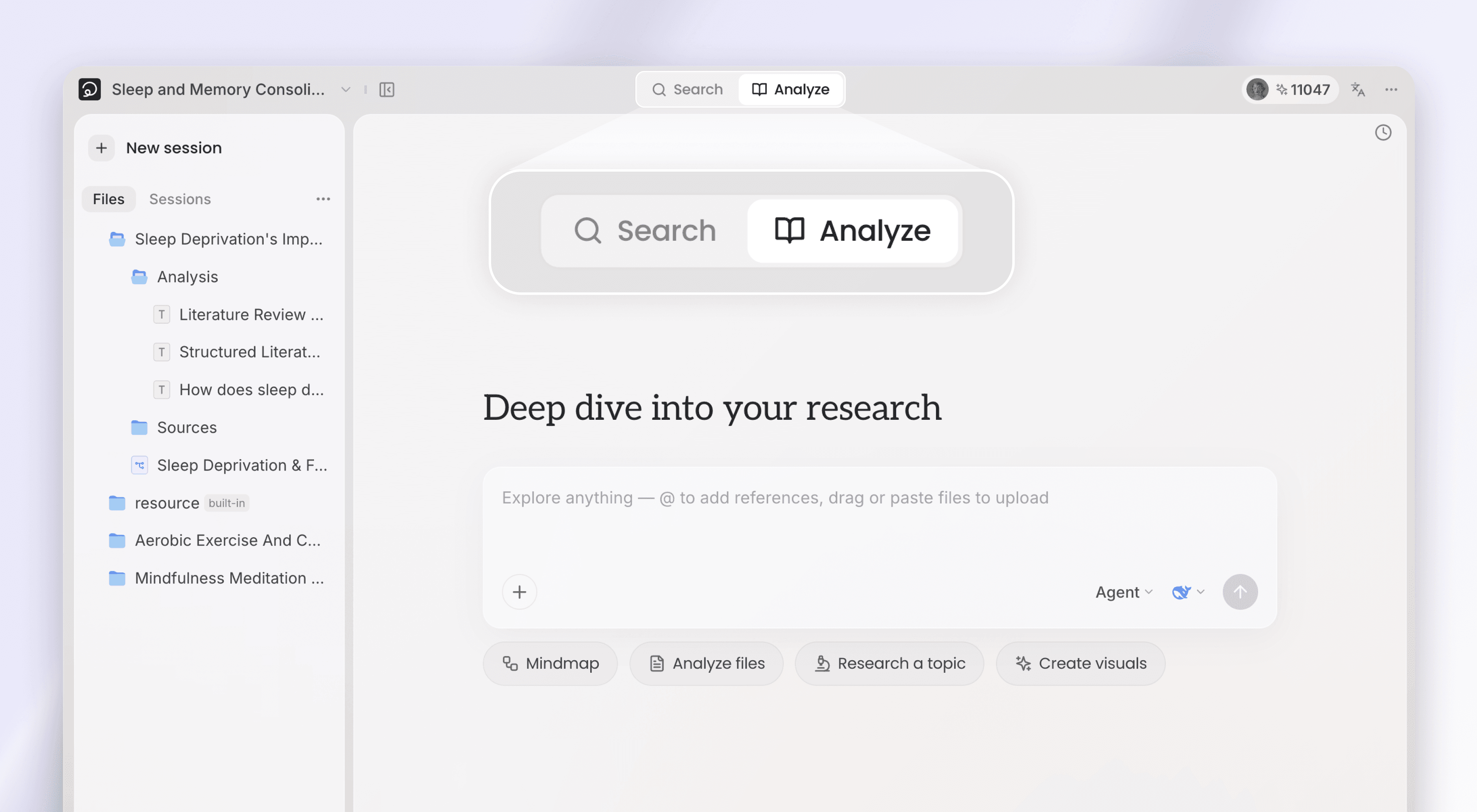
Search, Analyze, Draft: each kind of task has its own entry
Three stages sit above the input box; choose what to do this time — Search finds papers, Analyze reads your sources, Draft produces a manuscript. Each stage lists its own starting points below, and one click sets you on that path.
The input box's "+" menu also gains Use a skill (or type the / shortcut): pick a skill yourself to start a task, and the chosen skill stays pinned in the input box as a tag so it is clear what you are launching.
Draft: from choosing a genre to a manuscript with proper citations
The Draft stage aims at a manuscript ready to enter the academic process. From describing the manuscript and aligning on direction to structuring the text and formatting citations, Ponder covers the whole writing path.
Say what you need written, and Ponder writes it with its academic writing capability
The Draft stage can write any academic manuscript. Below the input box you will find the three most common types — Literature review, Paper writing, and Research report — as one-click starting points; for anything else, simply say what you need. Either way, Ponder's academic writing capability does the work.
Align on direction before the first word, so the draft is the one you wanted
Before writing, Ponder aligns with you on what this manuscript needs; once it has read the material, it lays out its writing plan first, and a reply is enough to adjust it. It then organizes the draft by academic genre, keeping the content faithful to the sources. When revising an existing manuscript, it changes only what needs changing and leaves the rest intact.
Professional academic citation styles
Manuscripts come with in-text citations and a reference list built in, and support multiple academic citation styles: switch with one click in the document header, and in-text citations and the reference list re-format together. Each reference is labeled with its evidence level, and a click takes you back to the original paper; exports and public share pages keep the citations complete as well.
Moving the research forward: next steps suggested, tasks always within reach
After every answer, Ponder suggests what to do next
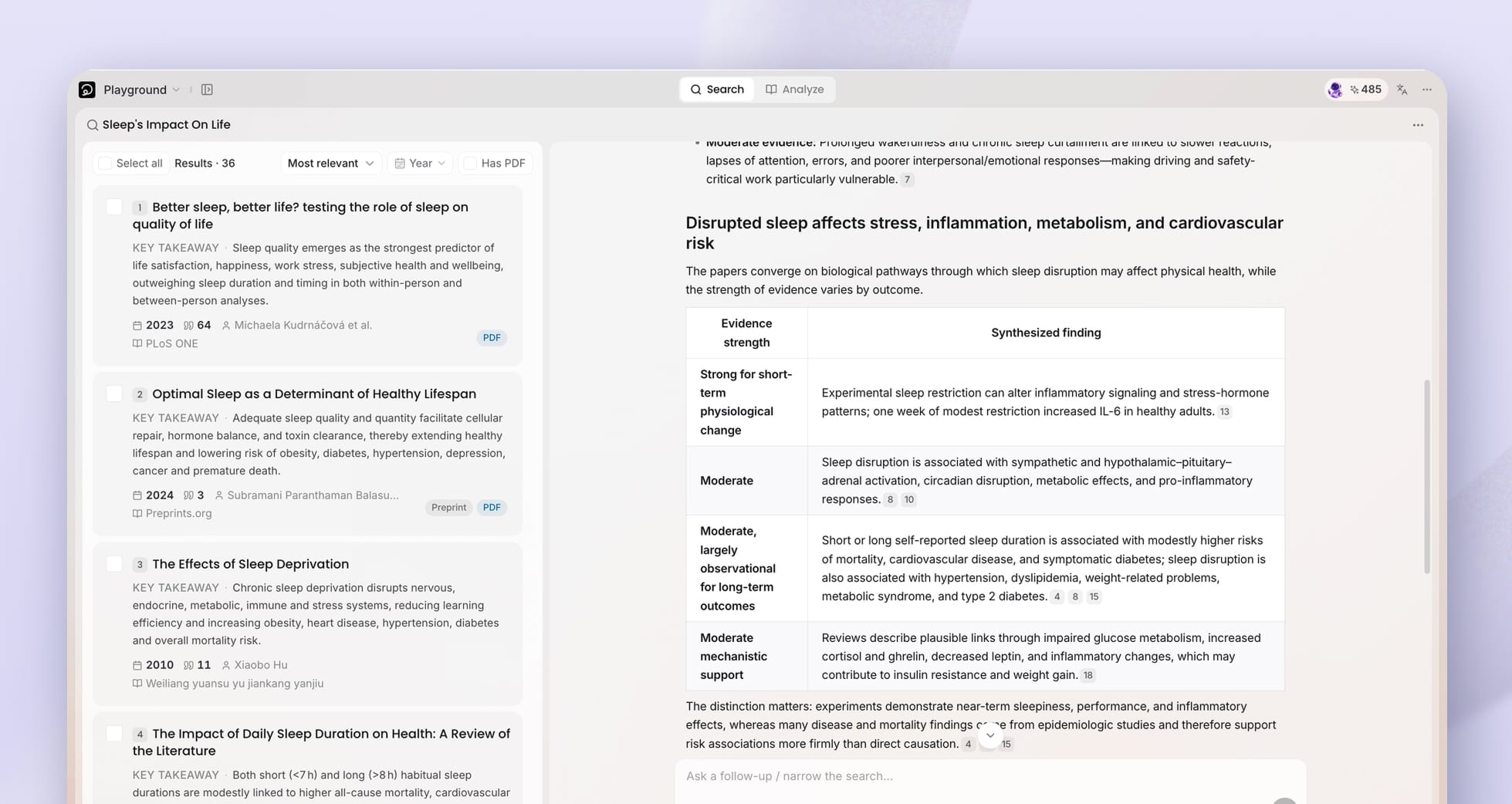
Below every AI answer there is now a Next step section: Ponder recommends what is worth doing next based on what this round covered, and one click continues. The same goes for search reviews — once you have read one, you can take the papers it cited straight into analysis or drafting.
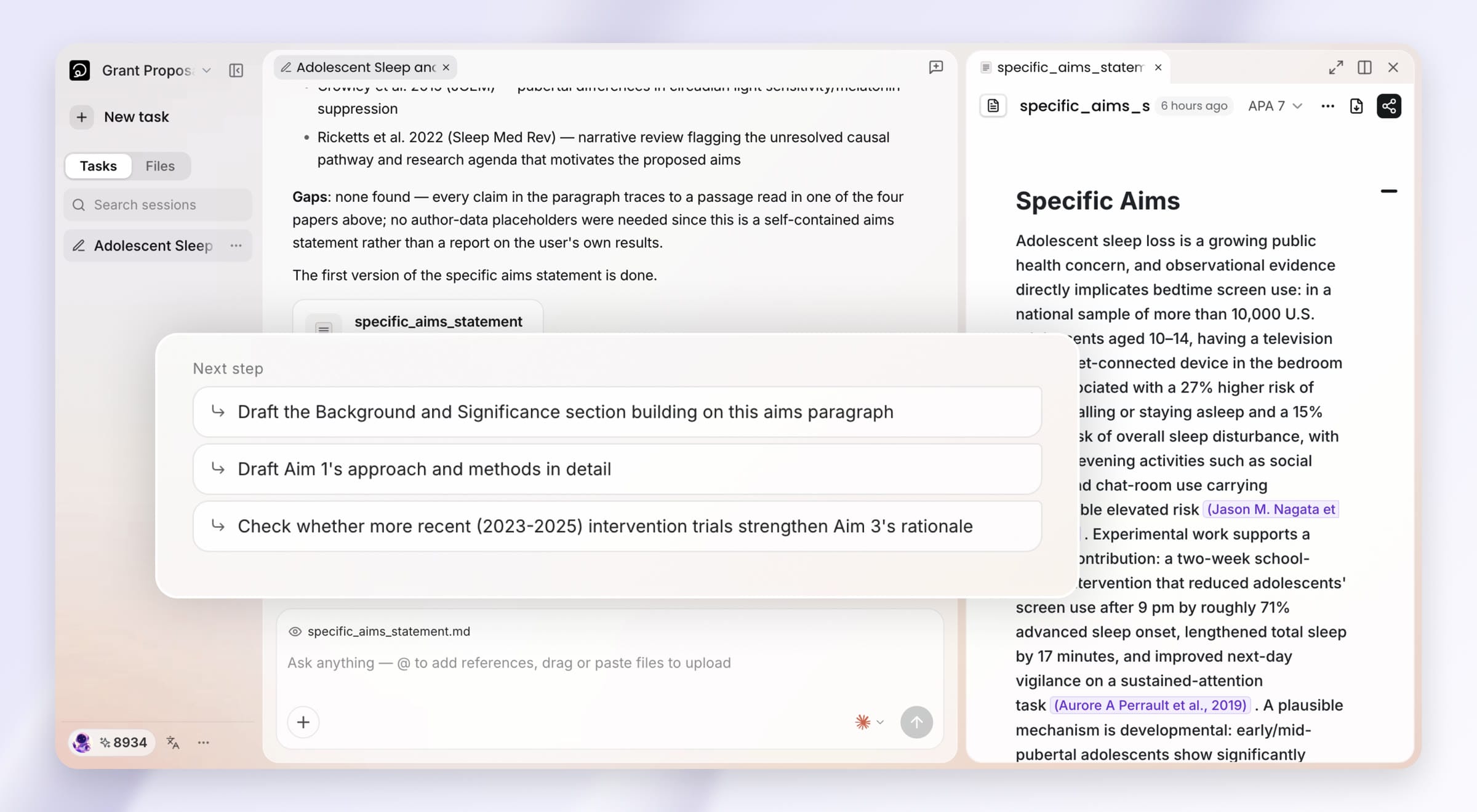
Tasks come first in the left rail; click one and its workspace comes back
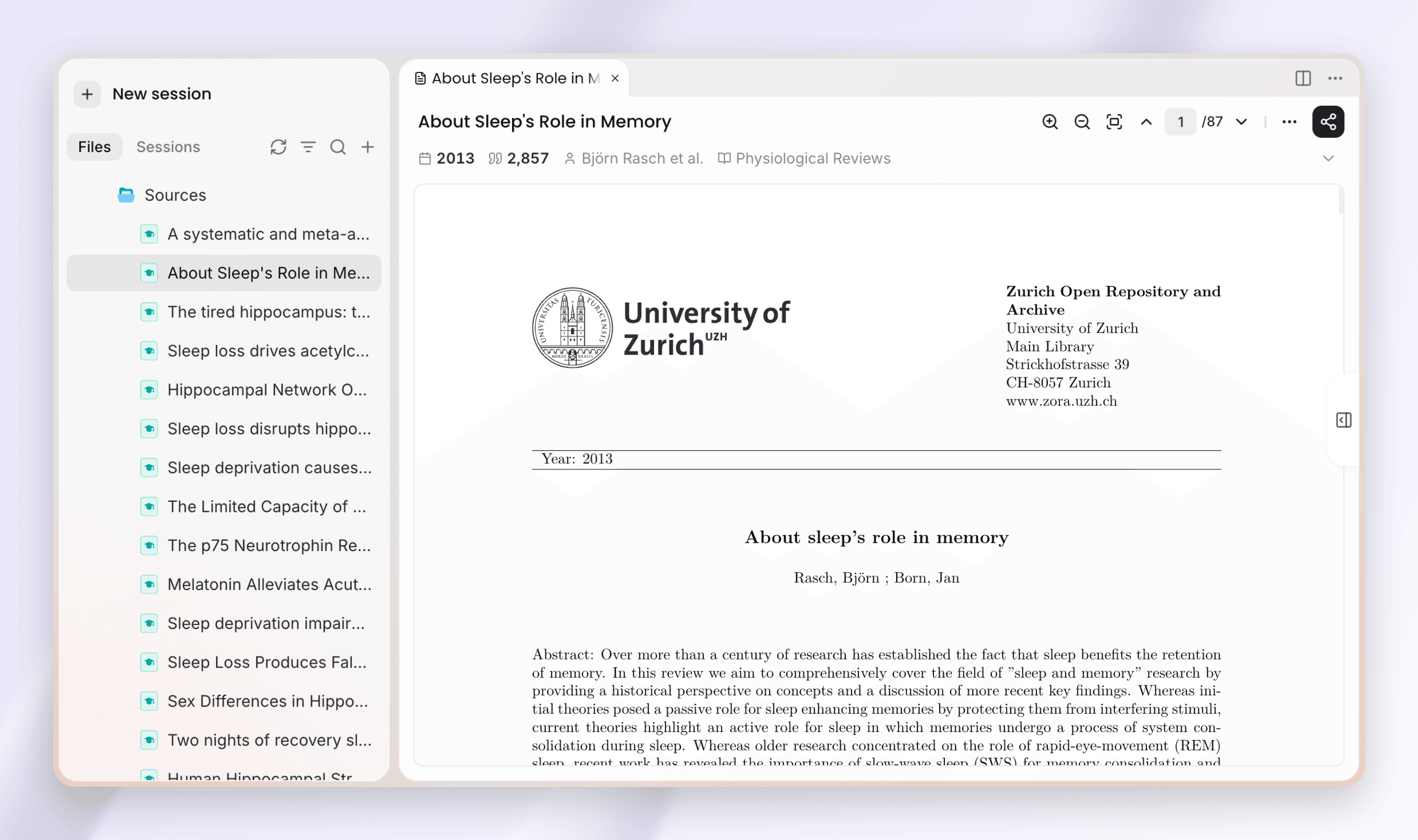
Every task in a project, whether a search, an analysis, or a draft, lives in the Tasks list in the left rail. Open any task and its session returns together with the files it produced, so you pick up where you left off.
Other improvements
Two more changes make it easier to bring material into analysis.
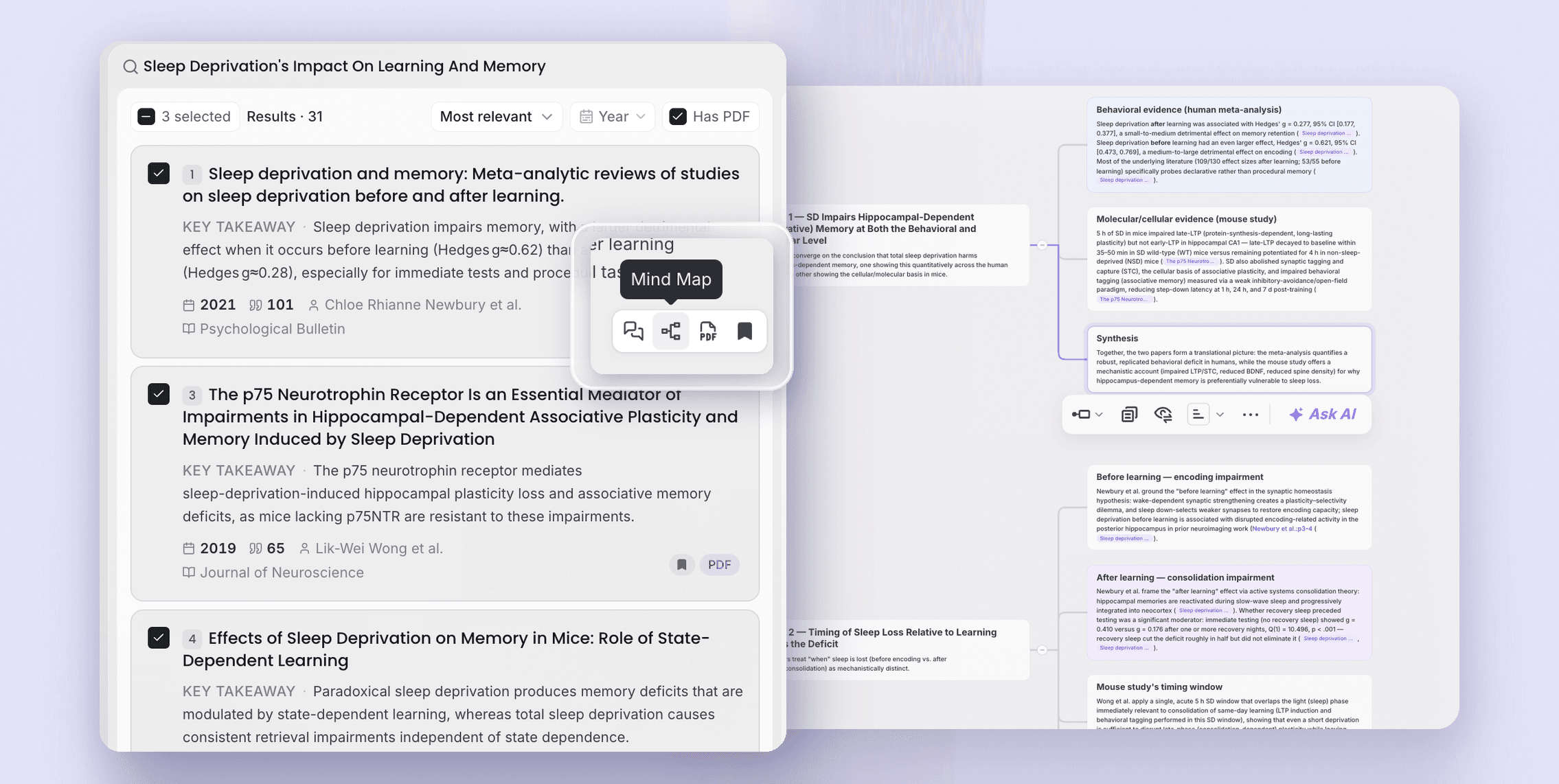
- Turn a file into a mind map or notes in one click: the file viewer header gains an "Analyze" entry that quickly turns the file into a mind map or notes.
- Paste a video link as a source: paste a YouTube or Xiaohongshu video link into the input box and Ponder immediately extracts the transcript and saves it as a source.
Thank you for using Ponder. We hope this release lets every step, from finding sources to finishing a draft, happen in one place.