

NotebookLM and Obsidian solve different research problems. Choose NotebookLM when you need fast, source-grounded answers and generated study materials from a defined source set. Choose Obsidian when you need a durable, local knowledge base whose notes, links, and structure you control. A practical combined workflow uses NotebookLM for a bounded reading session and Obsidian for the ideas worth keeping.
For the evidence workflow described below, every AI-assisted conclusion should remain traceable to its source location. NotebookLM provides inline citations that open the supporting passage; Obsidian preserves the researcher's own Markdown notes and links. That distinction matters more than a generic feature count.
NotebookLM vs Obsidian at a glance
| Decision point | NotebookLM | Obsidian |
|---|---|---|
| Primary job | Ask questions of a selected source set and generate source-grounded outputs | Build a long-lived network of notes, links, files, and metadata |
| Data model | A notebook contains imported source copies and generated artifacts | A vault is a local folder of plain-text Markdown files |
| Evidence navigation | Inline citations can open the source passage in context | Backlinks and internal links connect notes; evidence links must be created by the researcher |
| Free limits | 100 notebooks, 50 sources per notebook, 50 chat queries and 3 audio generations per day | The core app is free without usage limits or account signup |
| Storage | Cloud service; each uploaded source can contain up to 500,000 words or 200 MB | Files stay in a local vault unless you choose a sync service |
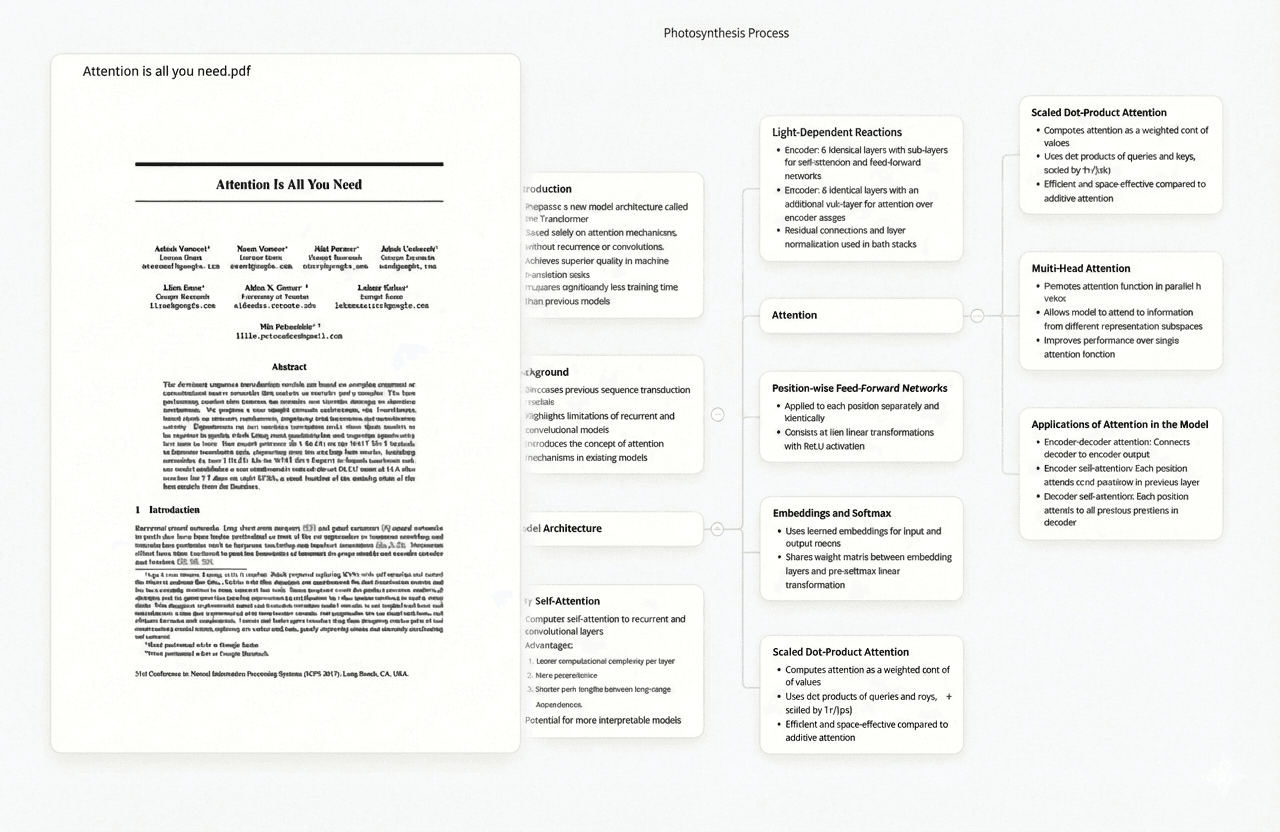
| Visual structure | Can generate mind maps and other Studio artifacts from sources | Graph view visualizes links among notes; Canvas supports manually arranged cards |
| Paid layer | Higher limits are available through Google AI plans | Optional Sync is $4/user/month billed annually; Publish is $8/site/month billed annually |
These figures come from the products' current official documentation and pricing pages. Limits and prices can change, so verify them at the linked sources before a procurement decision.
Choose NotebookLM for a bounded source set
NotebookLM is strongest when the unit of work is a project with a known corpus: a seminar reading list, a grant packet, interview transcripts, or a set of papers for one chapter. Google says the service accepts PDFs, web URLs, public YouTube URLs, audio, Google Docs and Slides, Word files, Markdown, CSV, PowerPoint, ePub, images, and other supported formats. The free tier currently allows 50 sources in each of 100 notebooks, with a 500,000-word or 200 MB limit per uploaded source.
The defining feature is not simply summarization. NotebookLM answers from the sources selected in the notebook. Its chat citations display quoted source text and can navigate to the location of the supporting passage. That makes it useful for questions such as “Which methods recur across these five papers?” or “Where do the authors qualify this conclusion?” The researcher can inspect the cited context rather than treating fluent prose as evidence.
NotebookLM also turns the same corpus into reports, study guides, audio overviews, mind maps, data tables, flashcards, and other Studio artifacts. Those outputs are useful for orientation and review. They are not a substitute for checking the paper, because generated artifacts can still be incomplete or inaccurate.
Choose Obsidian for a durable knowledge base
Obsidian is strongest when the unit of work is the researcher's own evolving knowledge. Its official documentation says notes are stored as Markdown plain-text files inside a local vault. That gives the researcher direct control over file organization and makes the notes usable outside the app. Sync is optional: a vault can remain local or be synchronized with Obsidian Sync or another file service.
Internal links and backlinks are Obsidian's central organizing mechanism. The Backlinks core plugin shows both linked mentions and unlinked mentions of the active note. Graph view represents notes as nodes and internal links as edges, while a local graph narrows the display to notes connected to the current note. These tools do not interpret a paper for you; they help expose relationships in the notes you have already made.
The core app is free without limits and does not require signup. Optional Obsidian Sync costs $4 per user per month when billed annually, or $5 monthly, and includes end-to-end encryption, version history, and shared-vault collaboration. Obsidian Publish costs $8 per site per month annually, or $10 monthly. The product's local-storage model is especially relevant when long-term file ownership matters more than automated source chat.
Where the tools are not interchangeable
NotebookLM is not a general-purpose personal knowledge base. Each notebook is independent, and Google's help documentation says one notebook cannot access information across other notebooks. Imported web pages and most file types are static copies unless the product offers a specific resync path. That boundary is useful for focused analysis but less suitable for a decade-long network of personal notes.
Obsidian is not source-grounded AI by default. Backlinks prove that two notes are connected, not that a claim is correct. A graph can reveal the structure of a vault, but it cannot establish whether a sentence faithfully represents the original PDF. Community plugins can extend Obsidian, yet every plugin adds a separate maintenance and trust decision.
The practical question is therefore not “Which app has more features?” It is “Am I interrogating a finite source set, or maintaining knowledge that should outlive this project?”
A research workflow that uses both
- Create one NotebookLM notebook for one research question. Add the papers and primary materials relevant to that question, leaving unrelated material out.
- Ask consistent comparison questions. Extract method, sample, result, limitation, and open question across every source.
- Open each citation. Check the quoted passage and record the PDF page before accepting a numerical or methodological claim.
- Move verified ideas into Obsidian. Write the claim in your own words, attach the source and page, and leave unverified summaries out of the durable vault.
- Use Obsidian to accumulate synthesis. Backlinks can reveal where the same method, theory, or limitation appears across projects.
- Return to the original source for publication. Neither an AI answer nor a personal note should replace the paper when you quote, cite, or make a high-stakes claim.
This division prevents two common failures: turning every reading into an isolated AI chat, and filling a knowledge vault with unverified summaries. NotebookLM handles fast interrogation; Obsidian preserves the researcher's verified thinking.
What Ponder adds to this comparison
Ponder is not a replacement for either product. It is an AI research workspace for comparing papers and building a visual synthesis while keeping generated conclusions connected to the underlying source pages. Use NotebookLM when the main need is grounded question-answering and generated study formats. Use Obsidian when the main need is local, durable note ownership. Use Ponder when the bottleneck is tracing patterns, disagreements, and evidence across several papers before writing the synthesis.