



Mind‑mapping tools have become a go‑to for teams who need to turn scattered ideas into clear plans. If you're comparing options to MyMap.ai, this guide walks through the leading AI‑enabled alternatives, what they do best, and how they help teams collaborate faster and with less friction. You’ll get a concise look at features, collaboration workflows, AI benefits, and price tiers so you can pick the tool that fits your process.
Quick answer: No single AI mind-mapping tool is best for every purpose. Miro AI and MindMeister lead for collaborative brainstorming. Coggle is simplest for visual diagrams. XMind suits structured project planning. For researchers who need AI to help synthesize across multiple sources — not just organize ideas, but connect evidence from dozens of papers into a queryable knowledge map — Ponder goes beyond mind mapping into research-grade knowledge synthesis.
What Are the Top AI-Powered Mind Mapping Alternatives to MyMap.ai?
Several AI‑aware mind‑mapping apps stand out thanks to smart features and team‑friendly interfaces. Each one supports brainstorming and collaboration in different ways. Below are notable options to consider:
Ponder: An AI‑powered knowledge workspace that lets you turn documents, presentations, web pages, videos, or links into structured, visual, and continuously expandable mind maps. Ponder unifies research, reading, analysis, synthesis, and creation in one cognitive workspace, with the Ponder Agent acting as an active thinking partner that helps identify knowledge gaps and evolve your map as your understanding deepens.
MindMeister: Built for teamwork—MindMeister lets multiple collaborators edit maps at once, which makes it ideal for live brainstorming sessions and group planning.
Coggle: Simple and attractive, Coggle focuses on fast, visually pleasing maps. It supports real‑time collaboration so contributors can build ideas together without friction.
XMind: A flexible tool with a range of templates and layouts. XMind works well for individual thinking and professional workflows, with features like Gantt charts and dedicated brainstorming modes.
Ayoa: Blends mind mapping with task management so teams can turn ideas into tracked work—great for groups that value visual planning plus progress tracking.
How Do Ponder and Other AI Mind Mapping Apps Compare?
Ponder stands out by combining a knowledge workspace with mind‑mapping features, letting teams link ideas, documents, and insights without switching apps. Its interface keeps complex projects approachable, and AI‑powered suggestions surface relevant connections so brainstorming moves faster. That balance—robust capabilities with a relatively gentle learning curve—makes it attractive for teams that need both depth and ease of use.
Which Features Differentiate the Best Mind Mapping Software?
Top mind-mapping apps tend to focus on a few core strengths. Look for:
Collaboration Capabilities: Real-time editing, commenting, and task assignments—features that let teams build and refine maps together.
AI Integration: Intelligent prompts, idea expansion, and semantic linking that speed up ideation and help surface useful connections.
User-Friendly Interface: Clear controls and templates so people can create and change maps quickly without a long ramp-up.
How Does AI Enhance Mind Mapping and Visual Thinking Software?
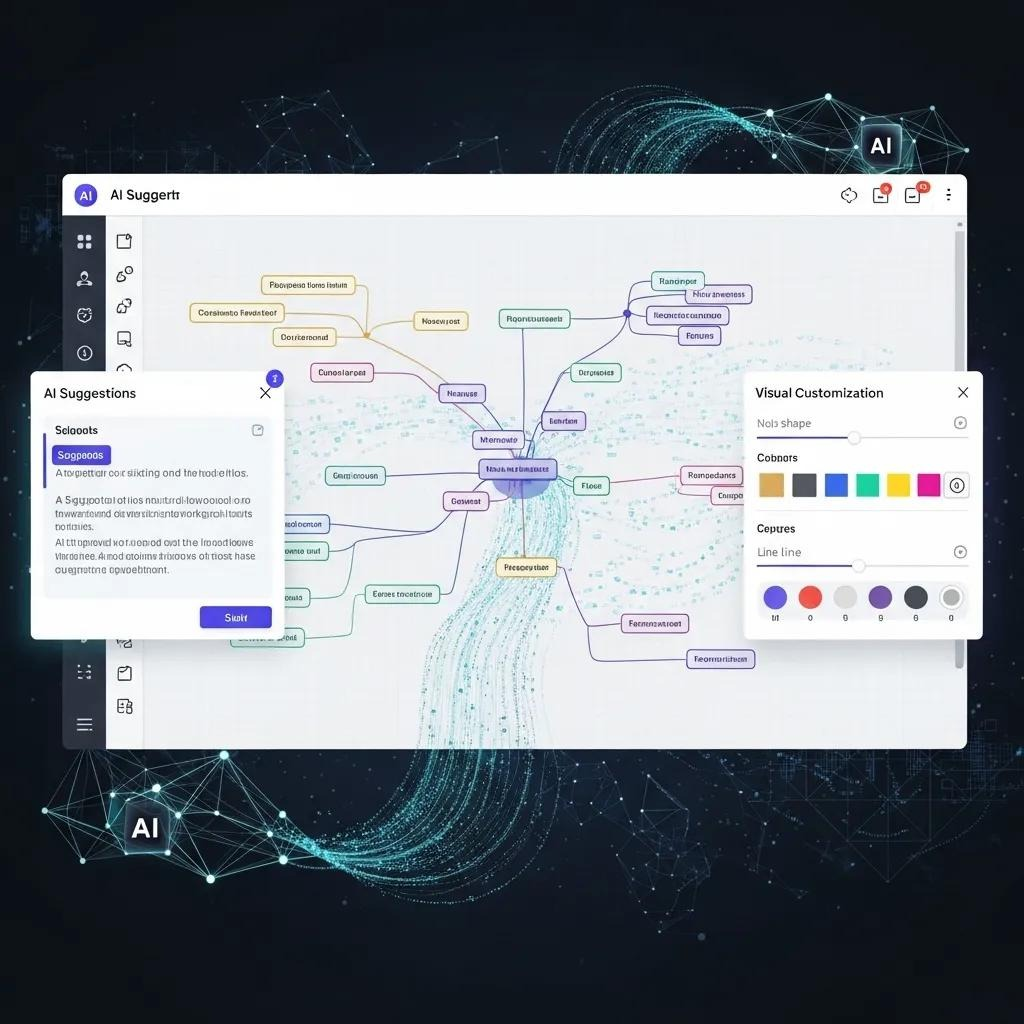
AI boosts mind‑mapping by handling repetitive tasks, suggesting related concepts, and organizing large idea sets into readable structures. Those capabilities free teams to focus on judgment and creativity rather than manual sorting and formatting.
What Is Semantic Linking and How Does It Improve Knowledge Visualization?
Semantic linking automatically connects related concepts in your map so you can see meaningful relationships at a glance. When you’re planning a project, semantic links can reveal dependencies, overlap, and gaps you might miss—helping teams plan more complete, actionable workflows.
How Do AI Features Boost Collaborative Mind Mapping Productivity?
AI features increase productivity by proposing ideas, grouping related topics, and automating layout or labeling. For example, platforms like Ponder can analyze what you add and suggest relevant nodes or questions to explore. Paired with real-time collaboration, AI keeps sessions lively and ensures fewer ideas fall through the cracks.
Early research and productivity studies on AI‑assisted collaboration suggest that these tools can improve idea generation, connection‑spotting, and task structuring, though the exact impact varies by team and workflow.
Which Collaborative Mind Mapping Tools Support Effective Teamwork?

Strong collaboration features make the difference between a map that collects ideas and a map that drives decisions. Several apps excel at helping teams stay aligned, assign work, and keep context visible.
MindMeister: Robust collaboration features—live editing, task links, and comments—help teams stay coordinated and move from idea to action.
Coggle: A playful visual layout that encourages contributions and keeps sessions engaging for all participants.
Ayoa: Integrates mind maps with task boards so teams can visualize ideas and then track the work that brings them to life.
What Collaboration Features Should You Look for in Mind Mapping Software?
When choosing a tool for teamwork, prioritize:
Real-Time Collaboration: Multiple people should be able to edit and see changes instantly.
Cloud Storage: Seamless access and sharing across devices so maps are always available to the team.
Integrations: Connectors to project management and productivity tools to reduce context-switching.
How Do Whiteboard Integration and Visual Collaboration Platforms Compare?
Whiteboards offer freeform space for sketches and rapid ideation, while mind‑mapping tools give structure and relationships. Many teams use both: whiteboards for loose brainstorming and mind maps to organize and prioritize what matters most.
What Are the Pricing Models and Subscription Plans for MyMap.ai Alternatives?
Pricing varies by feature set and team size. Below is a snapshot of common tiers for leading AI mind-mapping apps so you can compare value at a glance:
Tool | Pricing Tier | Features Included |
|---|---|---|
Ponder | Free / Casual / Plus / Pro | Free tier ($0/month) includes 20 AI credits/day and 5 uploads/day. Casual ($8/month), Plus ($24/month, most popular), and Pro ($48/month) plans offer increasing AI credits, unlimited uploads, and full export options (PNG, HTML). |
MindMeister | Free / Personal / Pro | Free with limits; Personal and Pro add full collaboration, export formats, and extra maps. |
Coggle | Free / Awesome | Free supports basic diagrams; Awesome includes unlimited diagrams and image uploads. |
XMind | Free / Plus / Pro | Free for essentials; Plus and Pro offer advanced templates, exports, and professional layouts. |
Ayoa | Free / Pro | Free plan is limited; Pro adds task management and richer collaboration features. |
How Do Pricing Tiers Compare Among Leading AI Mind Mapping Apps?
Tiers differ by collaboration features, export options, and AI tools. For example, Ponder offers a free plan that lets you explore core features, while its more advanced AI‑powered functions are reserved for paid accounts. MindMeister’s Personal and Pro plans scale features for individuals versus teams, so organizations often find Pro worth the investment for heavier collaboration needs.
Are There Free or Trial Versions Available for These Alternatives?
Yes—most providers offer free plans or trials so you can test core features before committing. Ponder and Ayoa maintain free tiers with essential functionality, while MindMeister and Coggle provide trial options or limited free plans for premium features. Try a couple of tools with your team to see which workflow fits best.
Who Benefits Most from Using AI Mind Mapping Alternatives to MyMap.ai?
AI‑powered mind‑mapping tools fit many roles. They make it easier to synthesize information, organize projects, and keep teams aligned—especially when ideas are messy and context matters.
How Do Researchers and Analysts Leverage AI Mind Mapping Tools?
Researchers and analysts use these tools to organize complex literature, map relationships between findings, and structure arguments or syntheses. Visualizing connections makes it faster to spot trends, gaps, and promising directions for further inquiry.
What Advantages Do Creators and Students Gain from These Platforms?
Creators and students benefit from clearer note‑taking, idea expansion, and visual study aids. Mind maps break down complex topics into bite‑sized pieces, helping with comprehension, revision, and project planning.
What Are Common Questions About Choosing MyMap.ai Alternatives?
People choosing an alternative to MyMap.ai usually ask about feature parity, collaboration, pricing, and how AI changes the workflow. Below are brief answers to the most common queries.
How Does Ponder Differ from MyMap.ai in AI Features and Collaboration?
.
Ponder positions itself as an Integrated Research Environment (IRE) that turns documents, presentations, videos, and web pages into evolving mind maps, with every node able to hold source excerpts, references, and annotations. While MyMap.ai focuses on AI‑assisted mapping and diagrams, Ponder adds a broader research‑oriented workflow—helping with discovery, analysis, synthesis, and creation—supported by the Ponder Agent as a proactive thinking partner and export options like PPT, HTML, and interactive reports.
What Are the Best Practices for Integrating AI Mind Mapping into Research Workflows?
Simple habits make AI mind mapping more effective:
Start with a Central Question: Anchor your map with a clear focus to guide exploration.
Iterative Refinement: Treat maps as living documents—update and prune as new info arrives.
Organize Research Materials: Attach notes, sources, and tags so findings are searchable and connected.
Follow these steps and AI-assisted mapping will speed up insight generation and keep your research organized.
To explore more about knowledge workspace, you can check here.
Frequently asked questions
What are the best AI mind mapping tools in 2026?
Best AI-powered mind mapping tools: Whimsical AI (generates flowcharts, mind maps, and wireframes from text prompts — one of the most capable AI diagram generators); Miro AI (auto-generates mind maps from sticky notes or text, within Miro's collaborative whiteboard); MindMeister with AI (AI-suggested branches as you type); Mapify (converts YouTube videos, PDFs, and long text to interactive mind maps — unique for content transformation); MyMap.ai (GPT-powered mind maps from any prompt or document). For research synthesis specifically, Ponder's canvas lets you visually connect ideas from academic papers with AI assistance — more grounded in sources than pure AI-generated maps.
What is MyMap.ai and what are its alternatives?
MyMap.ai is a GPT-4-powered tool that generates interactive mind maps from prompts, documents, or URLs. You provide a topic or paste text, and it creates a navigable visual map showing how sub-topics relate. Useful for: quickly visualizing the structure of a document, creating concept overviews, and building argument maps from research text. Best alternatives with similar AI-generated map capabilities: Mapify (stronger for converting long documents and YouTube videos to maps); Whimsical AI (better UI, more diagram types); Miro AI (more powerful collaborative canvas). The limitation of all these tools: AI-generated maps reflect average structure from training data — they're generic starting points that need manual editing to reflect your specific analysis.
Are AI mind mapping tools actually useful or is it better to create maps manually?
AI mind mapping is genuinely useful for specific scenarios: (1) Quick content transformation — turning a 5,000-word document into a visual overview in 30 seconds is hard to replicate manually; (2) Overcoming blank-page blocks — AI gives you a starting structure to react to and revise; (3) Exploring a new topic — AI maps give a rapid (if imperfect) orientation before deep research. Less valuable for: organizing your own original thinking (the map should reflect YOUR argument structure, not an AI's generic version), deep research synthesis (AI doesn't know which connections actually matter for your question), and any situation where accuracy is critical (AI maps fabricate plausible structure). Manual maps take longer but force the synthesis work that actually builds understanding.
What is the best free AI mind mapping tool?
Best free AI mind mapping options: Whimsical free tier (300 objects free — AI diagram generation within this limit); Miro free tier (3 boards — Miro AI features available but board limit applies); MyMap.ai free tier (limited maps per month); Mapify free tier (limited transformations). For truly free and unlimited: ChatGPT + any free mind mapping tool — ask ChatGPT to generate a mind map outline in markdown (it will give a nested list), then manually build it in Coggle or draw.io. Slightly harder but fully free and the manual building reinforces understanding. All AI mind mapping "free tiers" are quite limited — expect either map count limits or reduced AI features on free plans.
Can AI mind mapping tools read my PDFs and create maps from them?
Yes — this is the most useful AI mind mapping capability for researchers and students. Tools with PDF-to-mind-map features: Mapify (upload a PDF, get a mind map in minutes — tracks sources); NotebookLM (not strictly a mind map tool, but lets you build a "note" structure from uploaded PDFs alongside Q&A); Ponder (upload research PDFs, connect them visually on a canvas, use AI to ask questions across them). For non-academic PDFs, ChatPDF and Claude.ai can read PDFs and generate structured summaries you can then organize as a mind map. Accuracy note: for PDFs with complex tables, graphs, or specialized notation, AI extraction is imperfect — always review the generated map against the source document.
See also: Best MindMeister Alternatives | Best Mind Mapping Alternatives | Best Coggle Alternatives | Mind Mapping for Academic Research | Best AI Research Tools for Students