

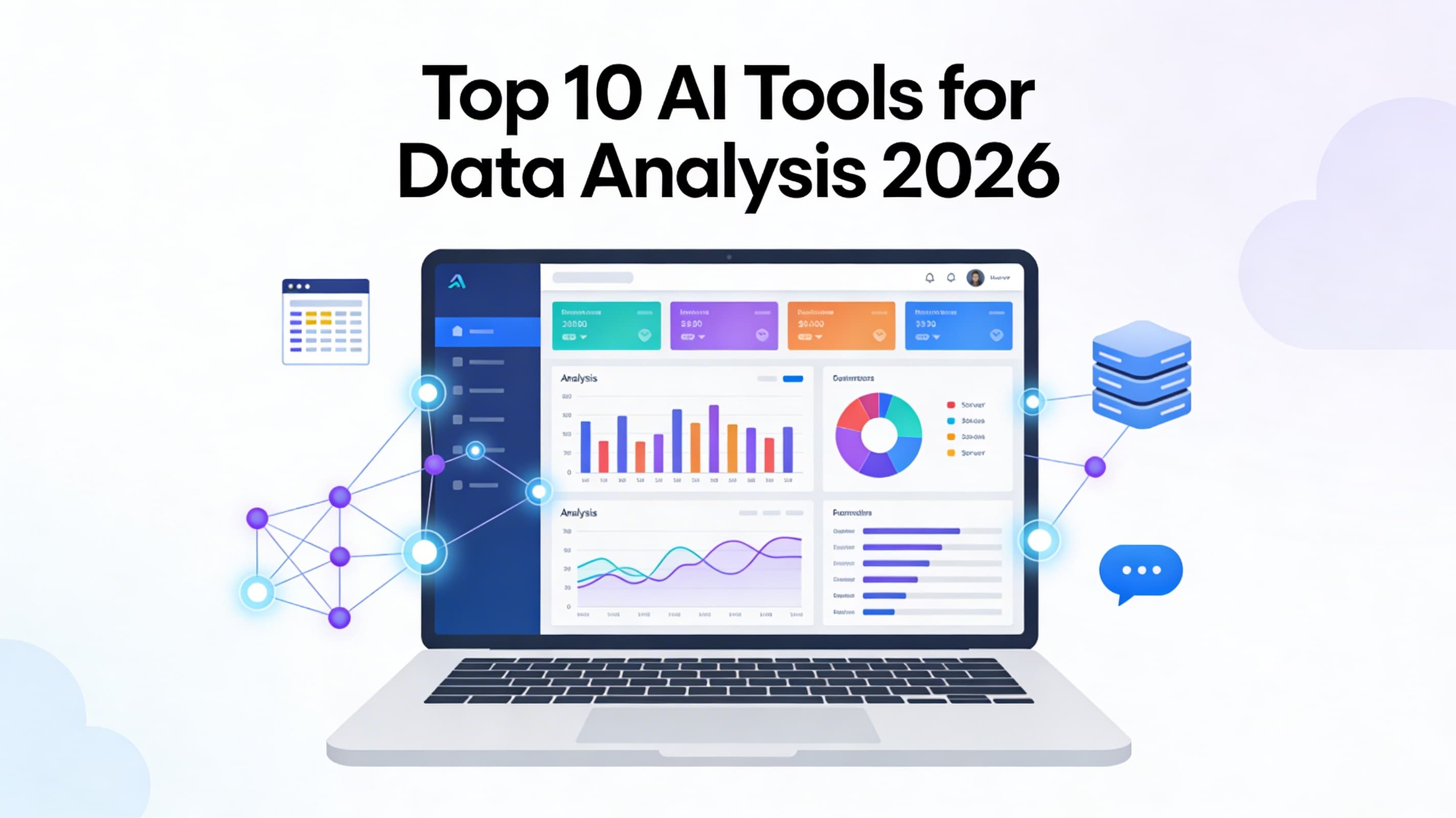
The data analysis landscape in 2026 has undergone a seismic shift. We have moved beyond simple descriptive analytics and static dashboards into the era of Agentic AI and Reasoning Models. Today's best AI tools don't just process numbers; they understand context, execute multi-step workflows autonomously, and explain the "why" behind the data.
For data analysts, business intelligence professionals, and decision-makers, the challenge is no longer access to data, but the speed of insight. The tools listed below represent the pinnacle of AI innovation in 2026, ranging from enterprise-grade machine learning platforms to conversational agents that allow you to "chat" with your spreadsheets.
Here are the 10 best AI tools for data analysis in 2026 that are redefining business intelligence.
Quick answer: No single AI data analysis tool does everything well. Julius AI and ChatCSV excel at conversational analysis of uploaded spreadsheets. Tableau AI and Power BI Copilot lead for enterprise BI and visualization. Python + Pandas + Claude is the most flexible for custom analysis. For researchers who need to synthesize insights across multiple data sources, reports, and documents into a structured knowledge map — rather than just chart individual datasets — Ponder bridges the gap between raw data and research synthesis.
Best AI Data Analysis Tools: Comparison Table
| Tool | Best For | CSV/Excel Upload | Code Execution | Visualization | Enterprise CRM | Free Plan | Starting Price |
|---|---|---|---|---|---|---|---|
| Julius AI | Conversational spreadsheet analysis | ✅ | ✅ | ✅ | ❌ | ✅ | $20/mo |
| Code Interpreter (ChatGPT) | Custom Python analysis | ✅ | ✅ | ✅ | ❌ | ✅ (limited) | $20/mo |
| Tableau AI | Enterprise BI dashboards | ✅ | ❌ | ✅ Best | ✅ | ❌ | $75/mo |
| Power BI Copilot | Microsoft ecosystem BI | ✅ | ❌ | ✅ | ✅ | ❌ | $10/mo |
| Claude | Complex multi-step analysis | ✅ | ⚠️ (Projects) | ⚠️ | ❌ | ✅ | $20/mo |
| Ponder | Cross-source research synthesis | ✅ | ❌ | ⚠️ Canvas maps | ❌ | ✅ | $14/mo |
1. Tableau: The Leader in AI-Powered Visual Analytics
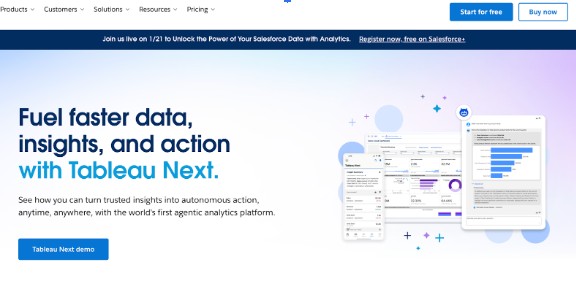
Tableau remains a dominant force in the industry, having successfully integrated advanced generative AI capabilities through Tableau Pulse and Einstein Copilot. In 2026, Tableau has transformed from a visualization tool into a proactive data partner that surfaces personalized insights automatically.
Key Features
Einstein Copilot for Tableau: A conversational AI assistant that allows users to create calculations, build visualizations, and refine dashboards using natural language prompts.
Tableau Pulse: Provides automated, personalized data digests and metrics that detect trends and anomalies, delivering them directly to users via email or Slack.
Predictive Modeling: Built-in "What-If" analysis and forecasting tools that require no coding expertise to implement.
Automated Data Stories: Automatically generates written narratives to accompany visualizations, explaining the context and drivers behind specific data points.
Smart Data Prep: AI-driven recommendations for cleaning, shaping, and combining data sources to reduce manual preparation time.
Pricing
Tableau offers tiered pricing, typically starting with Tableau Viewer (approx. $15/user/month), Explorer (approx. $42/user/month), and Creator (approx. $75/user/month). Enterprise plans with full AI features often require custom quotes.
Best For
Large enterprises requiring robust data governance, complex visual storytelling, and teams that want to bridge the gap between technical analysts and business users.
Website: Tableau
2. Ponder.ing: Innovative AI-Powered Data Reasoning Platform
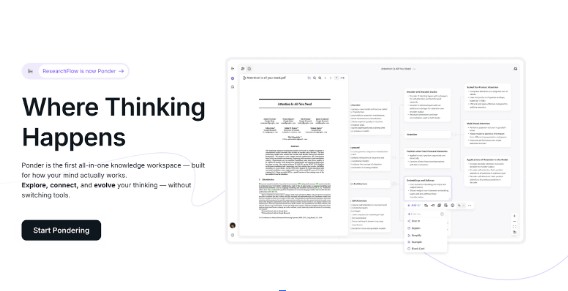
While it excels at helping researchers synthesize information from multiple sources, organize research materials, and surface connections between concepts using interactive visualizations, it is not a dedicated data analysis platform for business intelligence or structured datasets.
Key Features
AI Research Assistant: Upload academic PDFs, journal articles, and other research documents for AI-powered summarization and analysis.
Visual Knowledge Mapping: Use interactive visualizations and mapping connections to see how studies and concepts relate across your research library.
Multi-Source Synthesis: Analyze and compare findings across multiple research documents simultaneously.
Citation Management: Automatically track sources and generate references in various academic formats.
Collaborative Workspaces: Share research spaces and collaborate with team members in real-time.
Pricing
Free: $0/month (20 AI credits/day, 5 uploads/day, 150MB per upload)
Casual: $8/month, billed yearly (800 AI credits/month, unlimited uploads)
Plus: $24/month, billed yearly (2,500 Pro AI credits/month, unlimited basic AI usage) - Most Popular
Pro: $48/month, billed yearly (6,000 Pro AI credits/month, unlimited basic AI usage)
Best For
Graduate students, PhD researchers, academic analysts, and knowledge workers who need to organize literature reviews, manage research sources, and synthesize insights from multiple documents. Not recommended for business data analysis, SQL querying, or traditional BI workflows
Website: Ponder.ing
Try Ponder for academic research →
3. DataRobot: Enterprise AI & Automated Machine Learning (AutoML)
DataRobot continues to define the enterprise AI sector in 2026. It is a comprehensive AI lifecycle platform designed to democratize data science. It automates the end-to-end process of building, deploying, and maintaining machine learning models, making predictive analytics accessible to users without deep coding skills.
Key Features
Full Lifecycle AutoML: Automates feature engineering, model selection, training, and tuning across hundreds of open-source and proprietary algorithms.
Value-Driven AI: Focuses on tracking the ROI of deployed models, linking technical performance directly to business metrics like revenue or churn reduction.
Continuous AI Governance: Provides robust tools for monitoring model bias, drift, and accuracy, ensuring compliance with 2026 AI regulations.
Generative AI Applications: Allows users to build custom generative AI agents grounded in their own enterprise data.
No-Code App Builder: Turns predictive models into user-friendly applications for frontline business workers.
Pricing
DataRobot operates on a quote-based enterprise pricing model. Costs vary significantly based on deployment scale, compute usage, and the number of users.
Best For
Large organizations and data science teams that need to scale their machine learning efforts rapidly while maintaining strict governance and compliance standards.
Website: DataRobot
4. Julius AI: Best Conversational Data Analysis Assistant
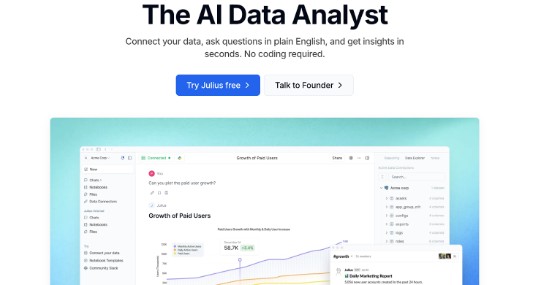
Julius AI has emerged as a favorite for ad-hoc analysis in 2026. It serves as an intelligent data analyst that lives in your browser. By allowing users to upload spreadsheets and ask questions in plain English, it removes the technical barrier to entry for complex data manipulation.
Key Features
Chat-to-Analyze Interface: Users can upload CSV, Excel, or Google Sheet files and ask questions like "Show me the monthly sales trend" or "Why did revenue drop in Q3?"
Automated Visualization: Instantly generates professional-grade charts and graphs based on the conversation, which can be exported for presentations.
Advanced Statistical Analysis: Capable of performing regression analysis, forecasting, and clustering through simple chat prompts.
Data Cleaning & Formatting: Automatically detects and fixes missing values, formats dates, and standardizes data columns upon upload.
GIF Creation: Can generate animated visualizations to show data changes over time.
Pricing
Julius AI offers a Free tier with limited message caps. Paid plans start around $45/month for personal use, with team plans offering higher data limits and shared workspaces.
Best For
Marketing managers, students, and small business owners who need quick, accurate insights from spreadsheets without learning Python or SQL.
Website: Julius AI
5. Power BI: Microsoft’s Copilot-Driven Business Intelligence
Microsoft Power BI remains a staple in the corporate world, but its 2026 iteration is powered heavily by Copilot. Deeply integrated into the Microsoft 365 ecosystem, it offers a seamless experience for organizations already using Excel, Teams, and Azure.

Key Features
Copilot in Power BI: Uses generative AI to create report pages, generate DAX formulas, and summarize data narratives instantly.
Quick Measure Suggestions: AI suggests relevant calculations and metrics based on the data schema, speeding up report creation.
Smart Narratives: Automatically generates text summaries of visualizations that update in real-time as data changes.
Anomaly Detection: Automatically scans time-series data to flag outliers and provide potential explanations for deviations.
Fabric Integration: Native integration with Microsoft Fabric allows for unified data management and real-time analytics on massive datasets.
Pricing
Power BI Pro costs $14/user/month. Power BI Premium (per user) is around $24/user/month. Access to full Copilot features often requires a Microsoft Fabric capacity license.
Best For
Organizations deeply embedded in the Microsoft ecosystem looking for a cost-effective, scalable BI solution with strong AI integration.
Website: Microsoft Power BI
6. ThoughtSpot: AI-Driven Search & Analytics Platform
ThoughtSpot pioneered the "search-driven analytics" category, and in 2026, it has evolved into a powerhouse of AI analytics. Its Sage AI engine allows users to explore data using natural language search, making analytics as easy as using Google.
Key Features
ThoughtSpot Sage: A search experience powered by LLMs that understands complex business questions and returns accurate visualizations and answers.
Liveboard AI: Automatically monitors key business metrics and alerts users to significant changes or opportunities.
SpotIQ: An AI engine that runs thousands of queries in the background to uncover insights, anomalies, and trends that users didn't explicitly search for.
Embedded Analytics: robust capabilities for embedding AI-powered search directly into customer-facing apps and products.
Interactive Drill-Downs: Users can click on any data point to drill down infinitely into the granular details without pre-defined paths.
Pricing
ThoughtSpot offers a Team edition Essentials plan; ($25/month) Pro plan; ($50/month) and Enterprise pricing based on data consumption and user requirements.
Best For
Companies that want to empower non-technical frontline workers (like sales and retail staff) to answer their own data questions without waiting for analyst reports.
Website: ThoughtSpot
7. Polymer: No-Code AI Analytics for Spreadsheets
Polymer is a unique tool that transforms static spreadsheets into intelligent, interactive databases. It focuses on the user interface of data, making analysis visually intuitive and accessible for creative and operations teams.

Key Features
Instant App Generation: Upload a spreadsheet, and Polymer uses AI to automatically build a searchable, interactive web application or dashboard.
Polymer AI: An integrated assistant that suggests visualizations and builds dashboards based on the structure of your uploaded data.
Smart Pivot Tables: Simplifies the creation of pivot tables and cross-tabulations through a drag-and-drop interface enhanced by AI suggestions.
Auto-Tagging & Categorization: AI analyzes text fields to automatically tag and categorize entries, making unstructured data easier to filter.
Embeddable Views: Dashboards and data apps can be easily embedded into websites or shared via links.
Pricing
Polymer offers a Starter plan ($25/month) a Pro plan ($50/month), billed yearly and Enterprise options.
Best For
E-commerce teams, agencies, and operations managers who want to turn messy spreadsheets into professional dashboards in minutes without writing code.
Website: Polymer
8. Akkio: Generative AI for Business Predictions
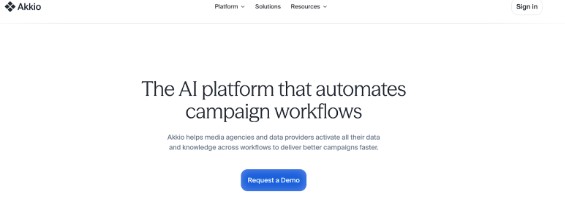
Akkio stands out in 2026 as a platform designed specifically for agencies and business functions like sales and marketing. It focuses on predictive AI and "chatting with data" to drive specific business outcomes like lead scoring and forecasting.
Key Features
Generative Reports: Users can describe the report they need, and Akkio generates a full dashboard with charts, graphs, and analysis.
Predictive Modeling: effortless creation of models to predict churn, lead conversion, and sales revenue.
Chat Explore: A conversational interface to slice and dice data, create segments, and understand performance drivers.
Data Preparation: AI automatically merges columns, formats dates, and cleans messy datasets to prepare them for analysis.
Seamless Integrations: Connects easily with platforms like HubSpot, Salesforce, and Snowflake.
Pricing
Akkio typically offers a Starter plan (around $49/month) and a Professional plan (around $99/month), making it accessible for small to mid-sized businesses.
Best For
Marketing agencies and sales teams needing predictive insights and fast reporting without hiring a data science team.
Website: Akkio
9. Google Vertex AI: Unified Enterprise Machine Learning Platform
For organizations building their own AI models and analytics applications, Google Vertex AI is the top infrastructure choice in 2026. It brings together Google's advanced AI research (including Gemini models) into a unified platform for data scientists and ML engineers.
Key Features
Gemini Integration: Access to Google’s most capable multimodal models for analyzing text, images, and video data alongside structured data.
AutoML Tabular: State-of-the-art automated modeling for structured data, often outperforming traditional methods with less effort.
Vertex AI Agent Builder: Tools to build and deploy agentic AI applications that can reason and take action on enterprise data.
MLOps Tools: Comprehensive suite for model monitoring, feature stores, and pipeline orchestration.
BigQuery Integration: Seamlessly run ML models directly on data stored in BigQuery without moving it.
Pricing
Vertex AI operates on a pay-as-you-go model based on compute hours, storage, and specific API calls (e.g., generative AI output tokens).
Best For
Technical teams, developers, and enterprises already using Google Cloud who need to build custom, scalable AI analytics solutions.
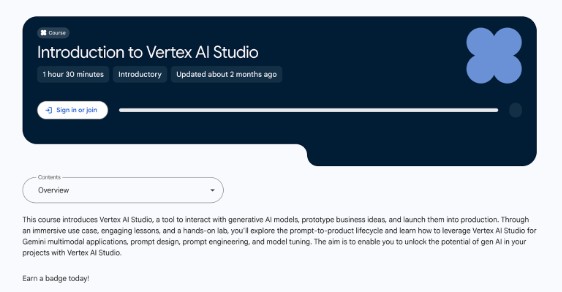
Website: Google Cloud Vertex AI. You can also learn how to use it through google skills.
10. H2O.ai: Open-Source Leader in Democratized AI
H2O.ai continues to be a favorite in the data science community for its commitment to open-source innovation and its powerful enterprise platform, H2O Driverless AI. It excels in transparency and accuracy, making it a go-to for regulated industries.
Key Features
H2O Driverless AI: An award-winning AutoML platform that automates the most difficult data science workflows, including feature engineering and model validation.
H2O GPT: An open-source generative AI ecosystem that allows companies to run LLMs privately on their own servers for secure document analysis.
Explainable AI (XAI): Industry-leading capabilities for explaining model decisions, generating reason codes, and ensuring fairness.
Hydrogen Torch: A no-code deep learning tool for analyzing unstructured data like images and text.
Hybrid Cloud: Flexible deployment options across any cloud, on-premises, or in hybrid environments.
Pricing
H2O offers open-source tools for free. The enterprise platform, H2O AI Cloud, is sold via licensing, typically requiring a conversation with their sales team.
Best For
Financial services, healthcare, and insurance companies that require high-accuracy models with complete interpretability and data privacy.
Website: H2O.ai
Choosing the Right AI Data Tool in 2026
The market for AI data analysis tools in 2026 is defined by specialization and autonomy.
If you need enterprise-grade governance and visual storytelling, Tableau and Power BI remain the safest and most robust bets.
For deep reasoning and uncovering hidden connections in complex data, Ponder.ing offers a cutting-edge, semantic approach.
For non-technical users who want to simply "ask" their data questions, tools like Julius AI and ThoughtSpot are transforming accessibility.
The best tool for you depends on whether you need to build models (Vertex AI, DataRobot), visualize results (Tableau, Polymer), or predict outcomes (Akkio, H2O.ai). By leveraging these AI-powered platforms, organizations can turn data from a static asset into a dynamic engine for growth.
Frequently asked questions
What is the best AI tool for data analysis in 2026?
Tableau leads AI-powered visual analytics, while Ponder is the best choice for researchers who need to reason across documents, data, and knowledge. DataRobot excels at automated machine learning for enterprise teams, and Julius AI is the most user-friendly option for conversational data analysis. The best tool depends on your use case: visualization, automation, or research synthesis.
Is there a free AI tool for data analysis?
Yes. Julius AI offers a free plan for conversational data analysis — upload a CSV and ask questions in plain English. H2O.ai is fully open-source and free. Google Vertex AI provides a free tier for basic usage. Ponder.ing has a free student plan for research-focused data reasoning. For teams with small budgets, Power BI offers limited free usage through Microsoft's free tier.
Which AI tool analyzes data automatically without coding?
DataRobot automates the entire machine learning pipeline from data prep to model deployment with no coding required. Polymer is a no-code tool that auto-analyzes spreadsheet data and generates charts with AI. Julius AI and ThoughtSpot both let you query data using natural language without writing SQL or Python.
What is the difference between AI data analysis and traditional BI tools?
Traditional BI tools require manual query building, SQL knowledge, and technical setup. Modern AI data analysis tools understand plain language questions, automatically detect patterns, generate predictions, and surface insights without code. The result is faster analysis, broader access across the team, and the ability to ask follow-up questions conversationally rather than rebuilding queries from scratch.
Which AI data analysis tool is best for students and researchers?
Ponder.ing is built for researchers — it connects AI analysis across papers, notes, and data sources in one workspace. Julius AI is beginner-friendly with a free plan for uploading and analyzing datasets. H2O.ai is widely used in academic settings as an open-source AutoML platform. For coding-based analysis, Google Colab (free) with Gemini AI integration is a popular research tool.
Frequently asked questions
What is the best AI tool for data analysis in 2026?
The best AI tool for data analysis in 2026 depends on your use case. Julius AI and ChatCSV are best for conversational analysis of spreadsheets — upload a file and ask questions in plain language. Tableau AI and Power BI Copilot lead for enterprise business intelligence and dashboards. Ponder is the best choice for synthesizing insights across multiple documents, reports, and data sources into a structured knowledge map. For custom ML pipelines, Python with Pandas and Claude offers maximum flexibility.
Which AI tool can automatically analyze data and generate statistics?
Several AI tools automatically analyze data and generate statistics. Julius AI runs statistical analysis, creates visualizations, and writes Python code from natural-language prompts on your uploaded data. DataRobot and Google Vertex AI automate the full ML pipeline including feature engineering and statistical evaluation. Power BI Copilot and ThoughtSpot generate statistical insights from business data without code. For academic data, Ponder can extract and synthesize statistical findings from multiple research papers simultaneously.
What are the best free AI tools for data analysis?
The best free AI tools for data analysis include: Google Colab (free Python environment with GPU access), H2O.ai (open-source AutoML with a free tier), Polymer (free plan for basic spreadsheet analysis), and Julius AI (limited free queries for CSV analysis). ChatGPT Code Interpreter analyzes uploaded spreadsheets for free in limited quantities. For research synthesis, Ponder offers a free trial for document-based data synthesis.
Can AI replace Python or Excel for data analysis?
AI tools are replacing basic Python and Excel tasks for non-technical users, but not for complex custom analysis. No-code AI platforms like Julius AI, Polymer, and ThoughtSpot let business users get answers from data without writing code — handling what used to require Excel pivot tables or basic Python scripts. For repeatable, custom pipelines, Python (Pandas, scikit-learn) remains essential. The most effective 2026 approach is combining both: use AI assistants to write and debug Python, then tools like Ponder to synthesize and communicate the results.
How do I choose the right AI data analysis tool for my team?
Choose based on technical skill level, data type, and primary use case. Non-technical business teams who need fast spreadsheet answers should use Julius AI, ThoughtSpot, or Power BI Copilot. Data scientists building ML models should evaluate DataRobot, Google Vertex AI, or H2O.ai. Researchers analyzing information across multiple documents and papers should use Ponder for synthesis and knowledge mapping. Enterprise teams needing compliance and governance should prioritize Tableau or Power BI.
See also: AI Tools for Literature Review | Best AI Research Tools for Students | NotebookLM Alternatives | Prism Alternatives for Data Analysis | Literature Review Guide