


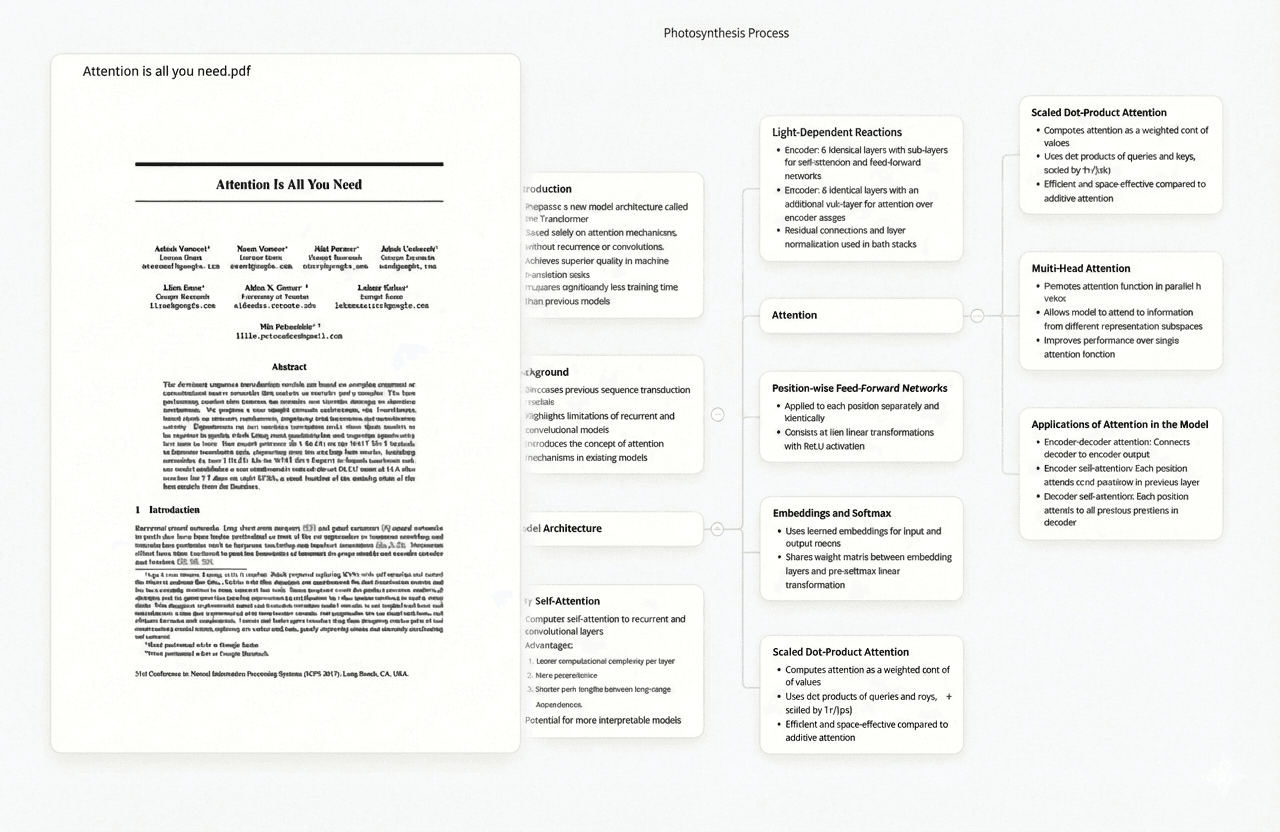
The best AI research tools for PhD students in 2026 are Ponder (cross-paper synthesis with page-level citations), Elicit (structured PICO extraction for systematic reviews), and Semantic Scholar (free search across 200M+ papers with AI-summarised abstracts). These three cover the highest-friction stages of doctoral research — synthesis before writing, systematic data extraction, and literature scoping — and all have usable free tiers. The eight tools below round out a complete PhD workflow: citation network mapping, in-paper AI assistance, reference management, empirical claim checking, and PDF-level knowledge management.
This list covers the AI-powered stages of the PhD research process specifically — not general writing assistants. Each tool below solves a concrete problem that doctoral researchers actually encounter, from screening 1,000+ abstracts in a systematic review to tracking a citation network across a multi-year thesis project.
At a Glance: 11 Best AI Research Tools for PhD Students
| Best for | Free tier | Paid from | |
|---|---|---|---|
| Ponder | AI synthesis across your imported papers — get cited answers from your own corpus | ✅ 50 credits/day | $14/mo |
| Semantic Scholar | Free academic search — 200M+ papers, TLDR summaries on 48M+ papers | ✅ Always free | Free |
| Elicit | Structured PICO extraction across paper sets for systematic review | ✅ 5 papers/query | $10/mo |
| Consensus | AI search showing what the empirical literature collectively concludes | ✅ Limited searches | $9.99/mo |
| SciSpace | AI sidebar for reading and annotating individual PDFs | ✅ Limited queries | $12/mo |
| ResearchRabbit | Visual citation network maps and paper alerts around seed papers | ✅ Always free | Free |
| NotebookLM | Free AI Q&A on up to 50 uploaded sources; Google-integrated | ✅ Free (Google) | Free |
| Paperguide | PDF reader with AI chat, notes, and citation management in one workspace | ✅ Limited storage | $9/mo |
| Connected Papers | Visual graph of papers related to a seed paper — finds missed foundational work | ✅ 5 graphs/mo | $3/mo |
| Zotero | Free reference manager — collect, organise, and cite sources from any browser | ✅ 300MB storage free | $20/yr (storage) |
| Scite.ai | Citation sentiment — shows whether papers are cited supporting, contradicting, or mentioning | Free trial only | $20/mo |
1. Ponder — AI Synthesis Across Your Research Corpus
For PhD students, the synthesis stage is where months of literature collection either pay off or stall. You have imported a body of papers — sometimes 50, sometimes 200 — and need to answer specific questions across them before drafting your literature review chapter. Ponder is built for exactly this: import PDFs directly or add papers by DOI from the OpenAlex index (250 million+ papers, representing a superset of PubMed's 38M biomedical records), then ask AI questions across your entire uploaded collection. Each answer cites the specific paper and page it draws from.
The critical distinction for doctoral work is that Ponder synthesises only from your imported papers — not from general web text. When you ask "What measurement instruments do these studies use for X?" or "Which papers in my collection contradict the main finding?" the answer draws only from your specific corpus, with traceable citations. This matters for academic integrity: every claim can be verified against a source you have read and evaluated.
Use Ponder when: You have collected papers on your research question and need to synthesise what they say before writing. The 50 free credits per day cover regular research use; the Pro plan ($42/month) covers intensive PhD work without daily limits.
2. Semantic Scholar — 200M+ Papers, Free AI Abstracts
Semantic Scholar is a free academic search engine covering over 200 million papers, built by the Allen Institute for AI. It generates TLDR summaries on 48M+ papers — one or two sentences stating the main finding — so you can scan results for relevance without opening each paper. Unlike Google Scholar, it shows citation context (whether a citing paper supports or refutes the original finding) and is fully free with no paid tier or article limits.
For PhD students beginning a new research area or doing a breadth check on their literature review scope, Semantic Scholar meaningfully reduces the time cost of initial scoping. Its API supports programmatic access for custom literature pipelines, making it the strongest free starting point before committing to a paid database subscription.
Use Semantic Scholar when: You need free, comprehensive coverage for initial scoping or literature mapping before finalising your review corpus.
3. Elicit — Structured Data Extraction for Systematic Review
A typical systematic review screens between 1,000 and 10,000 abstracts before reaching a final included set of 20–200 studies. Elicit is the tool most purpose-built for managing that process. Enter a research question and Elicit returns a structured table: papers on the left, customisable columns for study design, sample size, intervention, outcome measures, and key findings on the right. For PhD students conducting systematic reviews, meta-analyses, or structured literature comparisons, Elicit replaces the manual step of populating a PRISMA-compliant data extraction spreadsheet.
Extraction accuracy is strongest in empirical research in health sciences, social sciences, and psychology — fields with consistent abstract structure and clearly defined PICO elements. Results export to CSV. The free tier processes up to five papers per query; the paid plan ($10/month) removes limits.
Use Elicit when: You need structured data extraction across 50-200+ studies for systematic review, meta-analysis, or comparative literature work.
4. Consensus — What Does the Evidence Say?
Consensus is a search engine for empirical research questions: ask a question, and it returns peer-reviewed papers grouped by whether the evidence supports, refutes, or is inconclusive on the claim. For PhD students checking empirical support before including a claim in a dissertation chapter, Consensus provides a rapid signal without requiring a full literature search. It is most useful for empirically tractable questions in health sciences, social sciences, and psychology; less useful for normative, theoretical, or humanities questions.
Use Consensus when: You need a rapid empirical evidence check on a specific claim — a first filter before committing to full paper review.
5. SciSpace — AI Assistance Inside the PDF
SciSpace opens a PDF and adds an AI sidebar where you can ask questions about the paper in front of you: "What is the main limitation of this study?" "Explain the methodology in plain language." "What does Figure 3 show?" It also highlights and explains technical terms, statistical methods, and jargon inline. For PhD students who regularly encounter papers written for specialist audiences outside their current sub-field — common in interdisciplinary dissertations — SciSpace reduces comprehension time without leaving the document.
Use SciSpace when: You are reading individual papers with unfamiliar methodology or domain-specific terminology and want AI assistance within the document itself.
6. ResearchRabbit — Visual Citation Network Maps
ResearchRabbit visualises citation networks: start with a paper you know is relevant, and it maps the papers it cites, the papers that cite it, and frequently co-cited neighbours — revealing the intellectual structure of your research area. For PhD students, this surfaces foundational papers that keyword search misses and shows distinct research clusters. Ongoing alerts notify you when new papers cite papers in your collection — useful across a multi-year thesis. Entirely free, no paid tier.
Use ResearchRabbit when: You need to map citation networks, check for foundational papers you may have missed, or track new publications in an ongoing research project.
7. NotebookLM — Free AI Q&A on Your Document Set
NotebookLM (Google) accepts up to 50 sources — PDFs, Google Docs, web pages, YouTube transcripts — and provides AI Q&A that draws only from those uploads. It generates briefing documents, answers questions with citations, and produces study guides and audio summaries. For PhD students with a defined reading list for a specific chapter, NotebookLM is the most accessible free option for synthesis and revision — before assembling a full thesis corpus where the 50-source limit becomes restrictive.
Use NotebookLM when: You have a bounded source set (under 50 files) for a specific chapter and want free AI Q&A and audio summaries without a subscription.
8. Paperguide — PDF Reader, AI Chat, and Citation Manager Combined
Paperguide combines PDF reading, AI-powered chat, highlights and notes, and citation management in a single interface. You can upload papers to a library, annotate them with AI-assisted notes, ask questions about individual documents, and export citations in standard formats. For PhD students who want one workspace for reading, annotating, and organising papers — rather than switching between a PDF reader, a note-taking app, and a reference manager — Paperguide reduces tool-switching friction.
Compared to Ponder, Paperguide is primarily document-level (one paper at a time) whereas Ponder synthesises across an entire imported collection simultaneously. For individual paper annotation and organisation, Paperguide's integrated workflow is practical; for cross-paper synthesis and systematic questioning of a corpus, Ponder's multi-document AI is more capable.
Use Paperguide when: You want an integrated environment for PDF reading, AI annotation, and citation management — particularly if you prefer keeping notes and references in one workspace rather than separate tools.
9. Connected Papers — Visual Graph to Find What You Missed
Connected Papers generates a visual graph of papers related to a seed paper, based on co-citation and bibliographic coupling (papers that are cited together, or cite the same sources, even without direct citation links between them). Unlike ResearchRabbit — which traces direct citation chains — Connected Papers surfaces papers that are thematically related but may not appear in a forward or backward citation search. For PhD students verifying coverage before finalising a systematic review inclusion set, Connected Papers can surface relevant work that keyword search and direct citation tracing both miss.
Use Connected Papers when: You want to verify that you have not missed thematically related work that does not appear in a direct citation search of your seed papers.
10. Zotero — Free Reference Manager for Your Entire Library
Zotero is a free, open-source reference manager that collects, organises, and cites sources from any browser via a one-click extension. It detects metadata from journal pages, Google Scholar, and library catalogues, and integrates with Word and Google Docs for in-text citations and bibliography generation. For PhD students managing hundreds of papers across a multi-year project, Zotero provides the organisational infrastructure that AI synthesis tools assume you have in place. It is the essential reference management layer that sits beneath every other tool on this list.
Use Zotero when: You need a free, reliable reference manager for collecting, organising, and citing sources — required foundational infrastructure for any PhD-scale research project.
11. Scite.ai — Citation Sentiment for Evidence Quality Checks
Scite.ai analyses how papers are cited — showing whether each citation is supporting the original finding, contradicting it, or simply mentioning it. For PhD students evaluating the strength of evidence behind a claim, citation sentiment provides a signal beyond raw citation count: a paper cited 200 times but contradicted in 40% of those citations is less reliable than count alone suggests. Scite.ai's Smart Citations overlay directly on papers in its reader and are accessible via browser extension on journal sites.
Use Scite.ai when: You need to evaluate the quality and consensus behind a specific paper before citing it — particularly when building an evidence-based argument in a dissertation chapter or systematic review.
The PhD Research Workflow: Where Each Tool Fits
These tools address different stages of doctoral research and are complementary rather than competitive. A structured PhD workflow uses them in sequence:
- Discovery: Semantic Scholar and Consensus — free breadth-first scoping of what the field covers
- Citation mapping: ResearchRabbit + Connected Papers — map citation networks and verify thematic coverage
- Active reading: SciSpace for individual papers with unfamiliar methodology; Paperguide for integrated annotation and note-taking
- Systematic extraction: Elicit — extract PICO elements, study design, and outcomes across included paper set
- Evidence quality check: Scite.ai — verify citation sentiment on key papers before citing them
- Reference management: Zotero — organise all sources, export citations
- Synthesis before writing: Ponder — ask questions across your curated corpus, get page-level cited answers
- Chapter revision: NotebookLM — Q&A and audio summaries on a defined chapter reading list
The discovery and reading tools (Semantic Scholar, ResearchRabbit, Connected Papers, SciSpace, Zotero) are all free. The synthesis and extraction tools (Ponder, Elicit) have free tiers adequate for moderate use, with paid plans relevant for thesis-scale systematic review work.
Ponder vs Elicit vs NotebookLM vs Consensus vs Paperguide
These five tools are the most frequently compared by PhD students for AI-assisted research. Each serves a different use case within the doctoral workflow.
| Ponder | Elicit | NotebookLM | Consensus | Paperguide | |
|---|---|---|---|---|---|
| Primary use | Cross-corpus synthesis — ask questions, get cited answers from your imported papers | Structured data extraction across paper sets (PICO, study design, outcomes) | Q&A and summaries from up to 50 uploaded sources | Empirical claim checking — what does the evidence say on a question? | PDF reading + AI chat + notes + citations in one workspace |
| Source limit | Unlimited (project-scoped) | Unlimited; 5 papers/query free | 50 sources per notebook | No upload; searches its own index | Storage-based (limited free) |
| Academic search | ✅ 250M+ via OpenAlex | ✅ Searches literature | ❌ Upload only | ✅ Peer-reviewed index | ✅ Limited search |
| Output | Prose answers with page-level citations | Sortable tables, CSV export | Summaries, study guides, audio | Evidence ratings (supports/contradicts/inconclusive) | Annotated PDFs, notes, citation exports |
| PhD-scale corpora | ✅ Handles 200+ papers well | ✅ Built for systematic review scale | ⚠️ 50-source cap limits thesis use | N/A — no uploads | ⚠️ Document-level, not cross-corpus |
| Cross-paper synthesis | ✅ Core strength | ⚠️ Tables, not prose synthesis | ✅ But limited to 50 sources | ❌ No synthesis across your papers | ❌ Single-document chat |
| Free tier | 50 credits/day | 5 papers/query | Fully free | Limited monthly searches | Limited storage |
| Paid from | $14/mo (Casual) / $42/mo (Pro) | $10/mo | Free / $19.99/mo (Plus) | $9.99/mo | $9/mo |
Choose Ponder when you need to synthesise across a large collected paper set — especially for a dissertation corpus exceeding NotebookLM's 50-source cap. Page-level citations on every answer make it suitable for academic work where claim traceability matters.
Choose Elicit when your output needs to be structured data — a table of PICO elements, study designs, and outcomes — rather than prose synthesis. Purpose-built for systematic review extraction at scale.
Choose NotebookLM when you have a small, bounded source set for a specific chapter and want the most accessible free option for Q&A and audio summaries.
Choose Consensus when you need a rapid empirical evidence signal on a specific claim or research question — a first filter before a full literature search.
Choose Paperguide when you want integrated PDF reading, AI-assisted annotation, notes, and citation export in a single interface — particularly if tool-switching friction between a PDF reader and a reference manager is a workflow bottleneck.
Build your research workflow → — no credit card required
Frequently asked questions
What are the best AI research tools for PhD students in 2026?
The three highest-impact AI tools for PhD students are Ponder (cross-paper synthesis with traceable citations from your own imported corpus), Elicit (structured data extraction for systematic reviews), and Semantic Scholar (free search across 200M+ papers with AI-summarised abstracts). Add ResearchRabbit for citation network mapping, Zotero for reference management, and Scite.ai if you need citation sentiment analysis. For a fully free combination, Semantic Scholar + ResearchRabbit + Connected Papers + NotebookLM + Zotero covers discovery through synthesis on a zero budget.
What is the best AI tool for PhD students doing a systematic literature review?
For systematic review methodology, Elicit is the most purpose-built tool: it extracts PICO elements, study design, sample size, and outcomes from papers into a structured table that supports PRISMA-compliant data extraction. Combine it with Semantic Scholar or PubMed for comprehensive coverage, ResearchRabbit for citation completeness checking, and Ponder for cross-paper synthesis once you have defined your included set. The Elicit paid plan ($10/month) is worth it for systematic review work where manual extraction across 50-200+ papers would otherwise be the primary time cost of your methodology chapter.
Which AI research tools are completely free for PhD students?
Semantic Scholar, ResearchRabbit, Connected Papers (5 graphs/month), and Zotero are entirely free for PhD students. NotebookLM is free for personal use through Google. Ponder offers 50 free AI credits per day — sufficient for moderate daily research sessions. Elicit and Consensus have free tiers limiting papers per query or monthly searches. For a zero-cost PhD research stack: Zotero (reference management) + Semantic Scholar (discovery) + ResearchRabbit (citation mapping) + Ponder free tier (synthesis) covers the core workflow without a subscription.
Do AI research tools replace reading the actual papers for a PhD?
No — and this matters especially in doctoral research. AI synthesis tools (Ponder, Elicit, Consensus) extract and summarise information from papers, but PhD-level scholarship requires you to read, evaluate, and critically engage with your key sources. Academic work requires understanding an argument's full methodology, limitations, and theoretical context — which AI tools do not replace. Use these tools to identify which papers are most relevant, map the field's intellectual structure, and find connections between sources — then read the papers you will actually cite. AI reduces the reading burden on the 80% of papers you scan and discard during scoping; it should not replace careful reading of the papers you build your argument on.
Can AI tools help with a PhD literature review chapter?
Yes — at specific stages. For scoping and discovery, Semantic Scholar (free search) and Consensus (empirical claim checking) help identify key papers. For citation completeness, ResearchRabbit and Connected Papers surface foundational papers and thematically related work that keyword search misses. For structured data extraction across your included studies, Elicit reduces the manual work of populating a data extraction table. For synthesis before writing — understanding what your collected papers collectively say, identifying patterns, contradictions, and gaps — Ponder lets you ask questions across your full paper set with page-level citations for every answer. None of these replace the writing itself, but they remove the most time-consuming mechanical stages of literature review preparation.
Is Ponder better than NotebookLM for PhD research?
For a full PhD research corpus, Ponder handles the scale that NotebookLM cannot: NotebookLM limits you to 50 sources per notebook, which is insufficient for most dissertation literature reviews. Ponder accepts unlimited paper uploads in a project and includes built-in academic search (250M+ papers via OpenAlex), so you can discover and synthesise in the same workspace. NotebookLM is the stronger choice for a bounded chapter reading list where the 50-source cap is not a constraint, and for audio summaries. For PhD-scale work — a full thesis corpus of 100-300+ papers — Ponder is the more practical tool.
See also: | AI Research Tools for Literature Review | NotebookLM Alternatives | AI Tools for PhD Students: Literature Review Guide | Elicit Alternatives | Consensus Alternatives | Connected Papers vs ResearchRabbit | Best Reference Management Software | How to Write a Literature Review with AI | How to Summarize Research Papers with AI