

Ponder — When You Need to Read Across a Collection, Not Just One Paper
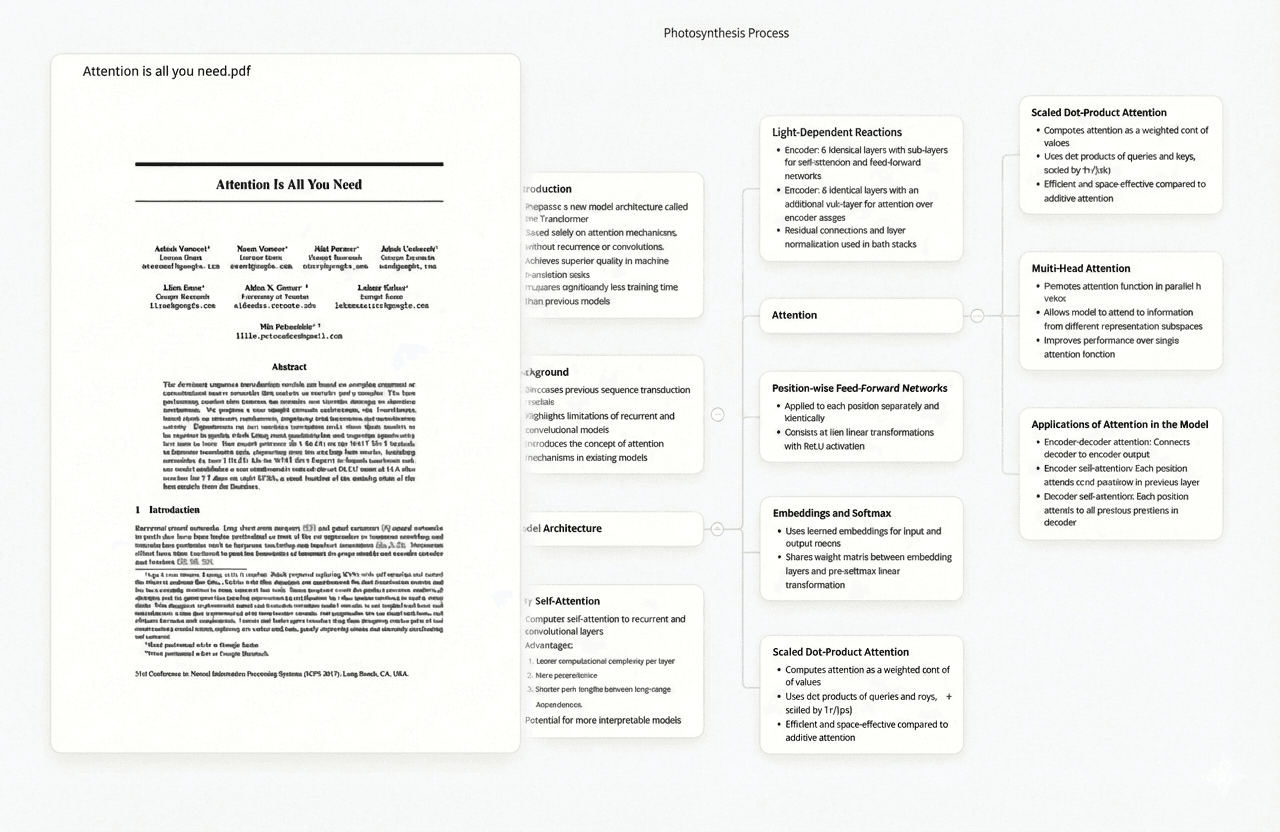
The most time-consuming reading problem in academic research is not comprehending one difficult paper — it is extracting what a collection of twenty, fifty, or two hundred papers says about a specific topic. Ponder is designed for that problem. You upload a set of PDFs to a Ponder project and then ask questions across the entire collection: "What measurement instruments do these studies use?" or "Which papers describe this mechanism differently from the majority?" The result is a synthesised answer drawn from the relevant passages across all uploaded papers, with page-level citations indicating the exact page number in each specific paper.
This makes Ponder most useful later in a reading workflow — after gathering papers, not when reading a single unfamiliar paper for the first time. For a researcher who has assembled a literature collection and is trying to write a synthesis section, establish what is known, or rapidly answer a cross-paper question without re-reading everything, Ponder reduces what would otherwise take days to hours. The page-level citation model means every answer is verifiable: you can jump directly to the cited page rather than scanning through an entire 30-page methods section to confirm a claim.
Try Ponder free — no credit card required
Try Ponder for academic research →
- Upload a collection of PDFs and ask questions across all of them simultaneously
- Page-level citations — exact page numbers from each paper, not just document attribution
- Ask "what do all these studies say about X?" and get a synthesised answer in under a minute
- Identify papers that contradict the consensus across your collection without reading each one
- Most effective with 5+ papers; scales to hundreds without degrading citation precision
- Per-project organisation — keep a dissertation project's papers separate from a lit review's papers
SciSpace — When You Need Help Understanding a Difficult Paper While Reading It
SciSpace is the strongest tool for reading comprehension within a single paper. Its defining feature is contextual AI assistance that activates while you read: highlight an unfamiliar term, statistical method, or dense methodological passage and SciSpace explains it in plain language with reference to how it appears in that specific paper. For graduate students reading outside their immediate speciality — a biologist reading econometrics methodology, a social scientist encountering machine learning terminology — this in-paper explanation removes the friction of context-switching to Google or textbooks.
The SciSpace reading interface shows the original paper alongside an AI assistant panel. You can ask questions about what you are currently reading ("What does this figure actually show?", "Why did the authors use this statistical test rather than ANOVA?") and receive answers grounded in the paper's text. The tool also generates TLDR summaries, extracts key questions, methodology, and findings into a structured view, and supports asking questions across multiple uploaded documents — though cross-paper synthesis is less detailed than in Ponder. With 280M+ papers indexed, most papers can be opened directly within SciSpace without uploading.
- Highlight any term or passage for an instant contextual explanation grounded in the paper's text
- AI assistant panel answers questions about the open paper without leaving the reading view
- Structured summaries extracting research question, methodology, findings, and limitations automatically
- 280M+ indexed papers — open most papers directly without uploading the PDF
- Citation export to Zotero, Mendeley, and BibTeX directly from the reading interface
- Free tier available; Pro plan from ~$12/month for unlimited document access
Elicit — When You Need to Extract Specific Data From Papers While Reading
Elicit reframes reading as structured data extraction. Instead of reading a paper narrative and taking notes, Elicit presents papers in a tabular format where each column corresponds to a field you define — sample size, population, intervention, comparison, primary outcome — and AI populates each cell automatically with a direct quote from the source text. For systematic readers doing literature reviews, this transforms reading from an open-ended comprehension task to a structured extraction task, and makes comparing methodologies across many papers the primary reading activity.
The direct quote model is critical to its reliability: Elicit does not summarise from memory but finds and quotes the relevant passage, so you can verify every extracted value by reading the quoted text. For researchers who need to read papers for specific pieces of information — whether a dose, an effect size, a follow-up period — Elicit's extraction grid is demonstrably faster than open-ended reading. For researchers who need to understand narrative argument and theoretical grounding, it is less useful, as the grid format discards the connective tissue of how a paper develops its claims.
- Define custom extraction columns and Elicit populates them with direct quotes from each paper
- Compare methodology, sample characteristics, and outcomes across dozens of papers in one view
- Direct quote verification — see the exact passage used for each extracted fact
- Works for systematic reading across any academic discipline — not limited to medical or life sciences
- Up to 5,000 papers with full extraction on the Pro plan
- Export extracted tables to CSV for integration with reference managers or analysis tools
Semantic Scholar — When You Need Context for a Paper Before Reading It
Semantic Scholar provides AI-generated TLDRs, citation context summaries, and citation influence scores that help researchers decide which papers in a reading list are worth reading in full and which can be skimmed or skipped. The AI-generated TLDR is a one-sentence summary generated from the paper's abstract and introduction — accurate for well-structured empirical papers, less reliable for theoretical or review papers with complex framing. The citation context feature shows how subsequent papers have cited a work and whether those citations reflect agreement, disagreement, or methodological use.
For reading speed and prioritisation, Semantic Scholar is most useful at the front of the reading workflow: you are deciding which of fifty search results deserve full-text reading. Semantic Scholar's full-text reading experience is limited — you cannot annotate, highlight, or ask questions within the paper interface. It functions more as a research triage tool than a reading environment. The Connected Papers visualisation (a separate tool, not part of Semantic Scholar directly) builds on Semantic Scholar's citation data to show which papers are most closely related to a seed paper, helping readers identify foundational works worth prioritising.
- AI-generated TLDRs for 200M+ papers — quick paper-level summaries for reading prioritisation
- Citation context shows how a paper has been cited by subsequent work and whether those citations affirm or refute
- Citation influence score suggests how foundational or widely-used a paper is in its field
- Research field classification helps readers understand which papers represent mainstream vs frontier positions
- Free with no rate limits — no account required for basic access
- API access for integrating citation and summary data into custom reading tools or dashboards
Claude — When You Need Deep Analysis of a Single Complex Paper
Claude (Anthropic's AI assistant) is the most capable general-purpose tool for asking open-ended questions about a single uploaded paper. Unlike domain-specific tools, Claude can engage with theoretical arguments, evaluate logical consistency, identify implicit assumptions, and generate structured critiques — tasks that require reasoning about content rather than extracting predefined data fields. For reading a dense paper in an unfamiliar field, a challenging theoretical text, or a paper where you want to interrogate the argument rather than extract data, Claude on the Pro plan (which allows large context windows) handles the full complexity of academic writing.
The practical workflow is: download the paper as a PDF, upload it to a Claude conversation, and ask specific analytical questions. Claude handles all of this well — "Explain the methodology to someone who knows regression but not Bayesian approaches," "Identify the assumptions that are most contested in this literature," "What would a critic of this paper's conclusions focus on?" The limitation is scale: Claude works well with one paper, or a small set of papers under the context limit, but does not provide the cross-paper synthesis with source citations that a dedicated multi-document tool like Ponder provides. At $20/month for Claude Pro, the cost is comparable to dedicated research reading tools.
- Open-ended paper Q&A including theoretical reasoning, assumption analysis, and critique generation
- Upload PDFs directly — handles papers up to the context window limit without summarisation loss
- Explains methodology at whatever level you specify — from "explain to a beginner" to "compare to Bayesian alternatives"
- Generates structured reading notes, summaries in specified formats, or lists of follow-up questions
- No domain restriction — equally useful across natural sciences, social sciences, and humanities
- Claude Pro at $20/month; free tier has lower context limits and may truncate long papers
Adobe Acrobat AI — When You Are Already in Acrobat and Need Quick Summaries
Adobe Acrobat AI Assistant is built into Acrobat Pro and addresses a specific workflow reality: many researchers already use Acrobat as their primary PDF reader because their institution provides an Acrobat licence, because they annotate PDFs there, or because their field uses PDF forms and complex documents that Acrobat handles best. For these researchers, Acrobat AI Assistant provides AI summaries, document Q&A, and key points extraction inside the tool they already use, without downloading separate software.
The reading experience within Acrobat is excellent — annotation tools, form filling, signature, and document comparison are all available alongside the AI features. The AI capabilities are competent for basic summarisation and Q&A on individual documents but do not match the depth of SciSpace for in-paper reading comprehension, the scale of Ponder for cross-paper synthesis, or the analytical depth of Claude for complex reasoning tasks. Its advantage is integration: if your reading workflow already centres on Acrobat, the AI features add high-value capability without workflow disruption. Acrobat Pro is available through Adobe Creative Cloud at $25.99/month or through institutional licences that many universities provide.
- AI Assistant integrated directly into Acrobat Pro — no separate app or account required
- Document summaries, key points extraction, and Q&A on individual PDF documents
- Full Acrobat annotation toolkit alongside AI features — highlight, comment, and bookmark in one view
- Works with scanned PDFs after OCR processing, not just text-native files
- Institutional licences available through most university IT departments
- $25.99/month Acrobat Pro (includes AI Assistant); many universities provide as part of Adobe site licence
Humata AI — When You Need Fast Q&A on Multiple Uploaded Documents
Humata AI is a document Q&A tool that handles multiple uploaded PDFs and allows questions across all of them within a single workspace. Its interface is simpler than Ponder — less focused on synthesis and more on direct question answering — but it provides multi-document Q&A with source highlighting at a lower price point than many alternatives. For researchers who want to ask "Which of these five papers discusses sample size limitations?" or "What year was each of these studies conducted?" without opening each paper individually, Humata handles that efficiently.
Humata's source citations highlight the relevant passage in the original document alongside the answer, allowing quick verification. The tool is primarily designed for document review and Q&A rather than academic research synthesis: it is frequently used in legal, compliance, and business contexts where document review speed matters more than deep cross-paper synthesis. For academic readers who need to rapidly process a moderate number of papers (typically 5–20) and want a lighter-weight multi-document Q&A interface than Ponder, Humata is a practical choice at a lower price. Its free tier handles small document sets.
- Multi-document upload with Q&A across all documents in a workspace simultaneously
- Source highlighting shows the relevant passage in the original PDF alongside each answer
- Simple interface — faster onboarding than research-specific tools like Ponder or Elicit
- Suitable for rapid document review of moderate paper sets (typically 5–20 papers)
- Free tier: limited pages per month; paid plans from $9.99/month for larger document sets
- Used across legal, compliance, and academic contexts — versatile for mixed-document workloads
Frequently asked questions
What is the best AI tool for reading research papers?
It depends on what reading problem you are solving. For understanding a single difficult paper, SciSpace provides the best in-paper comprehension support. For synthesising across a collection of papers, Ponder provides the best multi-paper Q&A with page-level citations. For extracting specific structured data from papers, Elicit is most precise. For deep analytical reasoning about a paper's argument, Claude handles open-ended academic questions well. Most research workflows benefit from more than one tool at different stages.
Can AI read research papers accurately?
AI tools are reliable for information extraction from well-structured empirical papers — finding sample sizes, methodologies, outcomes, and stated conclusions — but require verification for nuanced interpretation, theoretical claims, and cross-paper synthesis. Every AI tool that cites sources can be verified against the original: check the quoted passage before using the extracted claim in your own work. Papers with unusual formatting, scanned PDFs without OCR, or heavy mathematical notation may produce lower-quality AI summaries. For critical decisions, treat AI assistance as a reading acceleration tool, not an authoritative summary.
Is SciSpace or Ponder better for literature reviews?
They address different phases. SciSpace is better at the individual paper reading phase: comprehending unfamiliar methods, getting explanations inline, and building understanding of each paper's content. Ponder is better at the cross-paper synthesis phase: once you have a collection of papers, asking what they collectively say, identifying contradictions, and generating evidence for an argument. A literature review workflow benefits from both: SciSpace for reading individual papers efficiently, Ponder for synthesising across the assembled collection.
See also: How to Summarize Research Papers with AI | Best AI Research Tools for Students | How to Write a Literature Review with AI