

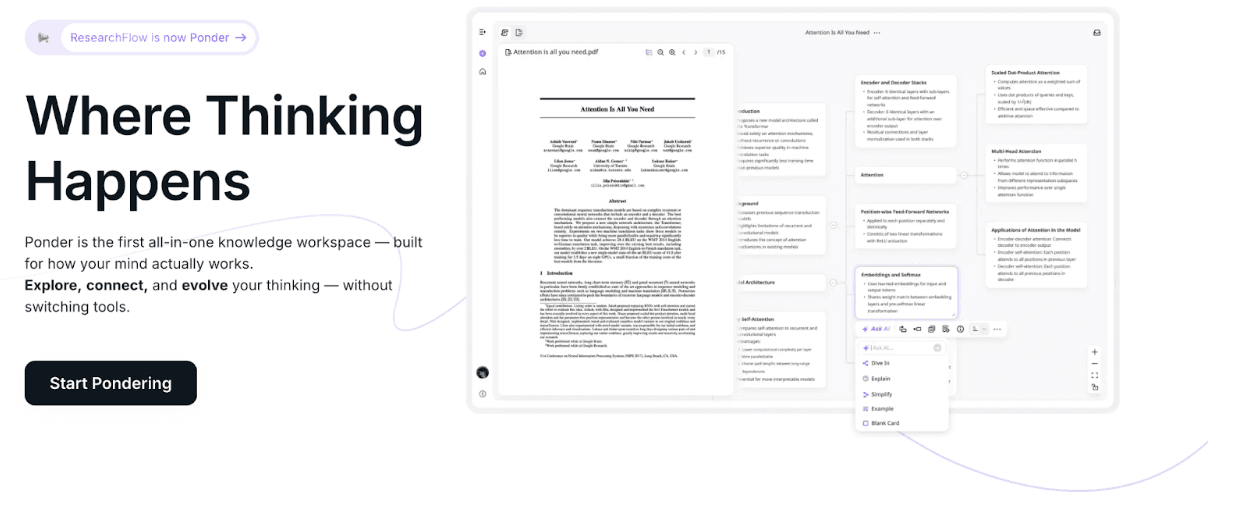
Quick answer: The best brainstorming tool depends on whether you're working alone or with a team. For individual deep thinking, Obsidian and Roam Research enable linked, non-linear brainstorming. For visual team ideation, Miro and FigJam are most flexible. For research-driven brainstorming — where ideas need to connect back to evidence — Ponder's canvas combines visual brainstorming with source-linked knowledge mapping, so your ideas are grounded in real evidence from the start.
Introduction: The Evolution of Brainstorming in 2026
In 2026, the way we generate, capture, and develop ideas has fundamentally transformed. Gone are the days when brainstorming meant gathering around a physical whiteboard with sticky notes that would inevitably get lost or erased. Today's teams and creators need tools that can keep pace with the complexity of modern work—tools that facilitate real-time collaboration across distributed teams, preserve every spark of inspiration, and help transform scattered thoughts into actionable strategies.
The best brainstorming tools do more than just capture ideas; they create environments where creativity flourishes, connections emerge naturally, and insights compound over time. Whether you're a product team mapping out your next feature, a content creator developing campaign concepts, or a researcher synthesizing complex information, the right brainstorming platform can be the difference between fleeting ideas and transformative breakthroughs.
This guide explores the top brainstorming tools that are shaping how teams and creators think, collaborate, and innovate in 2026. From AI-powered thinking spaces to collaborative whiteboards and mind mapping platforms, we'll help you find the perfect tool for your unique workflow.
1. Ponder: A Research-Driven Brainstorming Tool for Deep Thinking
Best for: Deep thinking, knowledge synthesis, and research-intensive work
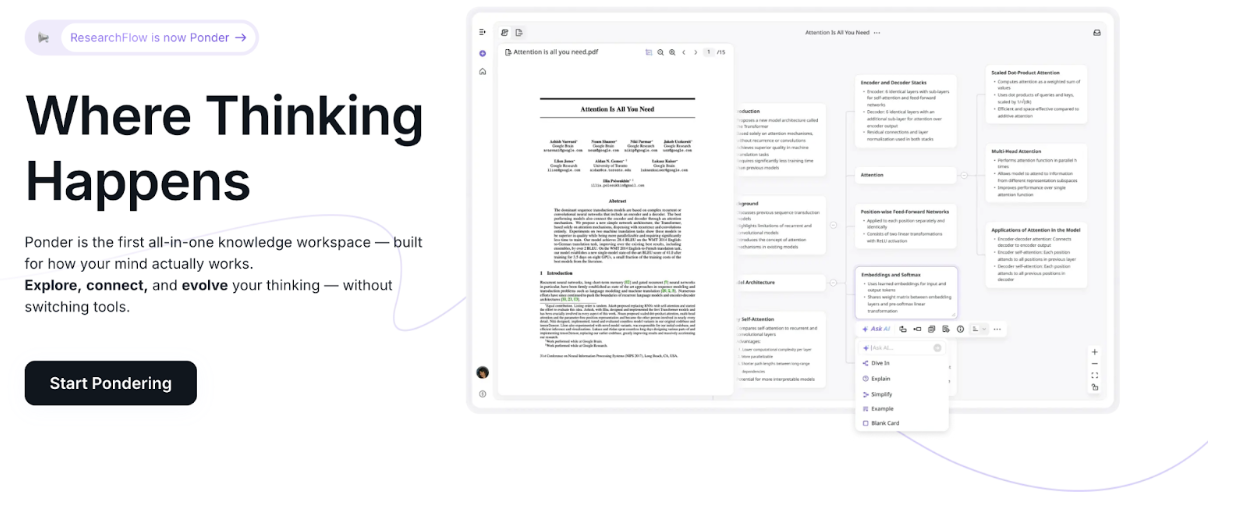
Ponder is not a lightweight brainstorming or mind-mapping tool. Instead, it’s designed for situations where brainstorming involves digesting information, connecting evidence, and building understanding over time. It works best when ideas come from research materials—not just spontaneous thoughts.
What Makes Ponder Different from Typical Brainstorming Tools
Most brainstorming tools focus on speed: quick sticky notes, rapid idea dumps, or short-lived whiteboard sessions. Ponder approaches brainstorming from a different angle—it treats brainstorming as a progressive thinking process, especially when ideas are grounded in documents, sources, and analysis.
Ponder introduces the first Integrated Research Environment (IRE), bringing discovery, analysis, synthesis, and organization into one workspace. This makes it especially suitable for research-driven brainstorming, where ideas evolve as you read, compare, and reflect.
Key Features
Infinite Canvas for Progressive Thinking
Ideas unfold visually on an expandable canvas using Ponder’s AI whiteboard for brainstorming. Rather than dumping everything at once, users can explore concepts step by step, letting connections emerge naturally without being overwhelmed by long reports or rigid outlines.
Ponder Agent: AI Thinking Partner
Ponder Agent supports brainstorming by identifying gaps in understanding, suggesting new investigation directions, and helping reorganize ideas as your thinking evolves—useful for refining ideas rather than generating random ones.
Universal Knowledge Ingestion
Import papers, PDFs, web pages, videos, or notes directly into your workspace: AI-generated brainstorm maps. Ponder contextualizes and connects materials, allowing brainstorming to happen with your sources, not separately from them.
Multi-Source Synthesis
Compare and analyze multiple documents simultaneously to identify patterns, contradictions, and insights—ideal for brainstorming informed opinions, strategies, or research questions.
Flexible Knowledge Organization
Take notes on any node, rearrange ideas visually, and structure concepts freely. The workspace adapts to different thinking styles, from visual clustering to structured analysis.
One-Click Research Output
Turn your brainstorming and research into presentations, reports, documents, or structured data. This transforms brainstorming outcomes into reusable knowledge assets rather than disposable ideas.
Best Use Cases
Ponder excels for researchers turning mountains of papers into connected insights, knowledge workers synthesizing reports and data, students transforming complex course materials into structured understanding, and analysts building coherent strategic views from multiple sources.
What Users Love
“According to user feedback, Ponder's ability to handle research-intensive workflows helps simplify complex analysis and transform findings into clear, actionable insights."
Pricing
Free plan available with core features; paid plans provide enhanced capabilities for power users and teams.
Why Ponder tops our list: In 2026, the ability to think deeply and make meaningful connections across vast amounts of information is more valuable than ever. Ponder doesn't just help you brainstorm faster—it helps you build lasting knowledge that grows more valuable over time.
2. Miro: The Visual Collaboration Powerhouse
Best for: Remote teams needing versatile collaboration
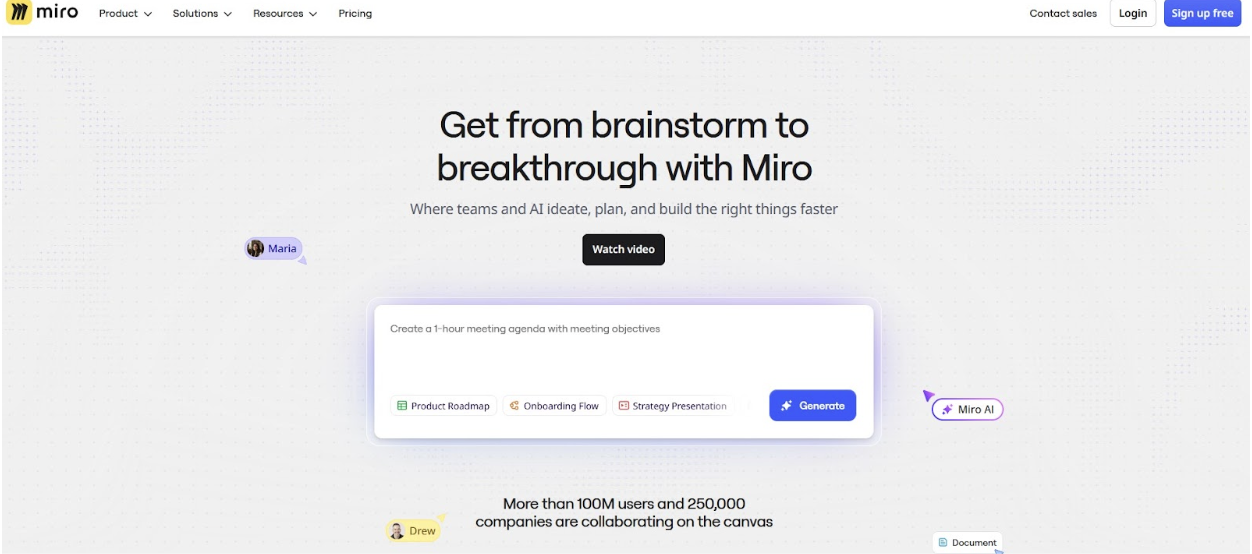
Miro transforms remote collaboration into a dynamic visual experience with its infinite canvas and extensive feature set. The platform mimics the energy of gathering around a physical whiteboard while adding powerful digital capabilities.
Key Features
Extensive template library with over 150 integrations
Real-time collaboration with voting and timer features
AI-powered diagram and image generation
Seamless integration with Slack, Jira, and project management tools
Limitations
Can be overwhelming for new users
Learning curve for non-visual thinkers
Advanced features require paid plans
Pricing
Free plan for 3 editable boards; Starter plan from $8/user/month (billed annually) includes unlimited boards and enhanced AI features.
3. ClickUp: All-in-One Brainstorming and Execution
Best for: Teams wanting brainstorming integrated with project management
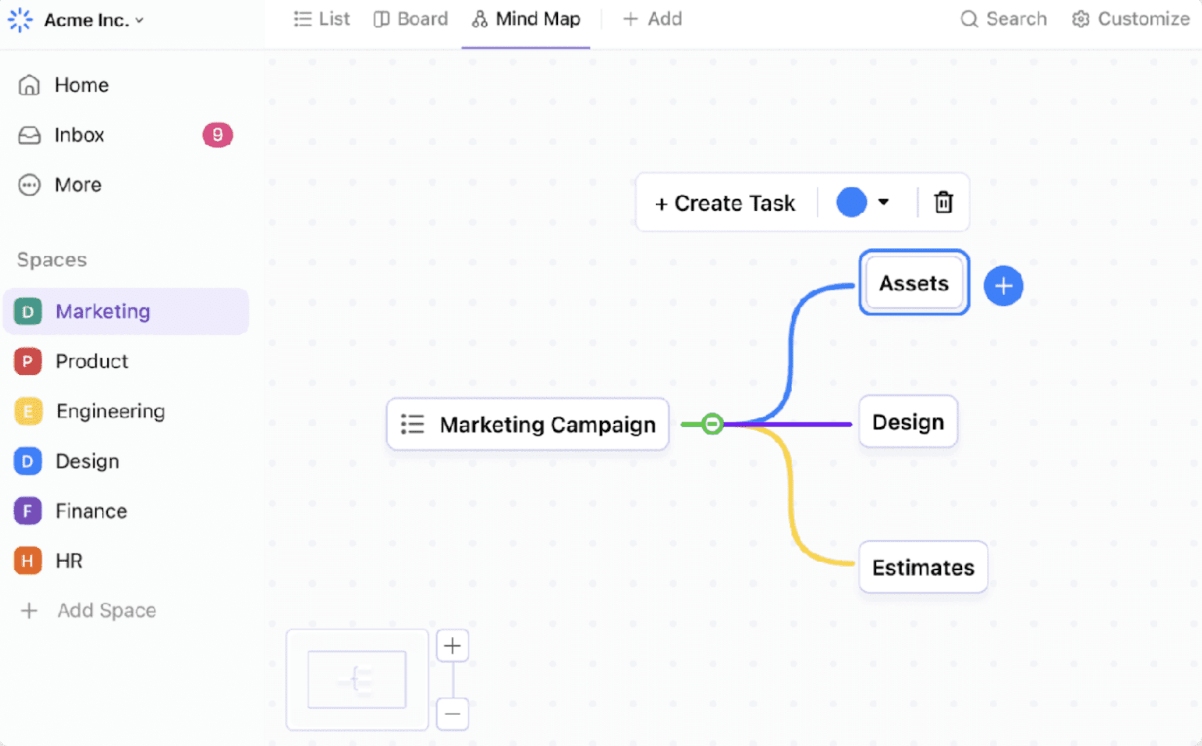
ClickUp combines brainstorming, project management, and knowledge management in one platform, making it easy to move from ideation to execution without switching tools.
Key Features
ClickUp Whiteboards for visual collaboration
ClickUp Brain with AI-powered suggestions
Mind Maps for structured thinking
Direct integration with tasks and project workflows
ClickUp Docs for turning ideas into documentation
Limitations
Feature-rich interface may feel complex initially
Some advanced features locked behind higher tiers
Pricing
Free plan available; paid plans from $10/user/month (monthly billing) with enhanced features.
4. FigJam: Playful Brainstorming for Design Teams
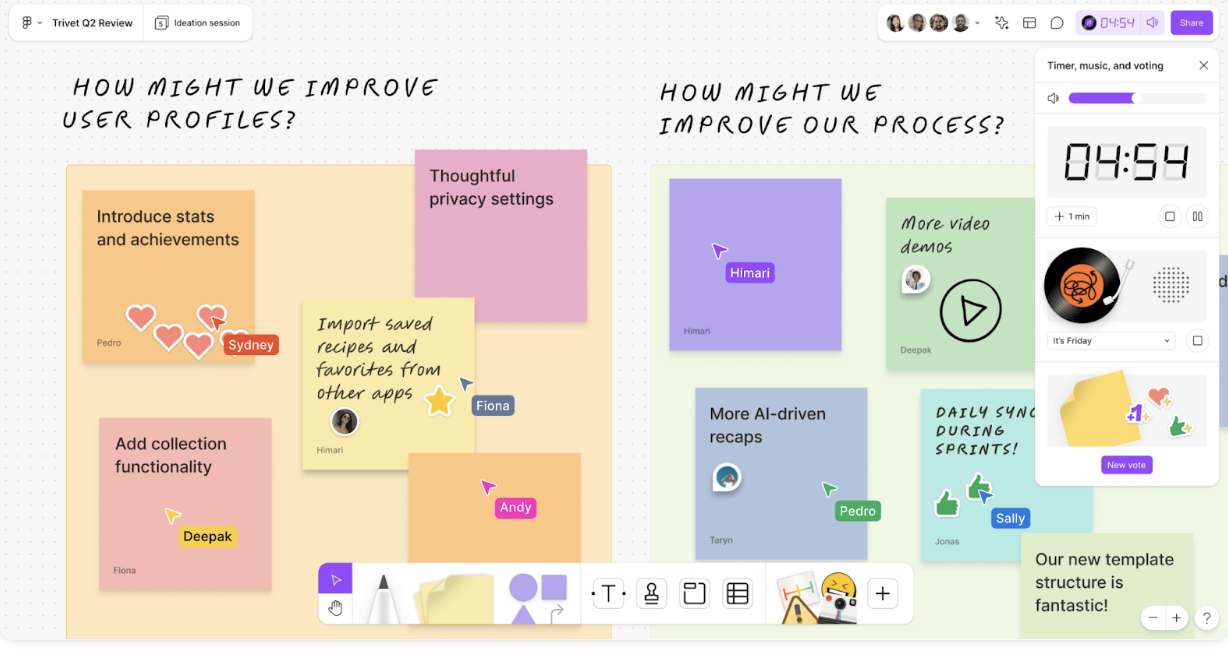
Best for: Design-centric teams and creative sessions
FigJam brings a playful yet powerful approach to brainstorming with its interactive tools, seamless Figma integration, and emphasis on spontaneous creativity.
Key Features
Fun, interactive tools including sticky notes and emotes
Real-time collaboration with live cursor tracking
Seamless integration with Figma for design workflows
Great for rapid prototyping
Limitations
Primarily geared toward design teams
Limited advanced features for non-design tasks
Fewer templates compared to comprehensive platforms
Pricing
Free plan available; paid plans integrate with Figma Professional subscriptions starting at $15/editor/month.
5. Lucidspark: Structured Brainstorming Made Simple
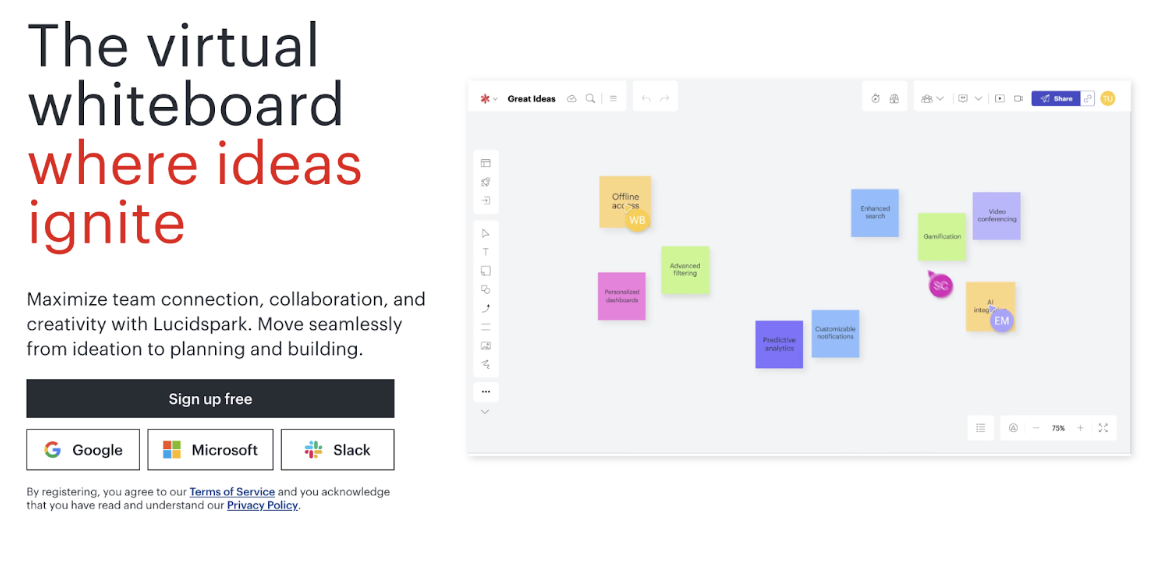
Best for: Teams wanting structured sessions without complexity
Lucidspark offers clean, intuitive brainstorming with real-time collaboration and seamless integration with Lucidchart for when ideas need to become detailed diagrams.
Key Features
User-friendly interface with minimal learning curve
Real-time collaboration with live cursor tracking
Voting and facilitation features
Direct integration with Lucidchart for diagramming
Limitations
Fewer templates than some competitors
Limited integrations outside the Lucid ecosystem
Less playful than some alternatives
Pricing
Free plan available; Premium starts at $9/month for individuals, $10/user/month for teams (minimum 3 users).
6. Coggle: Lightning-Fast Mind Mapping
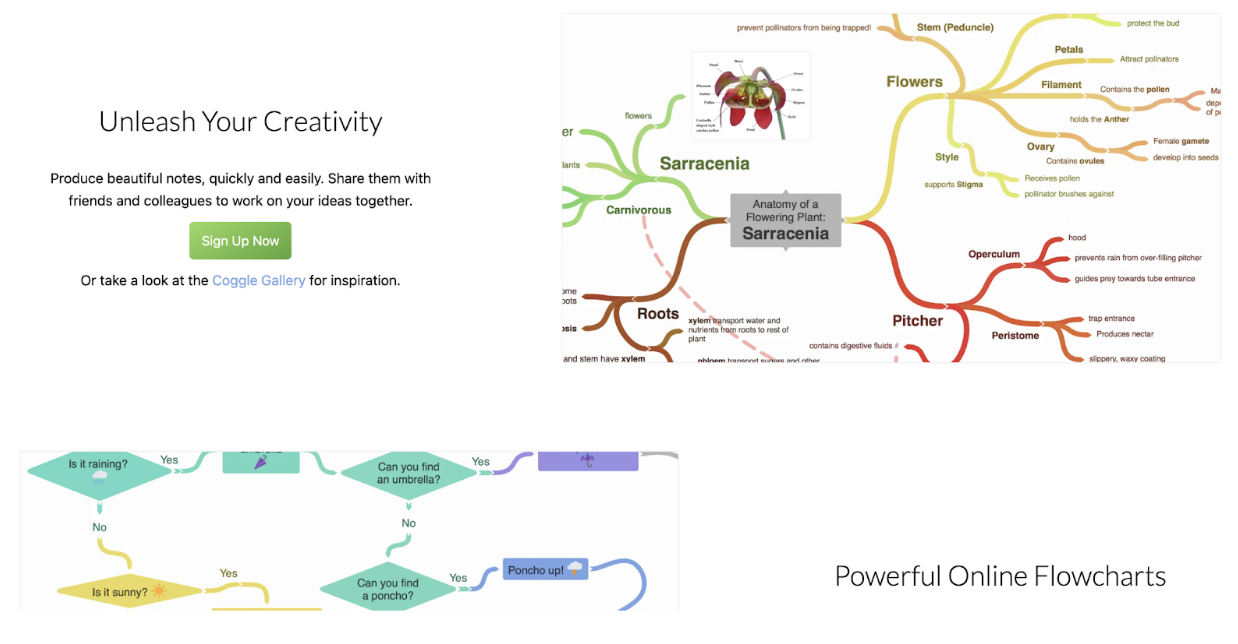
Best for: Quick, colorful mind mapping
Coggle strips away complexity to focus on rapid mind mapping that captures thoughts as they occur, with automatic color coding that helps your brain spot connections naturally.
Key Features
Lightning-fast mind map creation
Automatic color-coded branches
Markdown support for formatting
Simple sharing capabilities
Limitations
Web-only (no native mobile apps)
Limited to three private diagrams on free plan
Interface starting to look dated
Pricing
Free for up to 3 private diagrams; $5/month for unlimited private diagrams and additional features.
7. MindMeister: Mind Mapping for Everyone
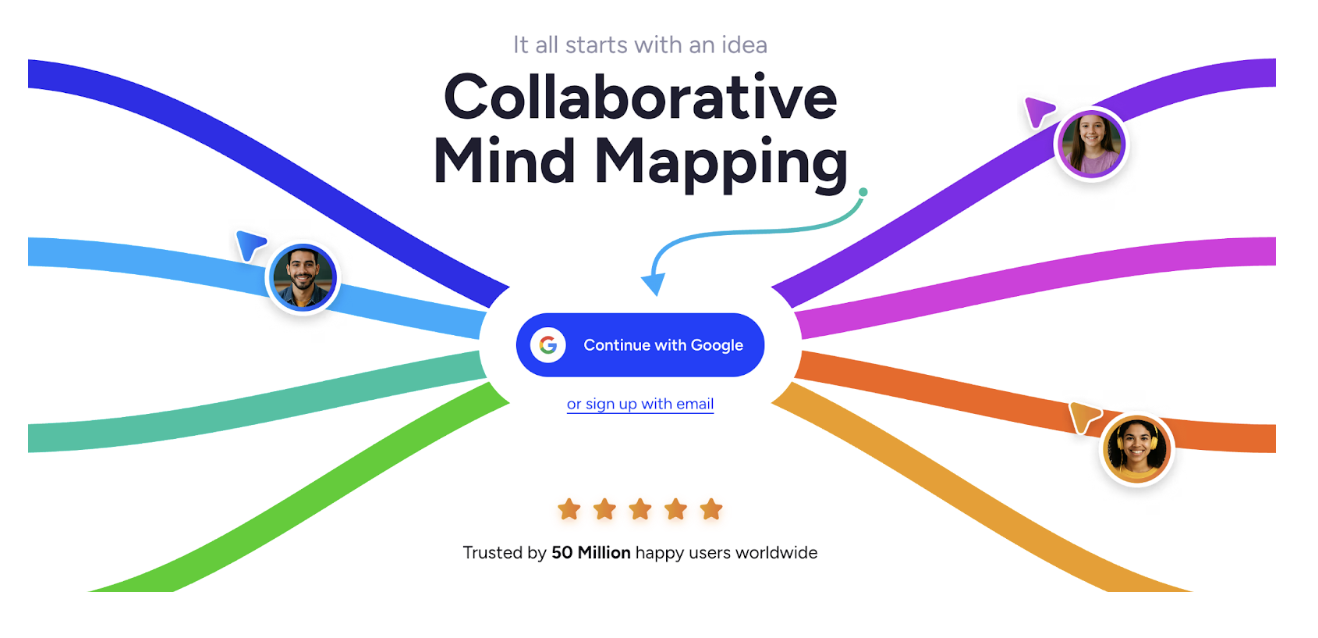
Best for: Beginners needing intuitive mind mapping
MindMeister makes visual project management accessible with its gentle learning curve and powerful collaboration features, including the ability to transform maps into presentation slides.
Key Features
Easy-to-use drag-and-drop interface
Real-time collaboration
Integration with Trello and Microsoft Teams
Built-in task management features
Voting functionality for group decisions
Limitations
Limited beyond mind mapping functionality
Paid plans required for larger maps and exports
Less visual creativity than some alternatives
Pricing
Free basic plan; Personal Pro from $6/month, Business plans from $10/user/month.
8. Stormboard: From Ideas to Action
Best for: Organizing brainstorming results into actionable plans
Stormboard combines sticky note brainstorming with structured organization, helping teams move seamlessly from creative thinking to practical execution.
Key Features
Simple sticky note organization
Predefined templates for structured sessions
Voting features for prioritization
Exportable to PDF and Excel
Task conversion capabilities
Limitations
Limited drawing tools
Basic interface design
Advanced features behind paywalls
Pricing
Free personal plan; Business plans from approximately $8.33/user/month.
9. Zoom: Interactive Brainstorming Through Video
Best for: Teams that brainstorm better through conversation
While primarily known for video conferencing, Zoom's whiteboard and breakout room features make it a powerful brainstorming platform, especially for teams that think better through real-time discussion.
Key Features
Video conferencing with screen sharing
Built-in whiteboard collaboration
Breakout rooms for focused mini-sessions
AI-powered meeting summaries
Recording capabilities
Limitations
Whiteboard features less advanced than dedicated platforms
Free meetings limited to 40 minutes
Requires stable internet connection
Pricing
Free for 40-minute meetings; Pro plan from $15.99/month/user includes extended meetings and AI features.
10. ChatGPT: AI-Powered Brainstorming Assistant
Best for: Solo creators and AI-assisted ideation
ChatGPT serves as a virtual brainstorming partner, generating ideas, providing context, and helping you explore "what-ifs" through natural conversation.
Key Features
Natural language conversation for idea generation
Image and file upload capabilities
Voice mode for verbal brainstorming
Custom GPT creation for specialized brainstorming
Conversation memory across sessions
Limitations
Lacks visual collaboration features
No built-in organization tools
Can occasionally provide inaccurate information
Requires verification of facts
Pricing
Free plan available; ChatGPT Plus at $20/month provides access to latest models and custom GPTs.
Choosing the Right Brainstorming Tool for Your Needs
Selecting the perfect brainstorming tool depends on several factors:
Consider your workflow: Deep thinking with AI brainstorm workspace like Ponder, visual collaboration (Miro, FigJam), structured diagramming (Lucidspark), or integrated project management (ClickUp)?
Team size and location: Remote teams benefit from real-time collaboration features, while distributed teams might prefer asynchronous capabilities.
Integration requirements: Ensure your chosen tool connects with your existing tech stack.
Budget constraints: Many excellent tools offer free plans, while others provide enhanced features at various price points.
Learning curve: Consider whether your team needs something immediately intuitive or can invest time in learning more powerful features.
Conclusion: Empowering Better Thinking in 2026
The landscape of brainstorming tools in 2026 offers unprecedented opportunities to capture, develop, and execute on ideas. Whether you're synthesizing complex research with Ponder's AI-powered thinking space, collaborating visually with Miro's infinite canvas, or integrating brainstorming directly into your project workflow with ClickUp, there's a tool designed for your specific needs.
The key is choosing a platform that not only captures ideas but enhances how you think, collaborate, and transform insights into action. For deep thinkers, researchers, and knowledge workers who need more than surface-level ideation, Ponder's unique approach to building connected knowledge makes it stand out as the tool that helps you not just work faster, but think deeper.
Great ideas are the foundation of innovation. With the right brainstorming tool, you're not just collecting thoughts—you're building a thinking environment where breakthrough insights can emerge, connections can be discovered, and lasting value can be created.
Start exploring these tools today and discover which one unlocks your team's creative potential in 2026. For team-specific collaboration tools, see our guide to the best brainstorming tools for teams — and if you use Miro or Mural, check Miro alternatives worth considering.
Frequently asked questions
What is the best brainstorming tool for solo use?
For solo brainstorming, the best tools depend on your thinking style. Visual thinkers: Miro (free 3 boards — unlimited canvas), Coggle (free, simple mind maps), or Whimsical (clean diagrams, free tier). Text-first thinkers: Notion (free, unlimited list and toggle-based outlining), Roam Research or Logseq (bidirectional-linked notes for connecting ideas over time). AI-assisted: ChatGPT or Claude for prompting-based idea generation — give a topic and ask for 20 angles, then filter. Ponder's canvas is aimed at research-specific brainstorming — connecting ideas from papers — rather than general ideation. For pure creative brainstorming, a simple mind map tool often beats structured apps.
What are the best free brainstorming tools?
Best completely free brainstorming tools: Miro (free for 3 boards — the industry standard for collaborative brainstorming); Coggle (free for 3 mind maps — simple, no account needed for basic use); Mural (free student/educator plan); FigJam (free for students — Figma's whiteboard); draw.io/diagrams.net (fully free, no account required, diagrams and mind maps); tldraw (open-source, browser-based whiteboard). Plus non-whiteboard tools: Google Docs/Keep (free, adequate for text brainstorming), Notion free tier (for organized list brainstorming). Paid tools like Miro's Pro tier, Lucidchart, or MURAL's paid plans add features like unlimited boards, advanced templates, and team admin, but the free tools cover most brainstorming needs effectively.
What is the most popular brainstorming technique?
Classic brainstorming (unstructured idea generation, no judgment) remains the most widely used technique, but research shows it's not always the most effective. Evidence-based alternatives: Brainwriting (everyone writes ideas simultaneously rather than calling them out — reduces groupthink and anchoring effects); SCAMPER (Substitute, Combine, Adapt, Modify, Put to other uses, Eliminate, Reverse — structured creative prompting); Six Thinking Hats (parallel thinking from defined perspectives, reduces conflict); Nominal Group Technique (individual generation followed by group prioritization — combines strengths of solo and group thinking). Digital brainstorming tools support these techniques with templates, voting features, and async contribution modes.
Can AI genuinely help with creative brainstorming?
AI is effective for specific parts of brainstorming: generating diverse initial ideas quickly (ChatGPT, Claude can suggest 20+ angles on any topic in seconds), overcoming blank-page blocks, making unusual connections between concepts, and challenging assumptions with alternative framings. Limitations: AI brainstorming tends toward generic combinations rather than truly original ideas; it reflects patterns from training data, biasing suggestions toward common framings. Best practice: use AI to quickly generate a wide first-pass list, then critically filter and develop the ideas that feel most relevant to your specific context — the human judgment about what's worth developing is where the real value lies. AI-generated idea lists are inputs, not outputs.
What is the difference between brainstorming and mind mapping?
Brainstorming is a process for generating ideas — it's about quantity and divergence. The goal is as many ideas as possible without judgment, often as a group activity. It's the ideation phase. Mind mapping is a tool for organizing ideas into a visual structure after (or during) brainstorming — it arranges concepts hierarchically from a central node. It's the organization phase. The two often work together: brainstorm freely first, then use a mind map to organize the best ideas into themes and structure. Brainstorming tools (Miro, Mural) tend to support the free idea generation phase with sticky notes and open canvases; mind mapping tools (XMind, MindMeister, Coggle) support the structured organization phase.
See also: Brainstorming Tools for Students | Brainstorming Tools for Teams | Creative Brainstorming Techniques | Group Brainstorming Techniques | Concept Map Examples | Idea Mapping Examples | Mind Map Software