
Find citations: supporting literature for your claims
How to start a search, how to judge the candidate papers, and what an inserted citation rests on.
When a claim in your manuscript needs support from the literature, select the relevant sentence or paragraph and use Find citations to search for papers that support it. The papers you choose are inserted in place as formal academic citations and added to the reference list at the end.
1. Select the text that needs support
In a document in your project (a note or an article), select a sentence or a paragraph, then click Find citations on the selection toolbar.
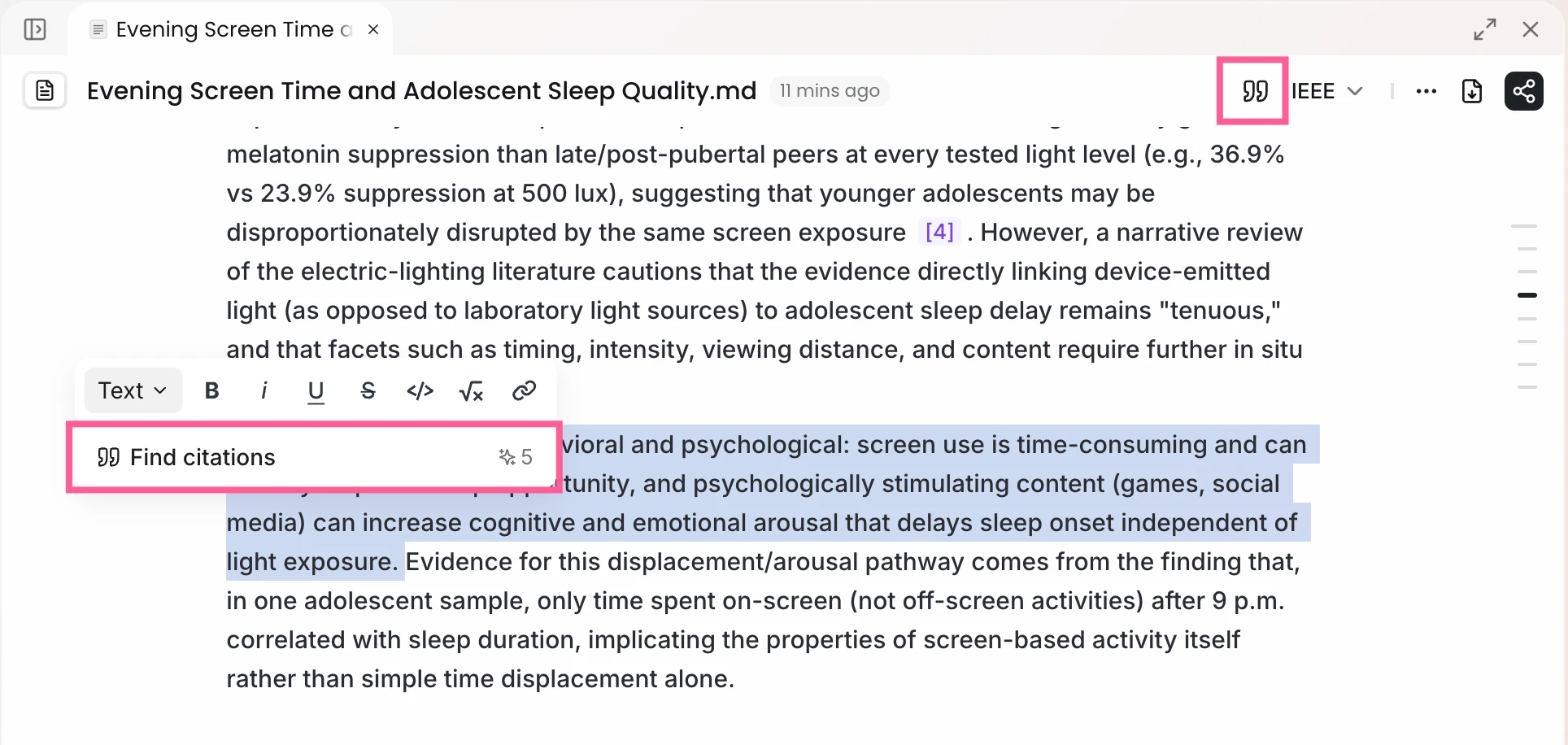
You can also click the quotation-mark icon in the document's top bar: with a selection, it searches the selected text; without one, it searches the paragraph your cursor is in.
2. Judge the candidate papers
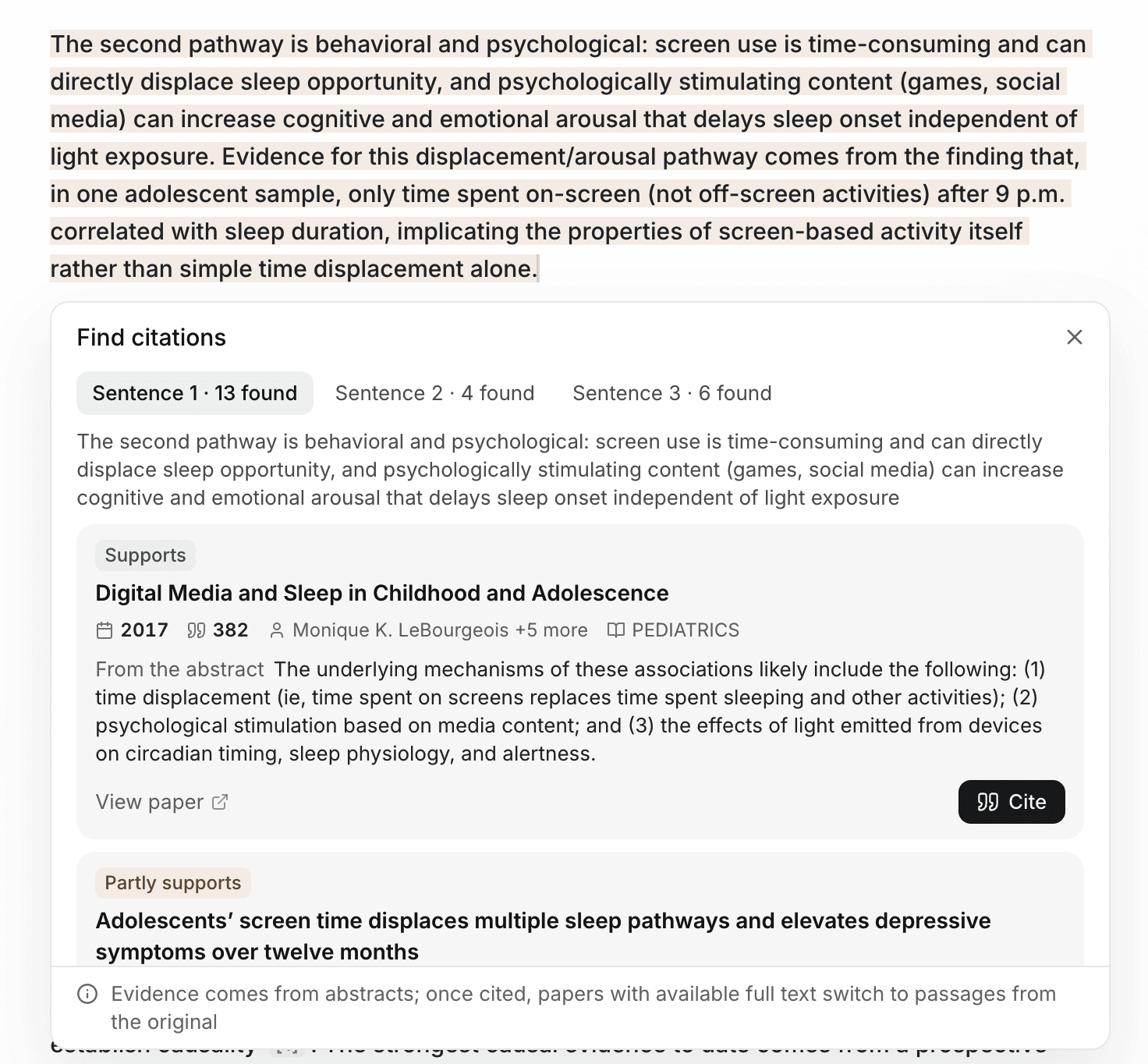
Ponder first analyzes the passage and identifies the claims that need a source, then searches for papers and judges how each one relates to the claim. The results appear next to your selection:
- Each paper is marked Supports, Partly supports or Contradicts, together with the sentence from its abstract that the judgment rests on (From the abstract).
- Papers that reach the opposite conclusion are listed separately under Papers with the opposite finding, as counter-evidence your discussion may need to address.
- To read a paper first, click View paper.
When Ponder judges that the passage does not need a citation, it tells you so; you can still click Search anyway.
At this step, each paper's stance is judged from its abstract and serves to shortlist candidates.
3. Insert the citation
Choose a paper and click Cite. The paper is saved to your project, and the citation is inserted at the end of the sentence that makes the claim.
For papers whose full text is available, Ponder identifies the passage in the full text that bears on the claim and uses it as the basis of the citation; open the citation to see that passage. For papers without an available full text, the citation still rests on the abstract.
Citations follow the document's current citation style and are added to the reference list at the end. Before you keep a citation, open it and check it once against the original. To switch citation styles or check the reference list, see Citations and tracing claims.
What to read next
- Open citations, check the original and switch citation styles: read Citations and tracing claims
- Have Ponder write an article from your material: read Academic writing