

What is Ponder
What Ponder does for you, and how it keeps its content trustworthy.
Ponder is an AI research tool for academic researchers. Researchers, graduate students and analysts use it across a whole study: finding relevant literature, understanding and synthesizing a body of sources, and writing the research up with citations.
Unlike a general chat-style AI, Ponder first finds real papers and your own material, then has AI work from them, so every conclusion it gives you can be traced back to the source.
The research is yours. Ponder helps you set the direction, understand the material and take the next step; the conclusions are yours to draw.
What Ponder does for you
A study runs in three steps in Ponder.
- Search: see what research exists on a topic. You write down a research question and get a list of papers ranked by relevance, a key takeaway for each paper, and a search review with citations.
- Analyze: work out what that research actually says. You bring in papers, lecture notes, videos or your own notes — or just give a research topic — and get a mind map, notes, or an in-depth analysis of the topic.
- Draft: write the research up. You give a topic and your requirements, and either name the sources to cite or let Ponder search for them; you get a fully structured literature review, paper or research report, with real literature behind every citation.
Analyze and Draft use the material you bring in, and search the literature to fill gaps when that material is not enough; papers found that way are attributed too. So you can start at any step, even with little material in hand.
For which goal each step suits, see Search, Analyze, Draft: where to start.
What Ponder works from
Ponder's content comes from two sources, used together: Analyze and Draft work from the material in your project first, and search the literature databases for what is missing.
- Academic literature databases: OpenAlex, PubMed and Semantic Scholar, covering more than 200 million records across every discipline; when material is thin, Ponder also searches further academic sites. For open-access papers Ponder can read the full text; for papers behind a subscription or paywall it reads the abstract and bibliographic data, and once you upload the PDF it can read the full text. For where the literature comes from, see Where the papers come from.
- Your own material: the documents, images, audio, video and video links you bring into a project, plus your notes and drafts.
For how to find the most relevant papers in the databases, see Find the most relevant, usable papers; for how to bring material in, see Import your sources.
What working with Ponder is like
With a chat-style AI you ask, it answers, and the exchange is over. Ponder treats research as something you keep pushing forward, and you will see three things in the interface.
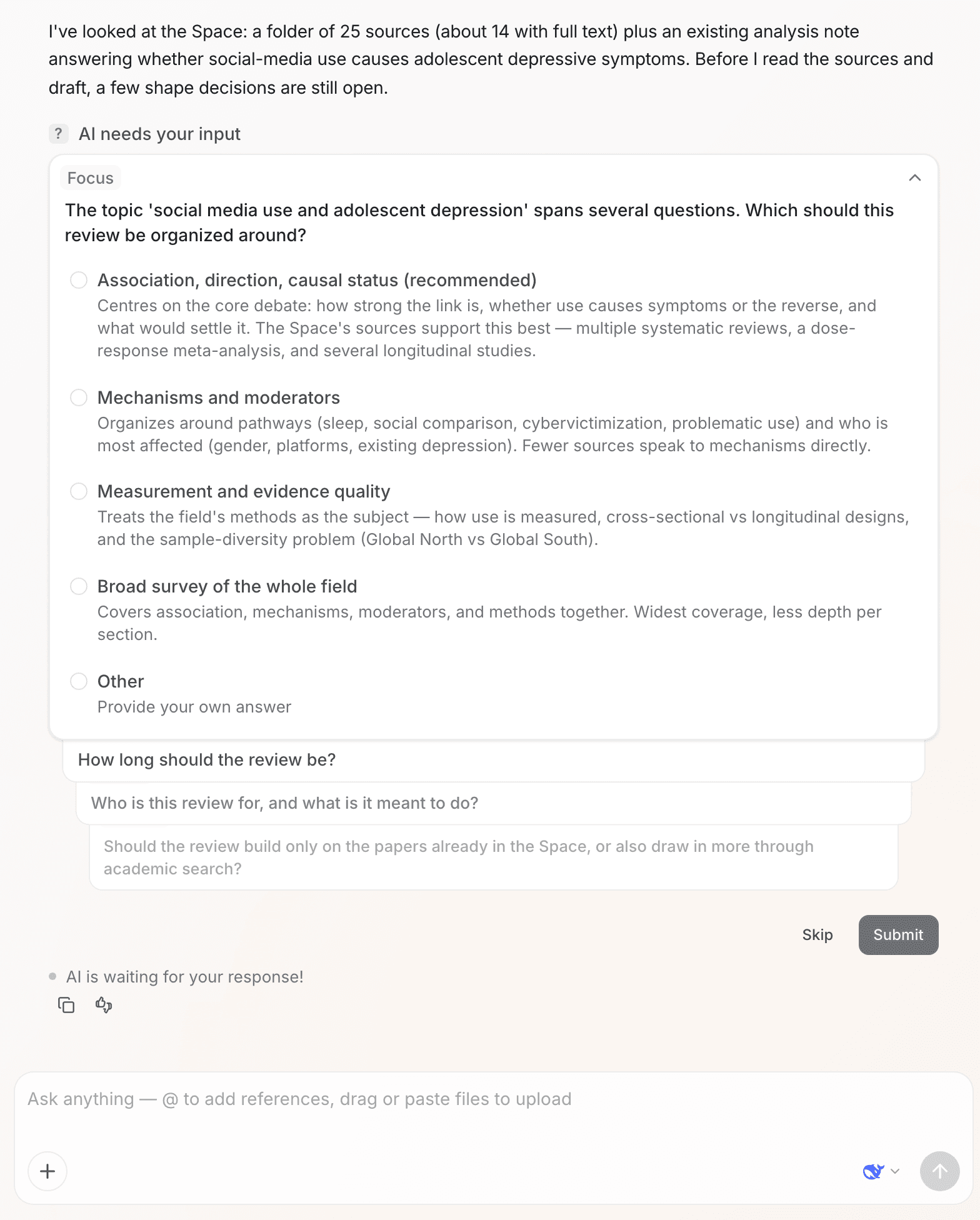
It asks before it writes. Before a writing task starts, Ponder asks a few questions to confirm the kind of manuscript, its scope and your requirements. Whatever you have already made clear, it simply starts on.
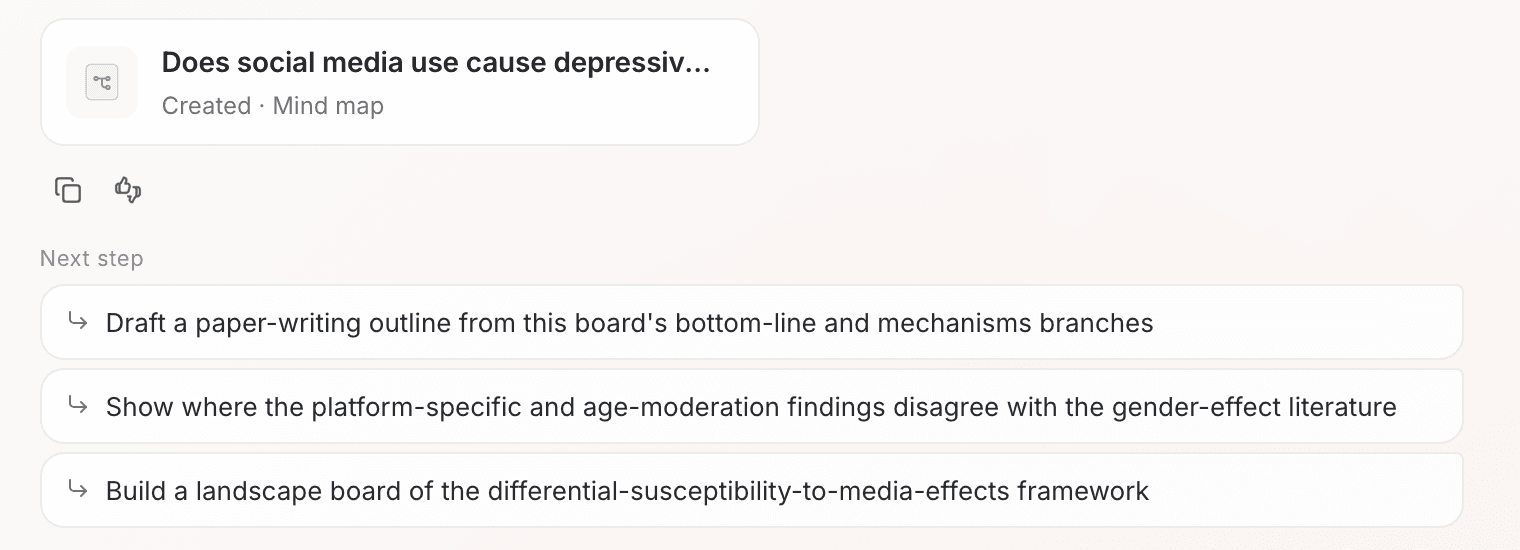
Every round ends with a next step. Next step at the end of a response lists up to three directions worth continuing; one click takes you down that path. Mind Map and Write a review below a search review carry this round's papers straight into Analyze or Draft.
Everything you make stays in the project. Reviews, mind maps, notes and drafts are saved as files in the project. Next time you open the project, click a task in the left rail and that conversation comes back together with its files. Ponder also gets to know your topic through these files — see Projects: how Ponder gets to know your topic.
The division of labor is clear: Ponder gathers the material, lays out the structure and puts the next step in front of you; reading the source, making the judgment and writing it up are your work, and the most valuable part of a study.
How Ponder keeps its content trustworthy
- Search first, synthesize after: AI only starts writing once it has found relevant papers and read your material.
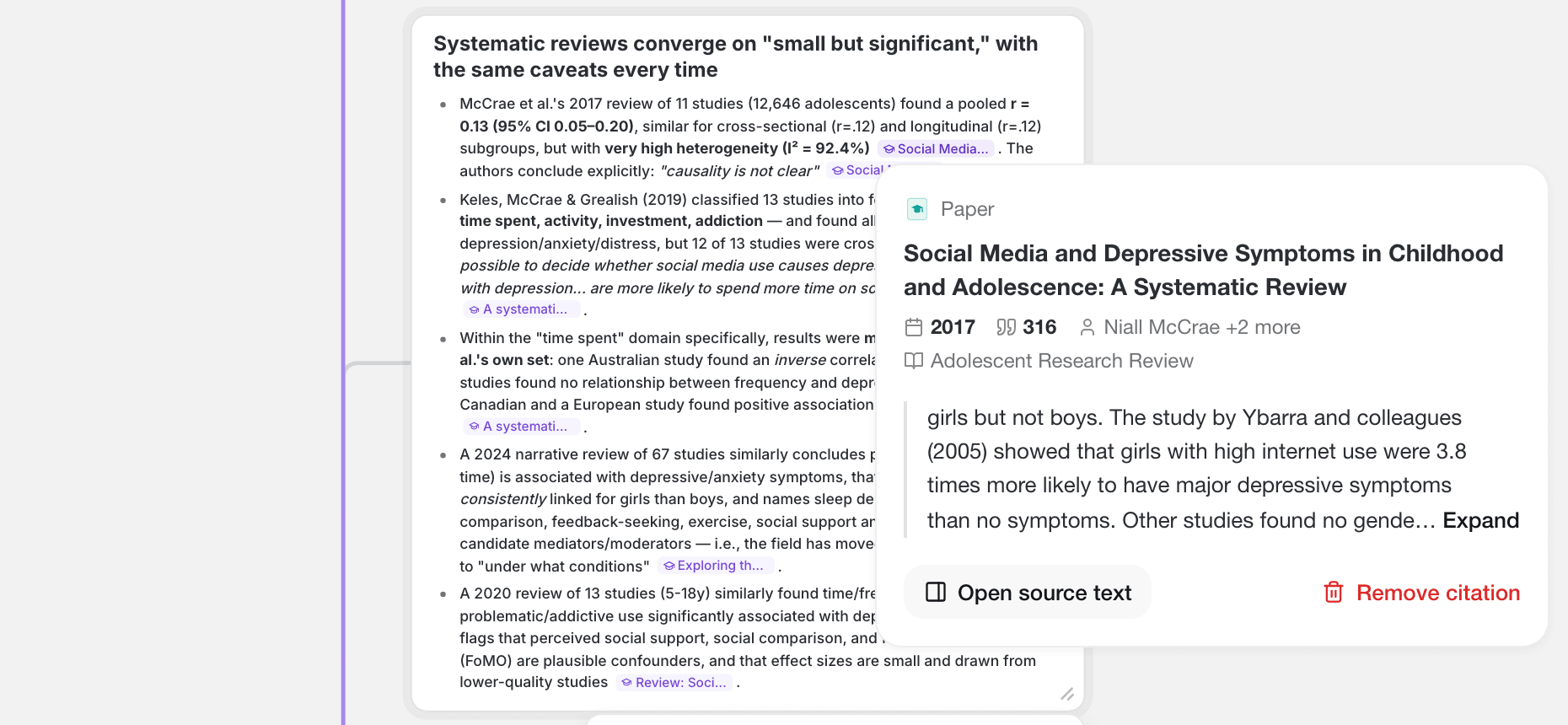
- Every claim is attributed: each numbered marker in a review corresponds to one paper; click it to open that paper's detail.
- Citations carry the source text: open a citation in a manuscript and the card shows the exact passage it rests on.
- Retracted papers are flagged: retracted papers carry a "Retracted" badge in search results and in the reference list.
These choices let you return to the original research at any point. For the full account and the current limitations, see Responsible AI and limitations.
What to read next
- To start right away: read Search, Analyze, Draft: where to start
- To start from a question and find literature: read Find the most relevant, usable papers
- To see where your material and results live: read Projects: how Ponder gets to know your topic